
ModsJava
TheDungeons
I don't know my version or loader
Open the Minecraft launcher and look at the profile you play on — it names both, like fabric-loader-1.21.4. The version also shows in the bottom-right corner of the game's main menu.
No loader in the profile name? Then it's plain Minecraft, and these mods won't run — you need Fabric or NeoForge installed first.

Discord | Documentation | Donate
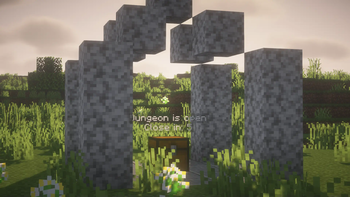
With Dungeons, you can create unique and random dungeons for your players using spawn, commands, and effects, as well as other configurations.

- Spigot 1.20+
- Java 17+
- PLAZMER-ENGINE
- WorldEdit or FAWE

- HolographicDisplays, DecentHolograms & Fancy
- ItemsAdder & MMOItems
- GriefPrevention, KingdomX, GriefDefender & WorldGuard
- MythicMobs and others with commands module
- PartyAndFriends & Parties (Dungeon party access)
- Skills (Dungeon Access)

Party System
- Supports third-party party systems for group entry.
Commands
- Add unlimited commands for dungeon stages: Open and Close.
Custom Mobs
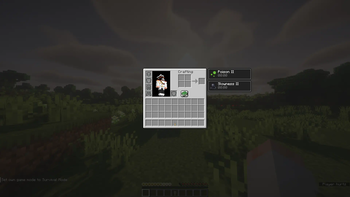
- Customize mobs with potions, equipment, names, and rewards.
Chest Items
- Define multiple chest rewards with NBT support.
Effects
- Apply effects to players within a 15-block radius.
Access Keys
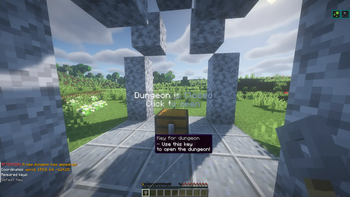
- Create keys for dungeon access.
Custom Blocks
- Designate any block as a chest using the config or
/dungeon editor.
Opening Types
- Click: Players open the chest.
- Timer: Dungeon opens automatically after a delay.
Multi-World Support
- Create dungeons for any world.
Fully Customizable Text
- Customize texts, holograms, and menus in the
/lang/folder.
Infinite Schematics
- Use multiple dungeon schematics with customizable selection methods.
Region Settings
- Configure dungeon regions with custom names or disable them.
Timer Settings
- Customize refresh, wait, open, and close times.
Need help? Join our Discord: Discord
Quick facts
- Edition: Minecraft Java
- File type: .jar
- Minecraft versions listed: 1.17, 1.17.1, 1.18
- How to install: Install the matching mod loader (Forge, Fabric or NeoForge) for your Minecraft version. → Download the .jar. → Put it in the .minecraft/mods folder and launch that loader profile.
- Where to get it: Opens on Modrinth — not every file is mirrored on our own servers.
Install steps are the general flow for this file type — How to install Minecraft Java mods & modpacks walks through it step by step.
Verified by MCModsHub
- Ships as TheDungeons-4.0.9.jar — drop this file into the mods folder
- Download size: 457 KB
- Download link checked 28 Aug 2026 — working
These come from our own check of the pack file, not from the source page.