
ModsJava
MCFaceTracking
Java mod listed for Minecraft 1.20–1.21. Downloads from the MC Java Mods app on Android.
I don't know my version or loader
Open the Minecraft launcher and look at the profile you play on — it names both, like fabric-loader-1.21.4. The version also shows in the bottom-right corner of the game's main menu.
No loader in the profile name? Then it's plain Minecraft, and these mods won't run — you need Fabric or NeoForge installed first.
MCFaceTracking
This mod allows you to connect VRCFaceTracking and make your player more lively.
Now with I18n support!
使用教程
- 安装本mod
- 启动游戏,打开VRCFaceTracking。如果一切正常,这里应该有显示
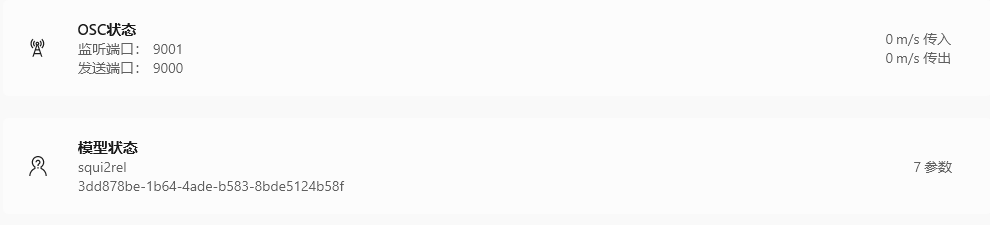
如果你没有VRCFaceTracking,可以跳过此步骤 - 进入世界,输入指令/mcft打开配置界面
- 跟随指引标记材质。先在右边划出指定区域,再点按钮来标记
一个示例的标记: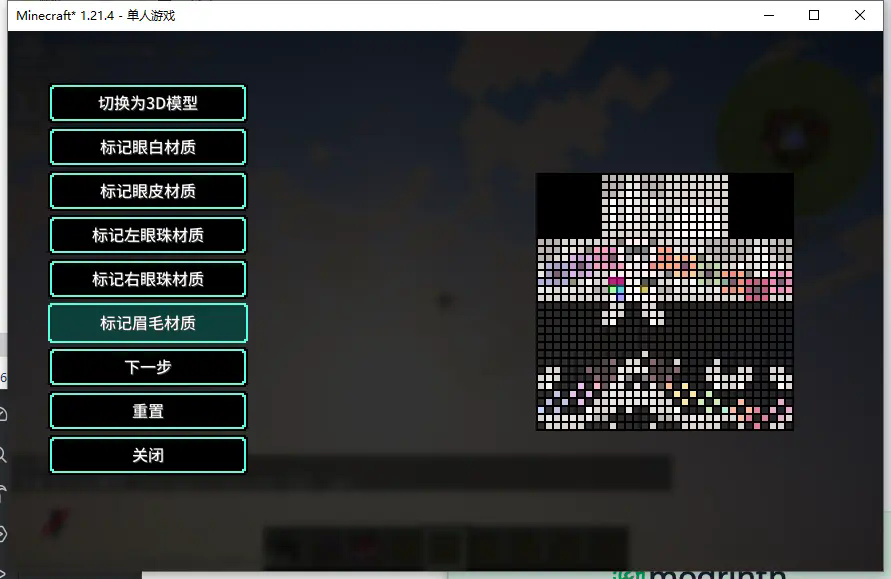
- 点击下一步,跟随指引标记位置。点击切换覆盖层可更改第二层皮肤可见性。默认吸附到网格,点击自由选择可解除吸附
如果是3D模型,嘴部最好使用自由选择标记。一个3D模式示例的标记: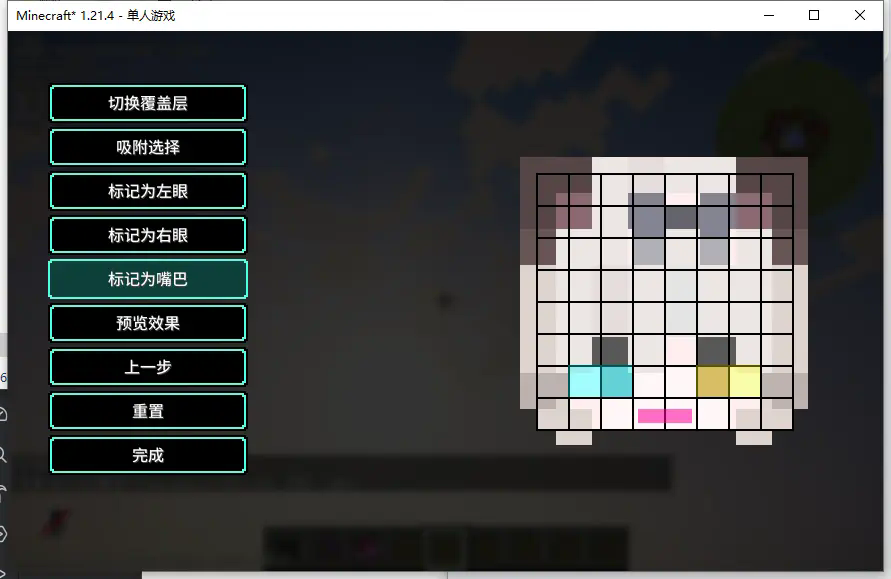
如果是平面模型,需要将眉毛一并标记以获得最好的效果。一个平面模型示例的标记: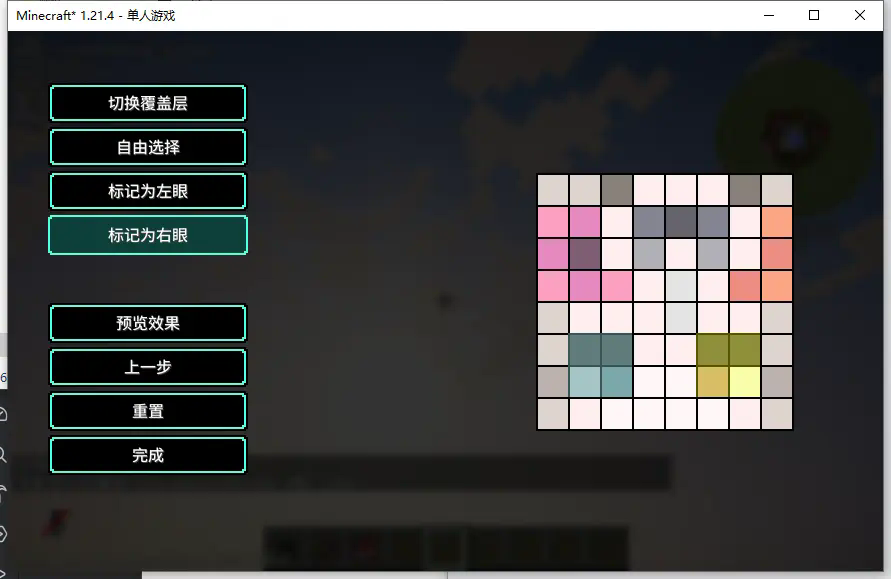
- 点击预览效果,可以预览现在配置下的效果。如果你没有VRCFaceTracking可点击自动眨眼配置来配置自动眨眼
- 点击完成,保存配置
Quick facts
- Edition: Minecraft Java
- File type: .jar
- Minecraft versions listed: 1.20.1, 1.21.4
- How to install: Install the matching mod loader (Forge, Fabric or NeoForge) for your Minecraft version. → Download the .jar. → Put it in the .minecraft/mods folder and launch that loader profile.
- Where to get it: Opens on Modrinth — not every file is mirrored on our own servers.
Install steps are the general flow for this file type — How to install Minecraft Java mods & modpacks walks through it step by step.
File checked by MCModsHub
- Ships as mcft-plugin-1.0.4.6.jar — drop this file into the mods folder
- Download size: 14 KB
- Download link checked 8 Oct 2026 — working
These come from our own check of the pack file, not from the source page.