
Features
Makes ClearLag more customizable
- Define custom commands for your players to check when the next entity clear happens.
- Display custom messages at specified intervals (e.g display an actionbar 5 seconds before clear).
- Play custom sounds at specified intervals (e.g play a happy villager sound 5 seconds before clear).
- Run configurable commands after an entity clear has happened.
Norska Development Resource Quality
- Auto-updating configurations on plugin updates.
- Fully customizable messages including chat (option to auto-center), actionbars, and titles. (RGB Support)
- Fully customizable sounds (option for power and pitch), for every command and event.
- Use any PlaceholderAPI placeholder in plugin messages.
Gallery
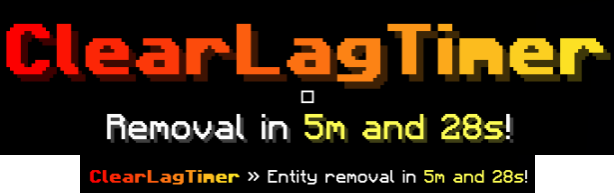
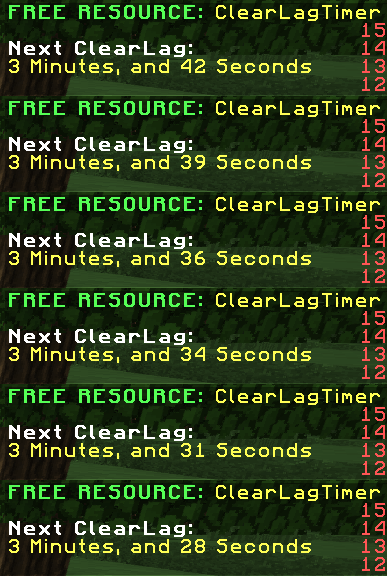
Default configurations
Developer API
- Information about the available Developer API can be found here
Quick facts
- Edition: Minecraft Java
- File type: .jar
- Minecraft versions listed: 1.8.8, 1.8.9, 1.9
- How to install: Install the matching mod loader (Forge, Fabric or NeoForge) for your Minecraft version. → Download the .jar. → Put it in the .minecraft/mods folder and launch that loader profile.
- Where to get it: Opens on Modrinth — not every file is mirrored on our own servers.
Install steps are the general flow for this file type — How to install Minecraft Java mods & modpacks walks through it step by step.
Verified by MCModsHub
- Ships as ClearLagTimer-2026.07.jar — drop this file into the mods folder
- Download size: 691 KB
- Download link checked 28 Aug 2026 — working
These come from our own check of the pack file, not from the source page.