
EnchantBookPlus





Combine enchantment books to achieve levels above vanilla
How it works
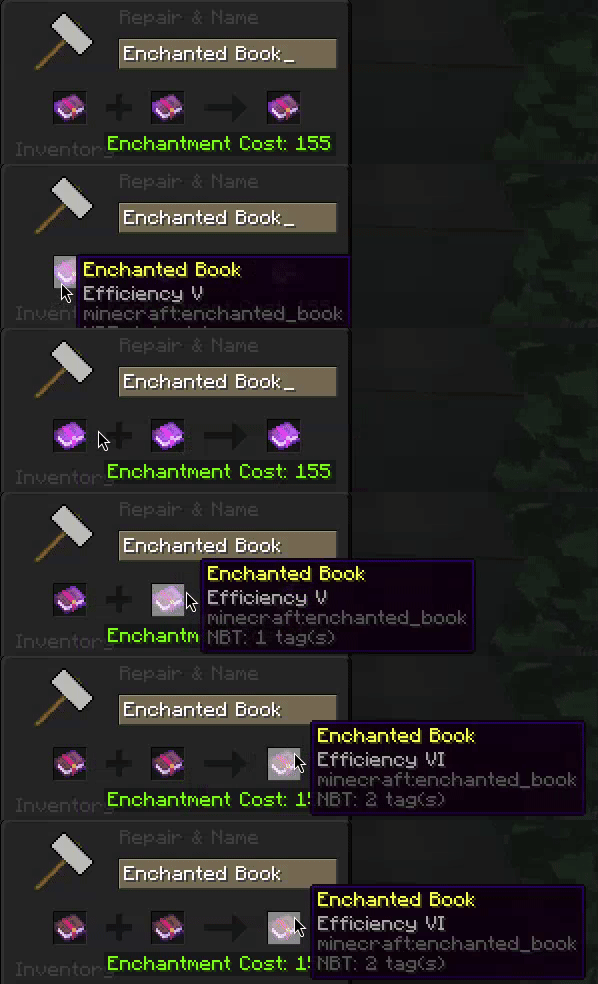
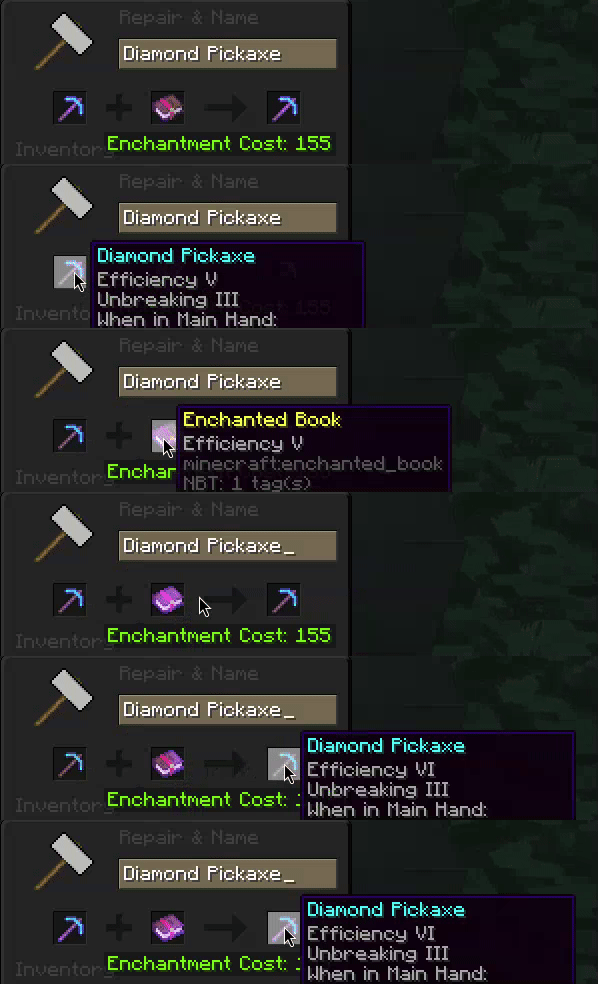
This plugin allows you to combine enchantments, e.g. Efficiency V + Efficiency V = Efficiency VI. This is done by using an anvil.
You can configure which enchantments can be combined above the Vanilla Minecraft levels. You can set the max level for each enchantment, and add XP cost in levels.
See the default config.
⚠ Important
You need AnvilUnlocker for anvil costs above 40 lvl to disable the "Too Expensive!" message.
Permissions
🛈 Note
<echantment>is the enchantment ID, e.g.swift_sneak,efficiency, etc. Replace with*for all enchantments.Example:
enchantbookplus.enchant.*orenchantbookplus.enchant.unbreaking
| Permission | Description | Default |
|---|---|---|
enchantbookplus.enchant.<enchantment> |
Allow enchanting <enchantment> above the vanilla level, as configured in the plugin. |
Everyone |
enchantbookplus.reload |
Reload plugin config using /enchantbookplus reload |
OP |
Reporting issues
Fixing bugs is the utmost priority for this project. If you find any issue, check the GitHub Issue Tracker to see if it has already been reported. If not, create a new issue.
When creating a new issue, include as many relevant details as possible, e.g.:
- Minecraft server type and version (e.g. Paper 1.20.1)
- Plugin version (e.g. 1.0.0)
- Warnings and errors related to this plugin in the console
- Steps to reproduce the issue
Contributing
Anyone is welcome to contribute to this project.
To contribute:
- Fork the repository
- Make your changes in your forked repository
- Create a pull request
Pull requests require approval and changes may be requested before merging to the main branch.
Contributions of any kind are most welcome and are given full credit.
License
This is libre software, meaning that it is forever free and open source, licensed under the GNU General Public License version 3. You can read the full license.
- Edition: Minecraft Java
- File type: .jar
- Minecraft versions listed: 1.17, 1.17.1, 1.18
- How to install: Install the matching mod loader (Forge, Fabric or NeoForge) for your Minecraft version. → Download the .jar. → Put it in the .minecraft/mods folder and launch that loader profile.
- Where to get it: Opens on Modrinth — not every file is mirrored on our own servers.
Install steps are the general flow for this file type — How to install Minecraft Java mods & modpacks walks through it step by step.
- Ships as EnchantBookPlus-1.2.1.jar — drop this file into the mods folder
- Download size: 16 KB
- Download link checked 28 Aug 2026 — working
These come from our own check of the pack file, not from the source page.