
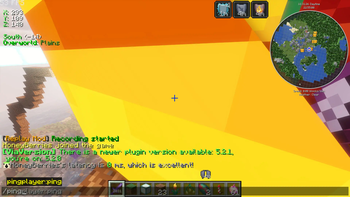

📊 PingPlayer
🚀 A lightweight ping and IP management plugin for Minecraft servers
✨ Features
- 🔍 Check Player Ping - View your own or other players' latency with
/ping [player] - 🌐 IP Lookup - Easily access player IP addresses with
/ip <player> - 📋 Tablist Integration - See ping values directly in the tab list with color coding
- ⚙️ Fully Configurable - Customize ping thresholds to suit your server
- 🎯 Permissions Based - Control which players have access to each feature
- 🚦 Visual Indicators - Color-coded ping display makes it easy to identify connection quality
📝 Commands
| Command | Description |
|---|---|
📊 /ping |
Check your own ping |
📊 /ping <player> |
Check another player's ping |
🌐 /ip <player> |
View a player's IP address |
⚙️ /pingplayer reload |
Reload the plugin configuration |
❓ /pingplayer help |
Display admin command help |
🛡️ Permissions
pingplayer.ping- Use the ping commandpingplayer.ip- View player IP addressespingplayer.settings- Access admin commandspingplayer.viewping- View ping on tablist
🎨 Ping Quality Indicators
PingPlayer automatically color-codes ping values for easy recognition:
- 🟢 Green — Excellent connection (0–50 ms)
- 🟡 Yellow — Good connection (51–100 ms)
- 🟠 Gold — Fair connection (101–200 ms)
- 🔴 Red — Poor connection (201–300 ms)
- 🟣 Dark Red — Terrible connection (301 ms and above)
All thresholds are fully customizable in the config.yml!
💻 Installation
- Download the PingPlayer.jar
- Drop it into your server's
/pluginsfolder - Restart your server
- Enjoy! 🎉
⚙️ Configuration
Simple, straightforward configuration with sensible defaults:
ping-thresholds:
  excellent: 50   # Green
  good: 100       # Yellow
  medium: 200     # Gold
  bad: 300        # Red
  # Anything higher = Dark Red
🔄 Compatibility
✅ Compatible with Paper servers and forks of it
✅ Works with Minecraft 1.21+
✅ Supports Folia
🤝 Support & Contributions
Having issues or want to contribute? Check out our GitHub repository!
📜 License
PingPlayer is available under the MIT License.
Quick facts
- Edition: Minecraft Java
- File type: .jar
- Minecraft versions listed: 1.21, 1.21.1, 1.21.2
- How to install: Install the matching mod loader (Forge, Fabric or NeoForge) for your Minecraft version. → Download the .jar. → Put it in the .minecraft/mods folder and launch that loader profile.
- Where to get it: Opens on Modrinth — not every file is mirrored on our own servers.
Install steps are the general flow for this file type — How to install Minecraft Java mods & modpacks walks through it step by step.
Verified by MCModsHub
- Ships as pingplayer-1.1.0.jar — drop this file into the mods folder
- Download size: 22 KB
- Download link checked 29 Aug 2026 — working
These come from our own check of the pack file, not from the source page.