
ChestSorter
Java mod listed for Minecraft 26.x. Downloads from the MC Java Mods app on Android.
ChestSort is a Minecraft plugin that allows players to easily sort both container and player inventories by type, amount, category, or randomly with…
⬇ Download on Modrinth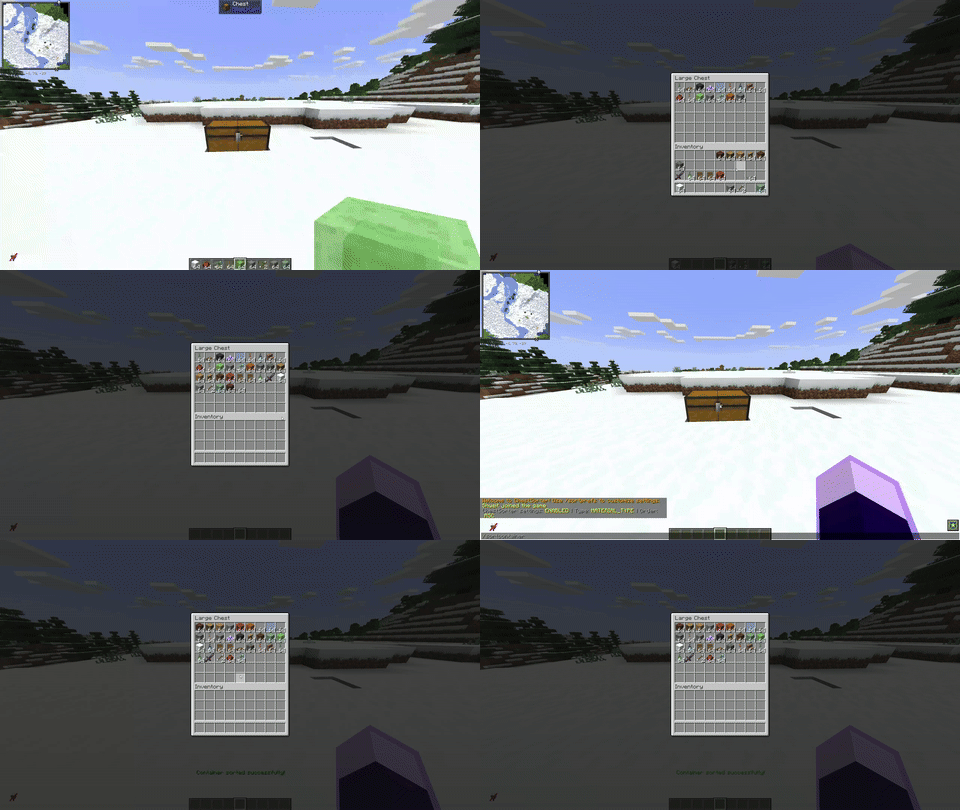
ChestSorter - The Ultimate Inventory Management Solution
Stop wasting time organizing chests! ChestSorter is a powerful and intuitive plugin that brings automatic chest sorting to your Minecraft Paper server.
✨ Why Choose ChestSorter?
- 🖱️ Multiple Sorting Methods - Sort chests your way: middle-click, sneak + left-click, or commands
- ⚙️ Per-Player Customization - Every player can set their own sorting preferences
- 🎯 Smart & Non-Intrusive - Blacklist specific containers and works alongside client-side mods
- 🚀 Modern & Fast - Built with Paper 1.21+ APIs for optimal performance
- 🔧 Highly Configurable - Customize everything from sounds to default behaviors
🎮 Features
🔄 Flexible Sorting Options
Sort your containers in 4 different ways:
- 📝 By Name - Alphabetical sorting (A-Z or Z-A)
- 📦 By Quantity - Stack size sorting (largest to smallest or vice versa)
- 🧱 By Material Type - Group similar items together
- ⚒️ By Durability - Sort tools and armor by remaining durability
Each sorting method supports both ascending and descending order!
🎯 Multiple Sorting Methods
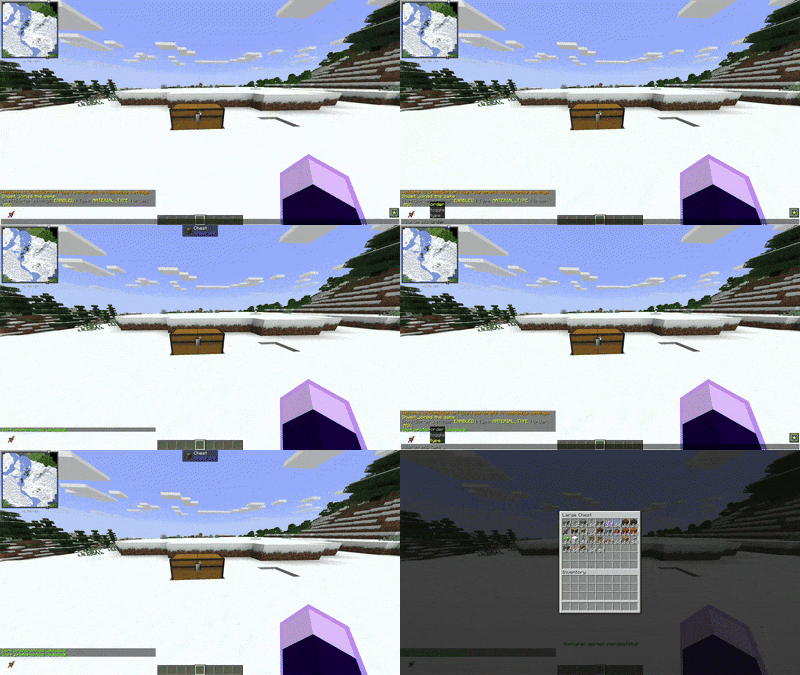
1. Middle-Click Sorting (In-Container)
- Open any chest, barrel, or container
- Middle-click anywhere inside
- Instant sorting based on your preferences!
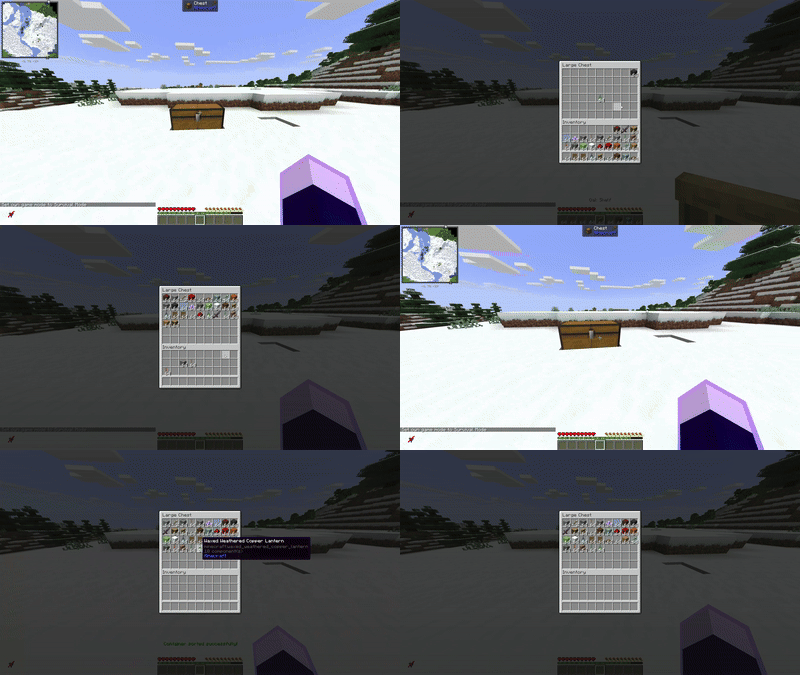
2. Sneak + Left-Click (External)
- Look at a container
- Sneak + Left-Click
- Sort without opening the container!
3. Command-Based Sorting
- Sort specific containers by coordinates
- Sort player inventories (including others as admin)
- Override sorting preferences on-the-fly
👤 Per-Player Preferences
Every player can customize their experience:
/sortprefs                    # View your current settings
/sortprefs type QUANTITY      # Sort by stack size
/sortprefs order DESC         # Largest stacks first
/sortprefs toggle             # Disable/enable sorting
Perfect for servers where some players use client-side sorting mods!
🚫 Smart Blacklist System
Prevent specific containers from being sorted:
- Location-based blacklist - Protect important chests at specific coordinates
- Container-type blacklist - Automatically exclude hoppers, furnaces, etc.
📋 Commands
| Command | Description | Permission |
|---|---|---|
/sortcontainer (or /sc) |
Sort the container you're looking at | chestsorter.sort.container |
/sortcontainer <x> <y> <z> |
Sort a container at coordinates | chestsorter.sort.container |
/sortcontainer <x> <y> <z> <type> <order> |
Sort with specific settings | chestsorter.sort.container |
/sortplayer (or /sp) |
Sort your own inventory | chestsorter.sort.player.self |
/sortplayer <player> |
Sort another player's inventory (admin) | chestsorter.sort.player.others |
/sortprefs |
View your sort preferences | (none) |
/sortprefs toggle |
Enable/disable sorting | (none) |
/sortprefs type <type> |
Set default sort type | (none) |
/sortprefs order <order> |
Set default sort order | (none) |
🔐 Permissions
| Permission | Description | Default |
|---|---|---|
chestsorter.sort.container |
Use container sorting | ✅ true |
chestsorter.sort.player.self |
Sort own inventory | ✅ true |
chestsorter.sort.player.others |
Sort other players' inventories | ⚠️ op |
chestsorter.sneak.sort |
Use sneak + left-click sorting | ✅ true |
chestsorter.middleclick.sort |
Use middle-click sorting | ✅ true |
chestsorter.* |
All permissions | ⚠️ op |
⚙️ Configuration
Highly customizable via config.yml:
# Default sorting settings
default-sort-type: NAME  # NAME, QUANTITY, MATERIAL_TYPE, DURABILITY
default-sort-order: ASC  # ASC, DESC

# Sound settings
sound:
  enabled: true
  success: ITEM_BOOK_PAGE_TURN
  volume: 0.5
  pitch: 1.0

# Feature toggles
sneak-sort:
  enabled: true
middle-click:
  enabled: true

# Blacklist
blacklist:
  locations: []
  # Example: - "world:100:64:200"
  container-types:
    - "minecraft:hopper"
💡 Use Cases
For Survival Players
- Quickly organize storage rooms with hundreds of items
- Sort shulker boxes before long trips
- Keep your base tidy without the tedious manual work
For Creative Builders
- Organize massive material collections instantly
- Sort themed build palettes
- Manage large-scale project inventories
For Server Admins
- Give players quality-of-life improvements
- Reduce server lag from players manually organizing items
- Fully compatible with existing plugins
🔧 Installation
- Download the latest version from this page
- Place the JAR file in your server's
plugins/folder - Restart or reload your server
- (Optional) Configure settings in
plugins/ChestSorter/config.yml - Done! Players can start sorting immediately
📦 Requirements
- Server: Paper 1.21+ (or Folia 1.21+)
- Java: Java 21 or higher
- Dependencies: None (PaperLib is shaded)
🤝 Compatibility
✅ Works With
- All container types (chests, barrels, shulker boxes, etc.)
- Hopper systems (with blacklist)
- Most other plugins
- Client-side sorting mods (can be disabled per-player)
🐛 Support & Issues
Need help or found a bug?
- 📝 Issues: GitHub Issues
- 💬 Discussions: GitHub Discussions
- 📖 Documentation: Full README
❤️ Credits
Created by: Dennis van den Brock (@shweit)
🌟 Show Your Support
If you enjoy ChestSorter, please:
- ⭐ Star the project on GitHub
- 📝 Leave a review
- 🐛 Report bugs and suggest features
- 💝 Consider supporting development
Download now and never manually sort a chest again!
- Edition: Minecraft Java
- File type: .jar
- Minecraft version listed: 26.2
- How to install: Install the matching mod loader (Forge, Fabric or NeoForge) for your Minecraft version. → Download the .jar. → Put it in the .minecraft/mods folder and launch that loader profile.
- Where to get it: Opens on Modrinth — not every file is mirrored on our own servers.
Install steps are the general flow for this file type — How to install Minecraft Java mods & modpacks walks through it step by step.
- Ships as ChestSorter-2.1.0-MC26.2.jar — drop this file into the mods folder
- Download size: 73 KB
- Download link checked 9 Oct 2026 — working
These come from our own check of the pack file, not from the source page.