
MelodyMine
I don't know my version or loader





What is MelodyMine? 🤔
MelodyMine is an open-source voice chat plugin for Minecraft servers, eliminating the need for any mods. It facilitates voice communication directly from the browser, enhancing the multiplayer experience.
How MelodyMine Works 🔧
The entire MelodyMine system consists of three components:
- Minecraft Plugin 🧩
- Websocket Server 🌐
- Next.js Server 🚀
These components establish connections via websockets, where data is transmitted from the plugin to the websocket server. The websocket server identifies which data needs to be sent for individual checks on the Next.js server. Finally, the Next.js server communicates with the client, utilizing data received from the websocket via the plugin, to maintain voice communication among online players in the voice chat.
📥 For detailed installation instructions, check out the Installation Guide.
🌟 For a list of features, visit the Features Guide.
How to Use MelodyMine 🚀
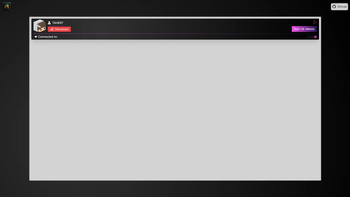
To utilize MelodyMine, players simply need to join the server and use the command /melodymine start link to receive a link for client entry. Clicking on this link redirects them to the website without any additional requirements. Just being near an online player will enable you to hear their voice.
If you prefer, you can enter the voice chat via your phone by using the command /melodymine start qrcode, which will generate a QR code. After scanning it, you'll be able to join the voice chat.

🎉 For a demo, visit our website: MelodyMine.TAHER7.iR
🎮 Server IP: Play.TAHER7.IR
Why Should I Use MelodyMine? 🌟
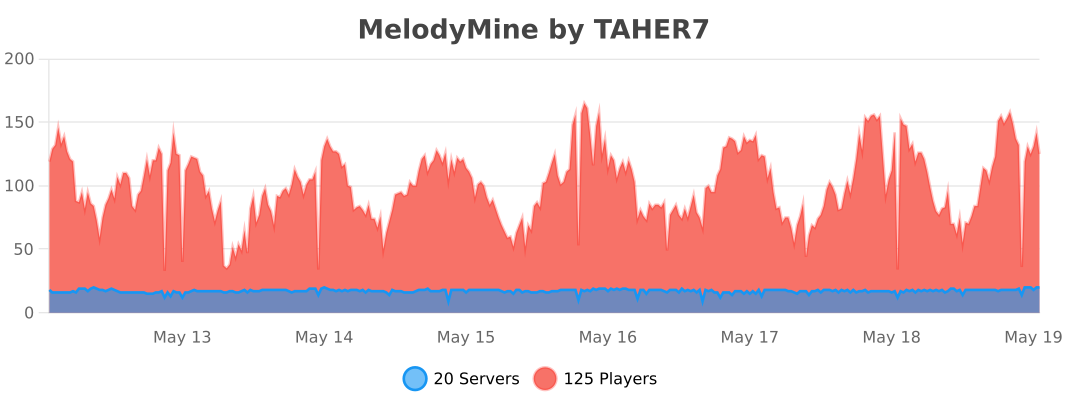
MelodyMine offers personalized features for players, a comprehensive API, and complete support with examples for developers to create their own essential additions. Currently, many servers and players are using MelodyMine, indicating their satisfaction with its functionalities.
🔍 For command details, refer to the Commands Guide.
🔐 For permissions details, check the Permissions Guide.
📌 For information on placeholders, see the Placeholders Guide.
💡 Explore how to use the plugin in depth by visiting the Plugin Usage Guide.
- Edition: Minecraft Java
- File type: .jar
- Minecraft versions listed: 1.13, 1.21.1
- How to install: Install the matching mod loader (Forge, Fabric or NeoForge) for your Minecraft version. → Download the .jar. → Put it in the .minecraft/mods folder and launch that loader profile.
- Where to get it: Opens on Modrinth — not every file is mirrored on our own servers.
Install steps are the general flow for this file type — How to install Minecraft Java mods & modpacks walks through it step by step.
- Ships as MelodyMine-2.0.5.jar — drop this file into the mods folder
- Download size: 5.0 MB
- Download link checked 29 Aug 2026 — working
These come from our own check of the pack file, not from the source page.