
Better Shulkers
Java mod listed for Minecraft 26.x. Downloads from the MC Java Mods app on Android.
I don't know my version or loader






About
Better Shulkers is an open-source Minecraft mod that enhances shulker boxes with powerful automation features. The mod works completely on the server side, requiring no client modifications, making it perfect for vanilla-compatible servers while also working seamlessly with modded content.
Key Benefits
- Server-side only - No client mod required, works with vanilla clients
- Vanilla compatible - Players don't need to install anything
- Multiple platforms - Available for Fabric, Quilt, Forge, NeoForge, Sponge, and PaperMC
- Configurable - Extensive configuration options for server administrators
This is Tater Certified's entry in the 2025 NeoForge Server-side Summer competition!
Features
This is a brief list of features. More can be found on our website:
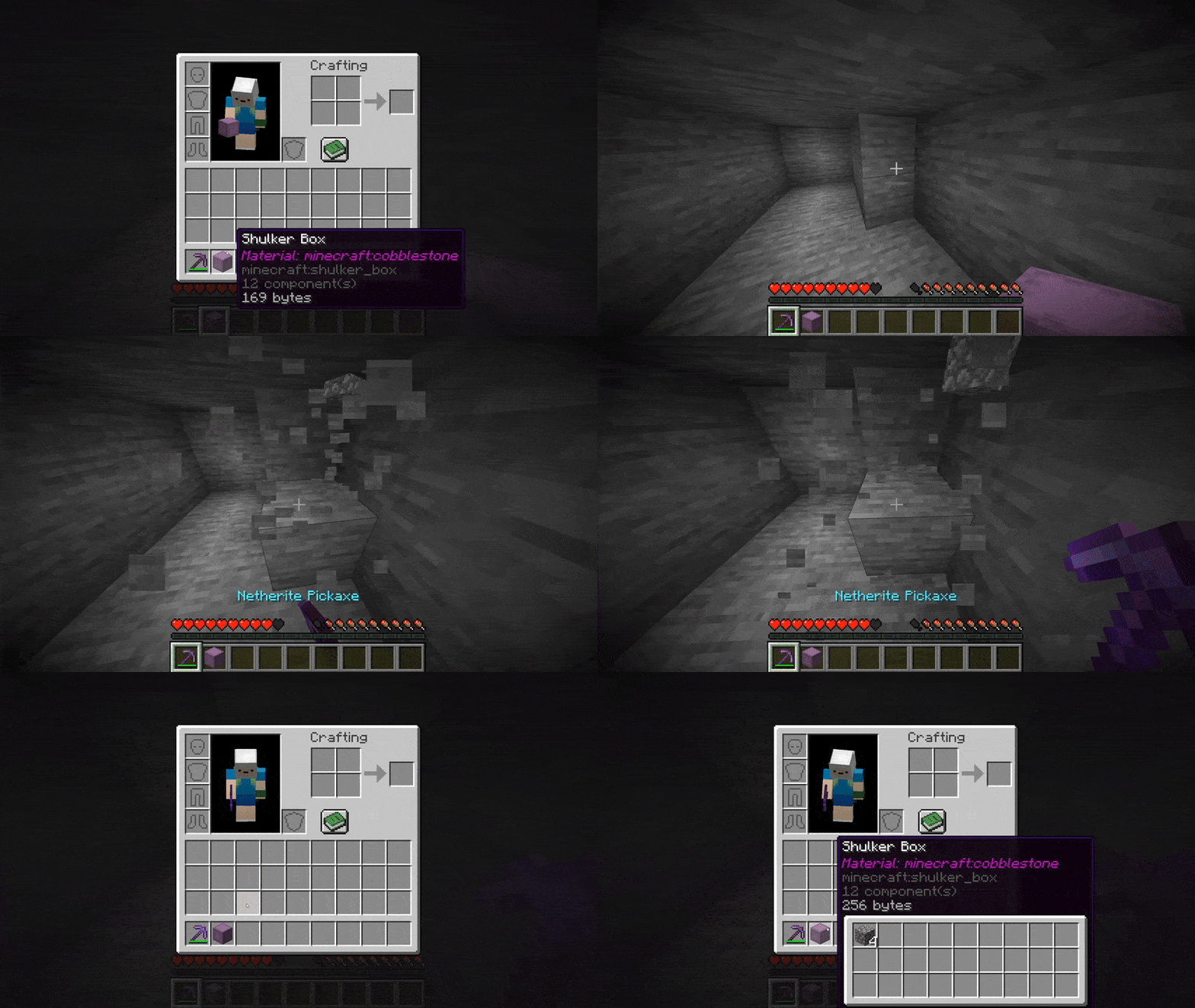
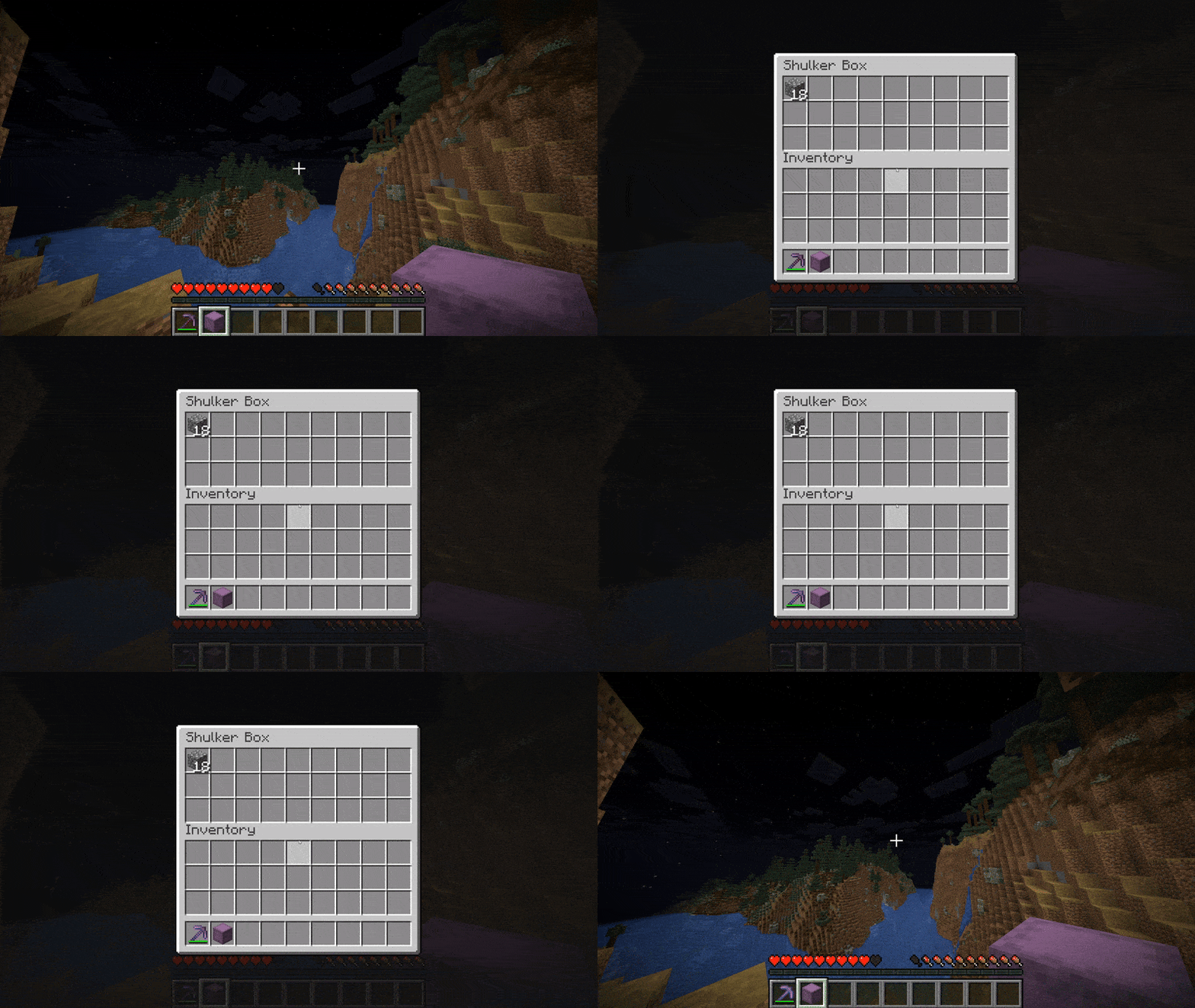
- Open shulker boxes from anywhere - Right-click shulker boxes in your hand or inventory to open them without placing them
- Automatic item pickup - Shulker boxes can automatically pick up items that match their assigned material
- Material assignment - Assign materials to shulker boxes using either crafting recipes or enchantments
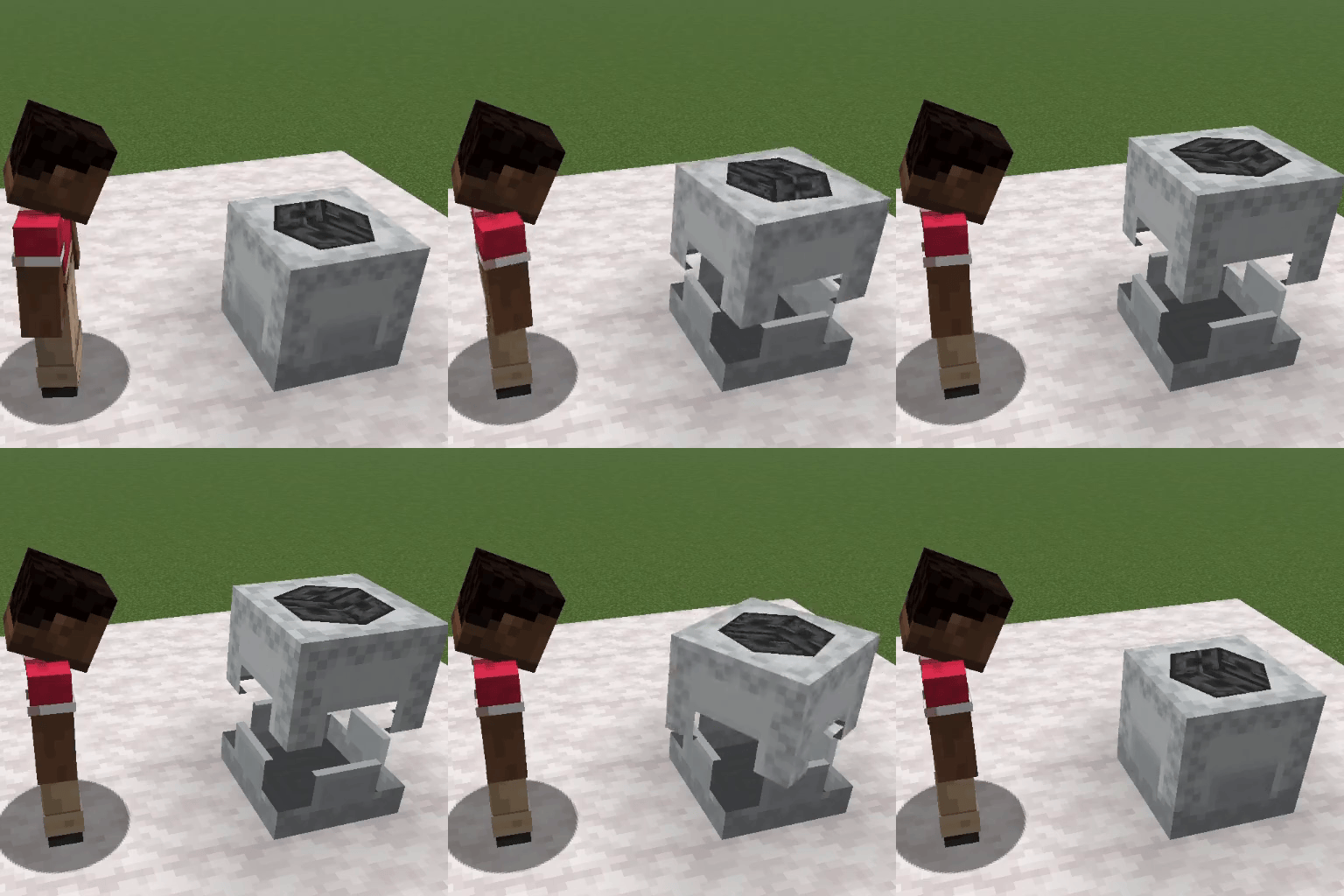
- Visual material display - See what material a shulker box is assigned to via visual displays on the box
- Server-side only - Works completely on the server with no client mod required
- Vanilla compatible - Works with vanilla Minecraft clients
Compatibility
The mod is compatible with Minecraft 1.21 and above.
Showcase Video
Configuration Options
The mod utilizes gamerules for configuration
| Option | Default | Description |
|---|---|---|
insert_into_shulker_on_pickup |
true |
If true, items can go into material shulkers when picked up |
open_shulkers_from_inventory |
true |
If true, players can open shulker boxes by right-clicking them in their inventory |
open_shulkers_from_hotbar |
true |
If true, players can open shulker boxes by right-clicking while holding them |
shulker_display_animations |
true |
If true, material displays will be animated when opening and closing a shulker. Disable this if the animation appears laggy |
shulker_material_displays |
true |
If true, shulker boxes will have item displays above them showing what material it is |
shulker_material_enchantment |
true |
If true, shulker boxes can be enchanted with the Material Collector enchantment for material assignment |
shulker_material_recipe |
false |
If true, shulker boxes can be assigned materials using the crafting recipe mentioned below |
How It Works
Material Assignment Methods
Recipe Method:
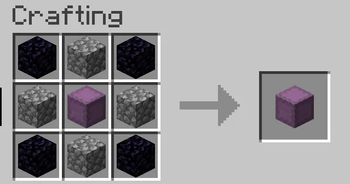
- Place a shulker box in the center of a crafting table
- Surround it with 4 obsidian blocks in the corners
- Place the desired material item in the remaining 4 slots
- This creates a shulker box that will automatically pick up that material
Enchantment Method:
- First, obtain the "Material Collector" enchantment through these methods:
- Trading: Librarian villagers may offer enchanted books with this enchantment
- Loot: Found in various loot chests throughout the world
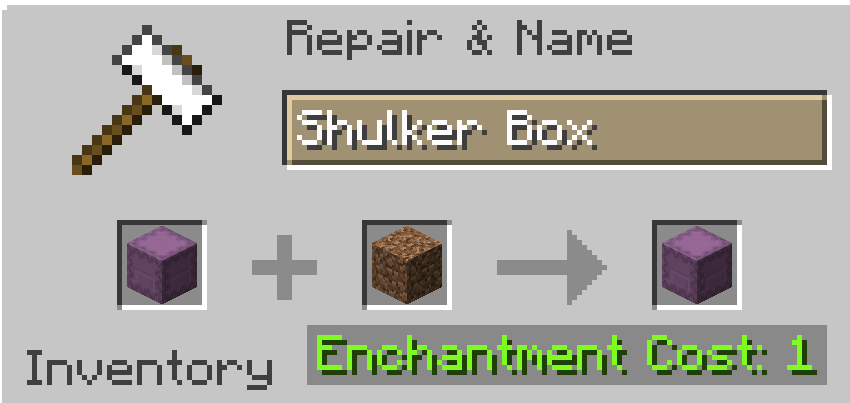
- Apply the enchantment to a shulker box using an anvil
- Then use the anvil to combine the enchanted shulker with the desired material item
- This creates a shulker box that will automatically pick up that material
Supported Platforms (As of v2.0.0)
- Fabric/Quilt (1.21 - 1.21.6, 26.1.x)
- Forge (26.1.x)
- NeoForge (1.21 - 1.21.6, 26.1.x)
- PaperMC/Spigot/Folia (26.1.x)
- Sponge (26.1.x)
Installation
Fabric, Quilt, Forge, NeoForge
Simply put the mod in the mods folder
Sponge
Simply put the plugin in the plugins folder
Spigot/PaperMC
- Install the Ignite Mixin loader
- Run the ignite jar alongside the paper/spigot jar
- Put the mod in the mods folder and restart
Folia
- Install the Ignite Mixin loader
- Rename the Folia jar to "paper.jar". Alternatively, you can launch the game with the following JVM args:
-Dignite.locator=paper -Dignite.jar=./folia.jar - Run the ignite jar alongside the folia jar
- Put the mod in the mods folder and restart
Need Help?
Just join our Discord server!

- Edition: Minecraft Java
- File type: .jar
- Minecraft versions listed: 26.1, 26.1.1, 26.1.2
- How to install: Install the matching mod loader (Forge, Fabric or NeoForge) for your Minecraft version. → Download the .jar. → Put it in the .minecraft/mods folder and launch that loader profile.
- Where to get it: Opens on Modrinth — not every file is mirrored on our own servers.
Install steps are the general flow for this file type — How to install Minecraft Java mods & modpacks walks through it step by step.
- Ships as Better Shulkers-2.0.0.jar — drop this file into the mods folder
- Download size: 99 KB
- Download link checked 9 Oct 2026 — working
These come from our own check of the pack file, not from the source page.