
ModsJava
Minecraft Authentication
Allow users to link their Minecraft accounts to various services and automatically whitelist them based on specified conditions
I don't know my version or loader
Open the Minecraft launcher and look at the profile you play on — it names both, like fabric-loader-1.21.4. The version also shows in the bottom-right corner of the game's main menu.
No loader in the profile name? Then it's plain Minecraft, and these mods won't run — you need Fabric or NeoForge installed first.
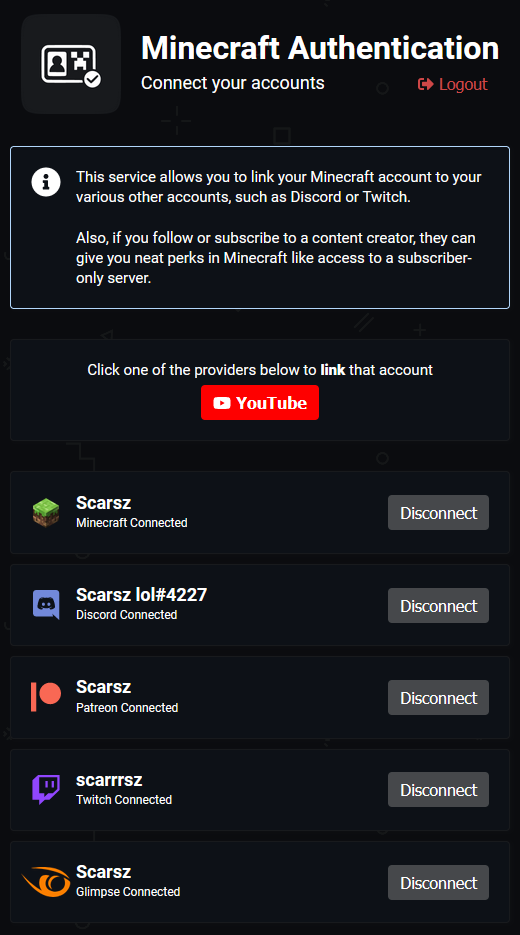
The official plugin/mod for the Minecraft Authentication service.
Automatically whitelist your server
This plugin/mod can completely automate your subscriber/follower/patron server whitelist process. Users simply link their accounts at minecraftauth.me and join your server. If they don't have a proper subscription to join your server, they're denied entry. Otherwise, game on.
Control server access based on 3rd-party services
- Has specified Discord role?
DiscordRole(000000000000000000)(requires Discord bot present in server) - Is in specified Discord server?
DiscordServer(000000000000000000)(requires Discord bot present in server) - Is following you on Twitch?
TwitchFollower() - Is subscribed to you on Twitch?
TwitchSubscriber() - Is a tier 2 subscriber to you on Twitch?
TwitchSubscriber(2) - Is a YouTube subscriber?
YouTubeSubscriber() - Is a YouTube channel member (paid subscription)?
YouTubeMember() - Is a member of your Patreon campaign?
PatreonMember() - Is a member of your Patreon campaign at level "Diamond"?
PatreonMember("Diamond")
Not enough customization? Combine conditions.
- Allow anyone who hasn't been naughty?
not(DiscordRole("naughty"))(requires Discord bot present in server) - Is subscribed to you on Twitch and doesn't have the "naughty" Discord role?
TwitchSubscriber() and not(DiscordRole("naughty"))(requires Discord bot present in server) - Is subscribed to you on Twitch and is in your Discord server?
TwitchSubscriber() and DiscordServer(000000000000000000)(requires Discord bot present in server)
Listing multiple conditions will allow access if any condition passes
Your staff team doesn't need to be a subscriber to join your server (though they should...)
Conditions:
  - TwitchSubscriber()
  # multiple conditions = OR
  - DiscordRole("staff")
Installation
- Head over to minecraftauth.me and link all of your relevant accounts
- Install the Bukkit plugin for Bukkit/Spigot/Paper-based servers or the respective Forge/Sponge mod for your version
- Start the server to generate a fresh config
- Replace
tokenon the first line of your config with the text from https://minecraftauth.me/api/token - Configure your entry conditions as you'd like
- Run
/minecraftauth reloadin-game to load your changes and start controlling entry to your server
Notes:
- Other plugins/mods you have installed are also able to control access to the server at the same time as Minecraft Authentication. If you have a ban plugin, your ban plugin will still be able to deny banned players.
- Ensure any other whitelisting systems, including plugins, mods, and vanilla whitelist, are disabled if you only want Minecraft Authentication to control entry.
Quick facts
- Edition: Minecraft Java
- File type: .jar
- Minecraft versions listed: 1.7.10, 1.8, 1.8.1
- How to install: Install the matching mod loader (Forge, Fabric or NeoForge) for your Minecraft version. → Download the .jar. → Put it in the .minecraft/mods folder and launch that loader profile.
- Where to get it: Opens on Modrinth — not every file is mirrored on our own servers.
Install steps are the general flow for this file type — How to install Minecraft Java mods & modpacks walks through it step by step.
Verified by MCModsHub
- Ships as MinecraftAuth-Sponge.jar — drop this file into the mods folder
- Download size: 1.9 MB
- Download link checked 19 Sept 2026 — working
These come from our own check of the pack file, not from the source page.