
BattleTracker
Java mod listed for Minecraft 1.19–26.x. Downloads from the MC Java Mods app on Android.
Standalone Minecraft plugin and BattleArena companion for tracking PvP & PvE stats, featuring leaderboards, combat logging, damage indicators and custom…
⬇ Download on Modrinth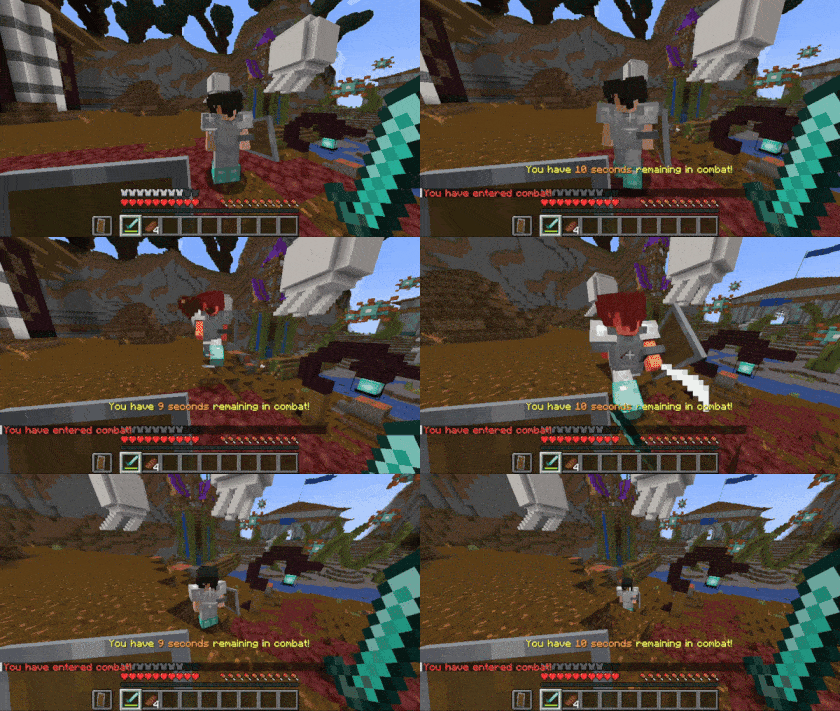

A standalone plugin that tracks PVP & PVE statistics along with a suite of additional combat features to enhance server gameplay.
BattleTracker tracks player statistics for both PVP and PVE combat. It also comes with a full suite of customizable features, such as death messages, combat logging, damage indicators and more. It also serves as the companion to BattleArena, and handles keeping track of arena and competition statistics. This makes BattleTracker an essential plugin for any PVP or PVE server.
Features
PVP and PVE Records
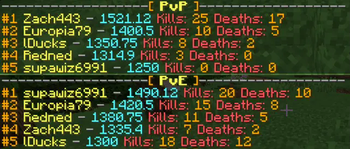
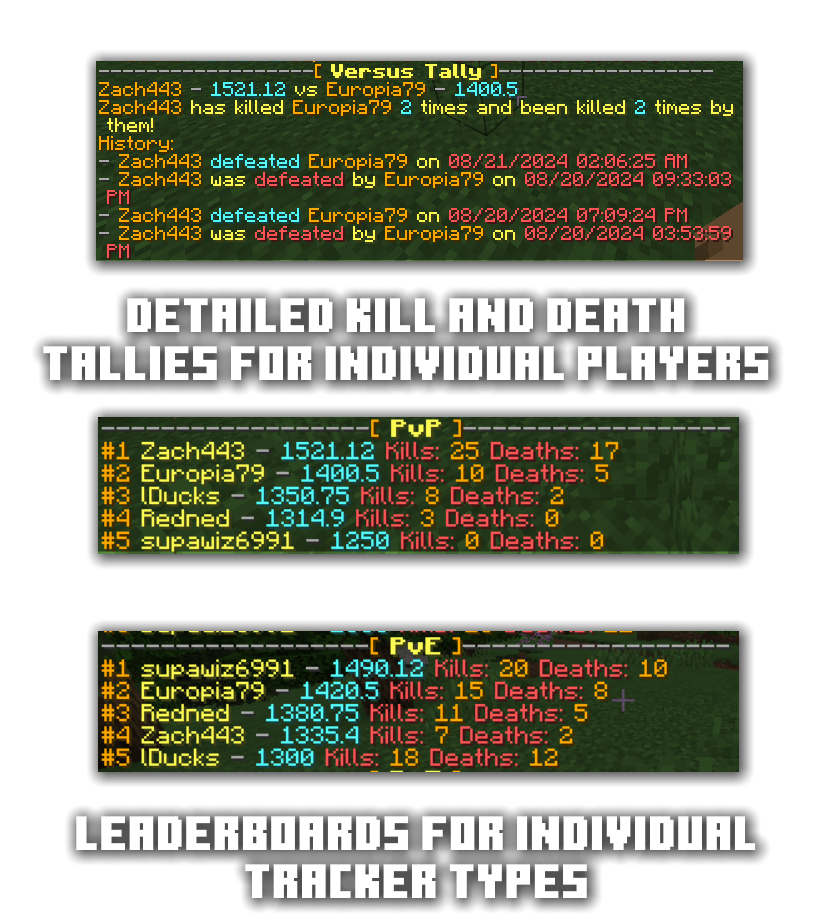
One of the core features of BattleTracker is its robust tracking system for PVP and PVE statistics. BattleTracker tracks a variety of statistics including kills, deaths, killstreaks, and more. These statistics are saved in MySQL or SQLite, allowing them to be shared across Minecraft servers, or accessed by web applications.
Death Messages
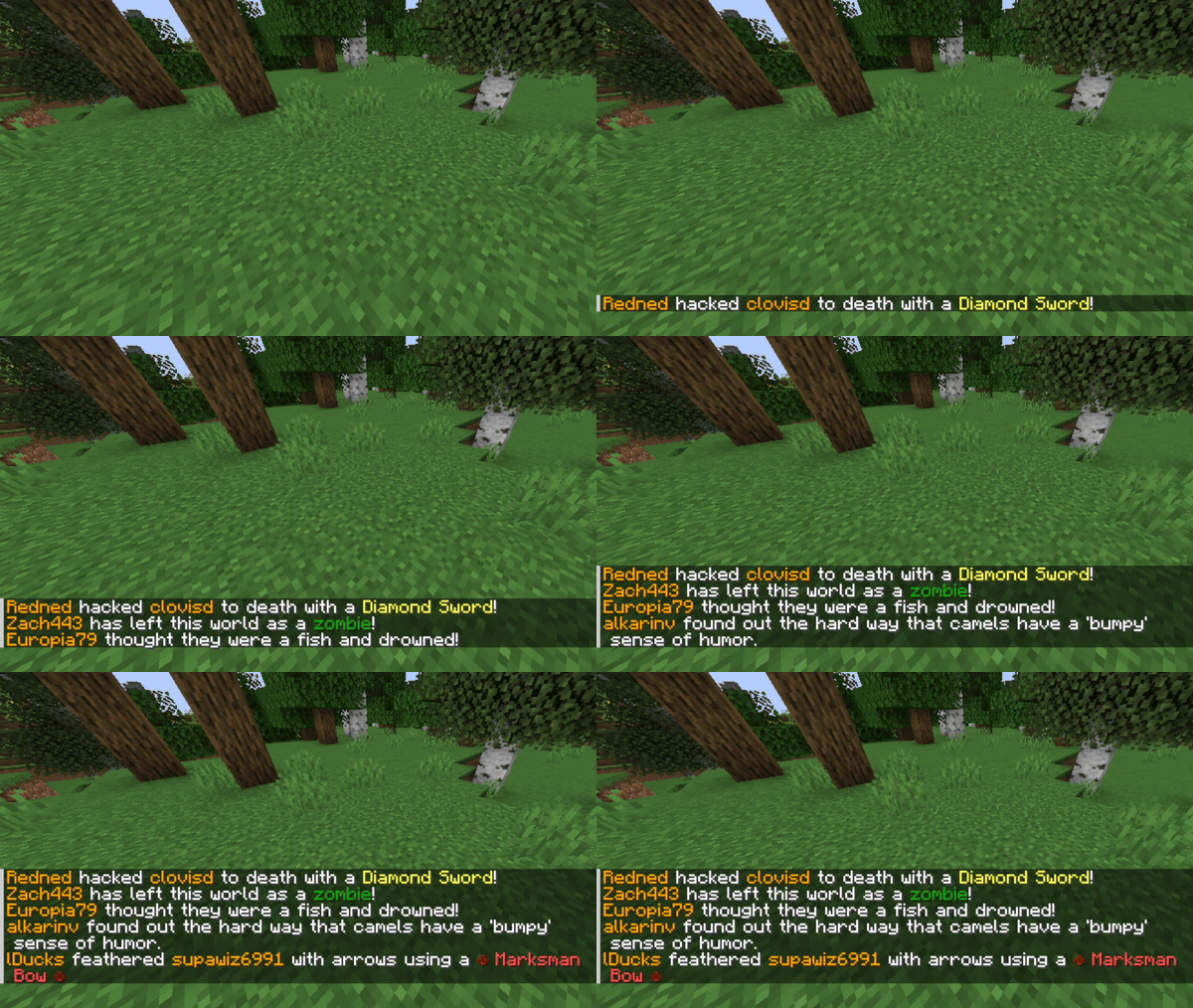
BattleTracker provides customizable death messages that can be displayed to players when they are killed in PVP or PVE combat. These are easily configurable for each tracker type, and can be customized to fit the theme of your server.
Damage Recap
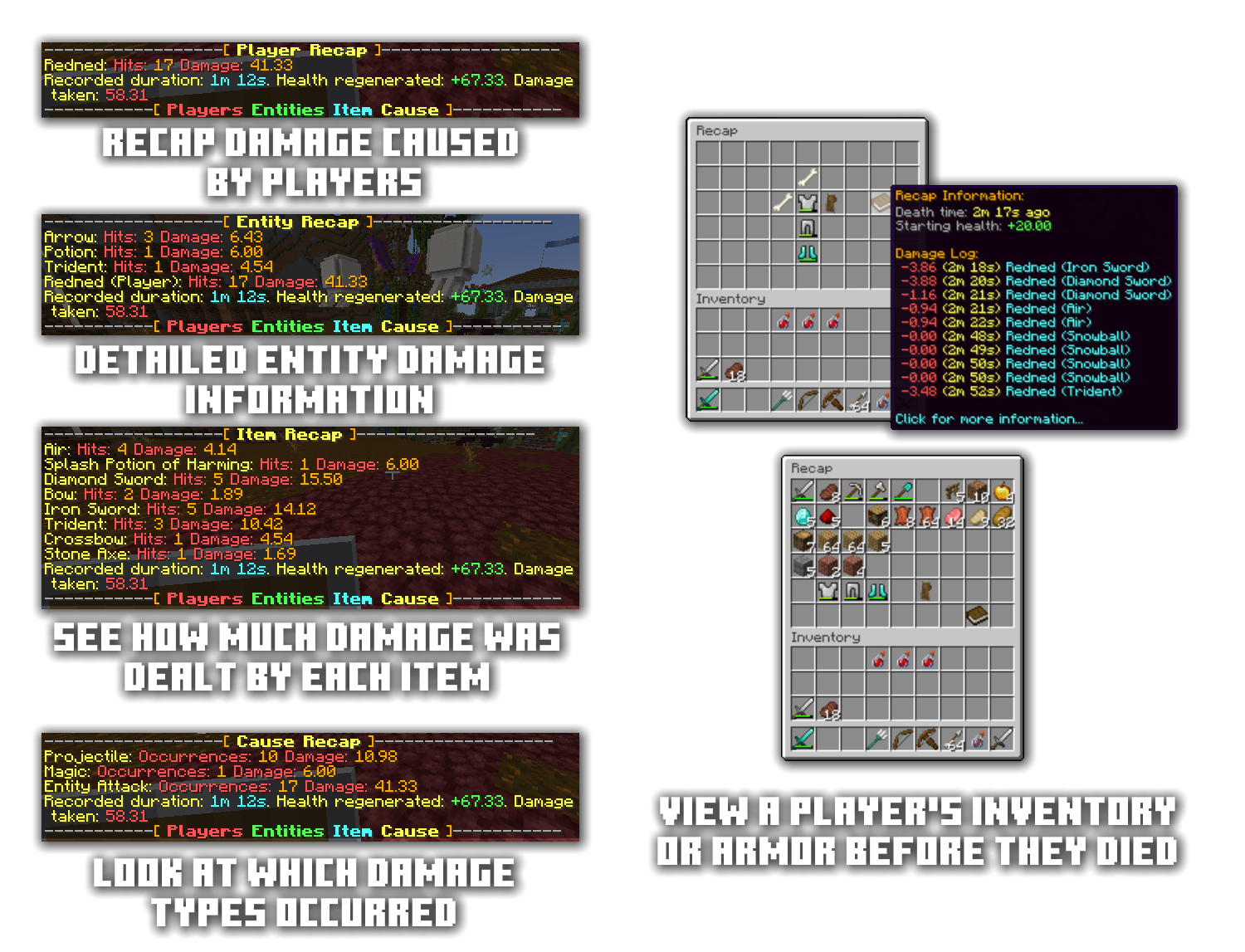
BattleTracker also includes a damage recap feature that displays a summary of the damage dealt and received by a player during combat. This can be summarized in multiple ways, such as which item dealt the most damage, a breakdown of players that dealt damage, or all the types of damage a player received.
Combat Logging
BattleTracker includes a configurable combat logging feature that places players "in combat" when they attack another player. If they log out, they will be killed and their attacker will receive credit for the kill.
Damage Indicators
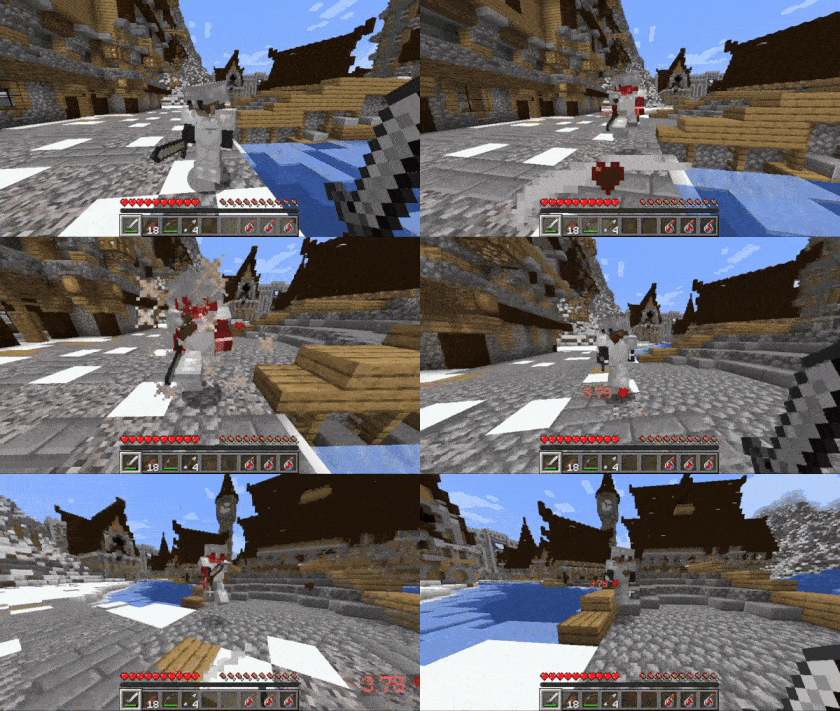
Inside BattleTracker, there is also toggleable damage indicators, which show to a player how much damage they inflicted on another player or entity.
Additional Features
BattleTracker also includes the following features:
- Killstreak Messages
- When a player kills a number of players before dying, a message will be broadcasted in chat notifying others of their killstreak
- Rampage Messages
- When a player kills multiple players consecutively in a very short duration, a message will be broadcasted notifying other players that this player is on a rampage
- Fully configurable in-game messages
- MySQL & SQLite database support
Additional Plugins
BattleTracker also serves as a companion to BattleArena, which lets you track all arena-related data such as wins, losses or draws. BattleArena requires BattleTracker in order to process and save this information.
Plugin Hooks
BattleTracker hooks into the following plugins for additional support:
User Guide
Most all of the configurable features in BattleTracker will be in YML files located in plugins/BattleTracker/features. Trackers can be configured in their respective YML file located in plugins/BattleTracker/trackers.
The full user guide for BattleTracker can be found at the User Guide on the BattleDocs.
Permissions
| Permission | Description |
|---|---|
| battletracker.command.top | Permission for the / top command. |
| battletracker.command.rank | Permission for the / rank command. |
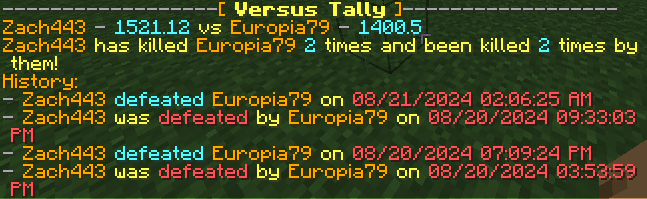
| battletracker.command.versus | Permission for the / versus command. |
| battletracker.command.recap | Permission for the / recap command. |
| battletracker.combatlog.bypass | Whether a player will bypass the combat log (if enabled). Requires that allow-permission-bypass is enabled in the Combat Log config. |
Links
- Website: https://www.battleplugins.org
- Discord: BattlePlugins Discord
- Donate: BattlePlugins Patreon
Important Mentions
Special thanks to alkarin_v for writing the original BattleTracker plugin back in 2011. While very little of the original code survives today, this laid the foundation of what would eventually become the BattlePlugins suite and the innovations that followed.
- Edition: Minecraft Java
- File type: .jar
- Minecraft versions listed: 1.19.4, 1.20, 1.20.1
- How to install: Install the matching mod loader (Forge, Fabric or NeoForge) for your Minecraft version. → Download the .jar. → Put it in the .minecraft/mods folder and launch that loader profile.
- Where to get it: Opens on Modrinth — not every file is mirrored on our own servers.
Install steps are the general flow for this file type — How to install Minecraft Java mods & modpacks walks through it step by step.
- Ships as BattleTracker.jar — drop this file into the mods folder
- Download size: 691 KB
- Download link checked 9 Oct 2026 — working
These come from our own check of the pack file, not from the source page.