
UPnP
I don't know my version or loader
UPnP
A lightweight Minecraft plugin that automatically opens server ports through UPnP (Universal Plug and Play), eliminating the need for manual port forwarding configuration on compatible routers.
Features
- Automatic Port Mapping: Opens your Minecraft server port automatically on plugin startup
- Custom Port Support: Configure additional ports for plugins like Dynmap, Geyser, or voice chat
- Protocol Flexibility: Supports both TCP and UDP port mappings
- Automatic Cleanup: Optionally closes ports when the server shuts down
- Zero Configuration: Works out of the box with sensible defaults
- Lightweight: Minimal performance impact on your server
How It Works
This plugin uses the UPnP Protocol to communicate with your router and automatically create port forwarding rules. This means players can connect to your server without you manually configuring your router.
Installation
- Download the latest release from Releases
- Place the JAR file in your server's
pluginsfolder - Restart your server
- The plugin will automatically open your server port
Configuration
After the first run, edit plugins/UPnP/config.yml:
# Whether to close ports when the server stops (recommended: true)
close-ports-on-stop: true

# Enable anonymous usage statistics via bStats
bstats: true

# TCP ports to open (includes server port by default)
tcp:
  - 25565      # Minecraft server
  - 8123       # Dynmap (example)

# UDP ports to open
udp:
  - 19132      # Geyser/Bedrock (example)
Common Port Examples
- Minecraft Java: 25565 (TCP)
- Dynmap: 8123 (TCP)
- Geyser/Bedrock: 19132 (UDP)
- BlueMap: 8100 (TCP)
- Simple Voice Chat: 24454 (UDP)
Requirements
- Minecraft 1.20 or higher (may work on older versions)
- A router that supports UPnP
- UPnP enabled on your router (usually enabled by default)
Troubleshooting
Ports aren't opening
- Check that UPnP is enabled on your router (consult your router's manual)
- Verify the ports aren't already in use by another application
- Check server logs for error messages
- Some ISPs or routers block UPnP for security reasons
Security Considerations
While UPnP is convenient, it does open ports on your network. Only open ports you actually need, and consider disabling UPnP on your router if you're not actively using this plugin.
Statistics
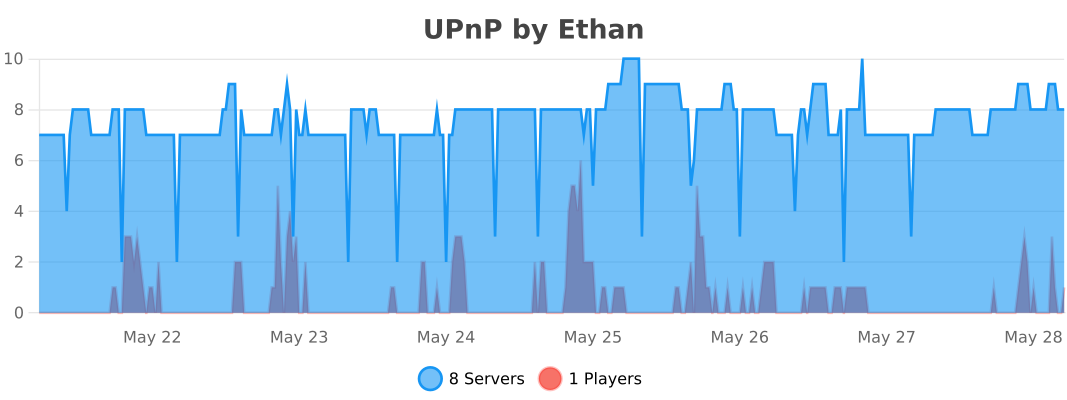
This plugin uses bStats to collect anonymous usage statistics. You can disable this in the config file or globally in plugins/bStats/config.yml. View statistics at bStats.
License
This mod is licensed under the GNU Lesser General Public License v3.0 only (LGPL-3.0-only).
What this means for users and developers
- You may use this mod in modpacks (including commercial modpacks).
- You may run this mod on servers, including paid or hosted servers.
- Other mods may depend on or integrate with this mod under any license.
- Closed-source mods and launchers may link against this mod.
What you must do
- If you modify this mod’s source code, you must release those modifications under the same LGPL-3.0-only license.
- You must allow users to replace or update this mod independently (e.g., by distributing it as a normal JAR).
What you do not have to do
- You do NOT have to open-source your entire mod, server, or modpack.
- You do NOT have to publish server source code just because players connect.
- You do NOT have to license your project under LGPL if you merely depend on this mod.
License history
Versions released prior to January 3rd 2026 were licensed under AGPL-3.0-only. You can read more about the change here.
Versions released on or after January 3rd 2026 are licensed under LGPL-3.0-only.
For the full license text, see the LICENSE file.
Credits
Built using the weupnp library.
Note: This plugin is provided as-is. Always ensure you understand the security implications of opening ports on your network.
- Edition: Minecraft Java
- File type: .jar
- Minecraft versions listed: 1.20, 1.21
- How to install: Install the matching mod loader (Forge, Fabric or NeoForge) for your Minecraft version. → Download the .jar. → Put it in the .minecraft/mods folder and launch that loader profile.
- Where to get it: Opens on Modrinth — not every file is mirrored on our own servers.
Install steps are the general flow for this file type — How to install Minecraft Java mods & modpacks walks through it step by step.
- Ships as UPnP-2.0-SNAPSHOT.jar — drop this file into the mods folder
- Download size: 5.7 MB
- Download link checked 29 Aug 2026 — working
These come from our own check of the pack file, not from the source page.