
Simple PvP Train Bot
Java mod listed for Minecraft 1.20–1.21. File opened and checked on 9 Oct 2026; downloads from the MC Java Mods app on Android.
⬇ Download on Modrinth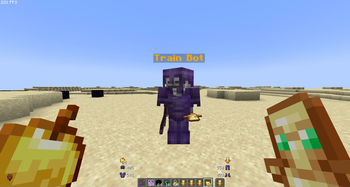
PvP Train Bot
The PvP Train Bot plugin is a powerful tool designed for Crystal PvP training. It allows players to spawn an NPC bot that can be customized to fight with a set number of Totems of Undying. This bot can be used to practice PvP skills, testing different strategies, and improving combat techniques in a controlled environment.
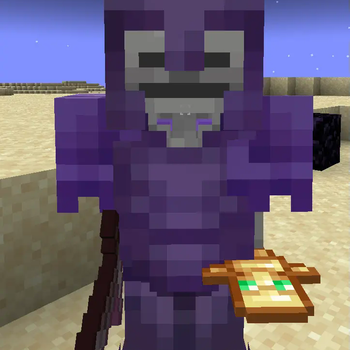
The bot comes with a full set of enchanted armor and automatically uses Totems of Undying when it dies, ensuring it stays in the fight for the specified number of Totems. The Train Bot has a custom name and is perfect for PvP enthusiasts looking to hone their skills.
Features:
- Custom Totem Count: Spawn the bot with a custom number of Totems of Undying (e.g.,
/train 5). - Full Enchanted Armor: The bot wears a full set of enchanted armor:
- Helmet: Protection IV, Aqua Affinity, Respiration III, Mending, Unbreaking III
- Chestplate: Protection IV, Mending, Unbreaking III
- Leggings: Blast Protection IV, Mending, Unbreaking III
- Boots: Protection IV, Feather Falling IV, Depth Strider III, Mending, Unbreaking III
- Automatic Totem Refill: The bot automatically uses Totems of Undying when it dies.
- Custom Name: The bot has a custom name: "Train Bot".
How to Use:
Install the Plugin:
- Download the
PvPTrainBotPlugin.jar. - Upload it to the
/plugins/directory of your server. - Restart your server.
- Download the
Spawn the Bot:
- Use
/train <totemCount>to spawn the bot with the specified number of Totems (e.g.,/train 5).
- Use
- Edition: Minecraft Java
- File type: .jar
- Minecraft versions listed: 1.20, 1.20.1, 1.20.2
- How to install: Install the matching mod loader (Forge, Fabric or NeoForge) for your Minecraft version. → Download the .jar. → Put it in the .minecraft/mods folder and launch that loader profile.
- Where to get it: Opens on Modrinth — not every file is mirrored on our own servers.
Install steps are the general flow for this file type — How to install Minecraft Java mods & modpacks walks through it step by step.
- Ships as PvPTrainBotPlugin-1.20.1.jar — drop this file into the mods folder
- Download size: 7 KB
- Download link checked 9 Oct 2026 — working
These come from our own check of the pack file, not from the source page.