
VirtualPlayers
Java mod listed for Minecraft 1.20–26.x. Downloads from the MC Java Mods app on Android.
A Minecraft plugin for Paper servers that allows you to create virtual/fake players for easy debugging of plugins through console or in-game.
⬇ Download on Modrinth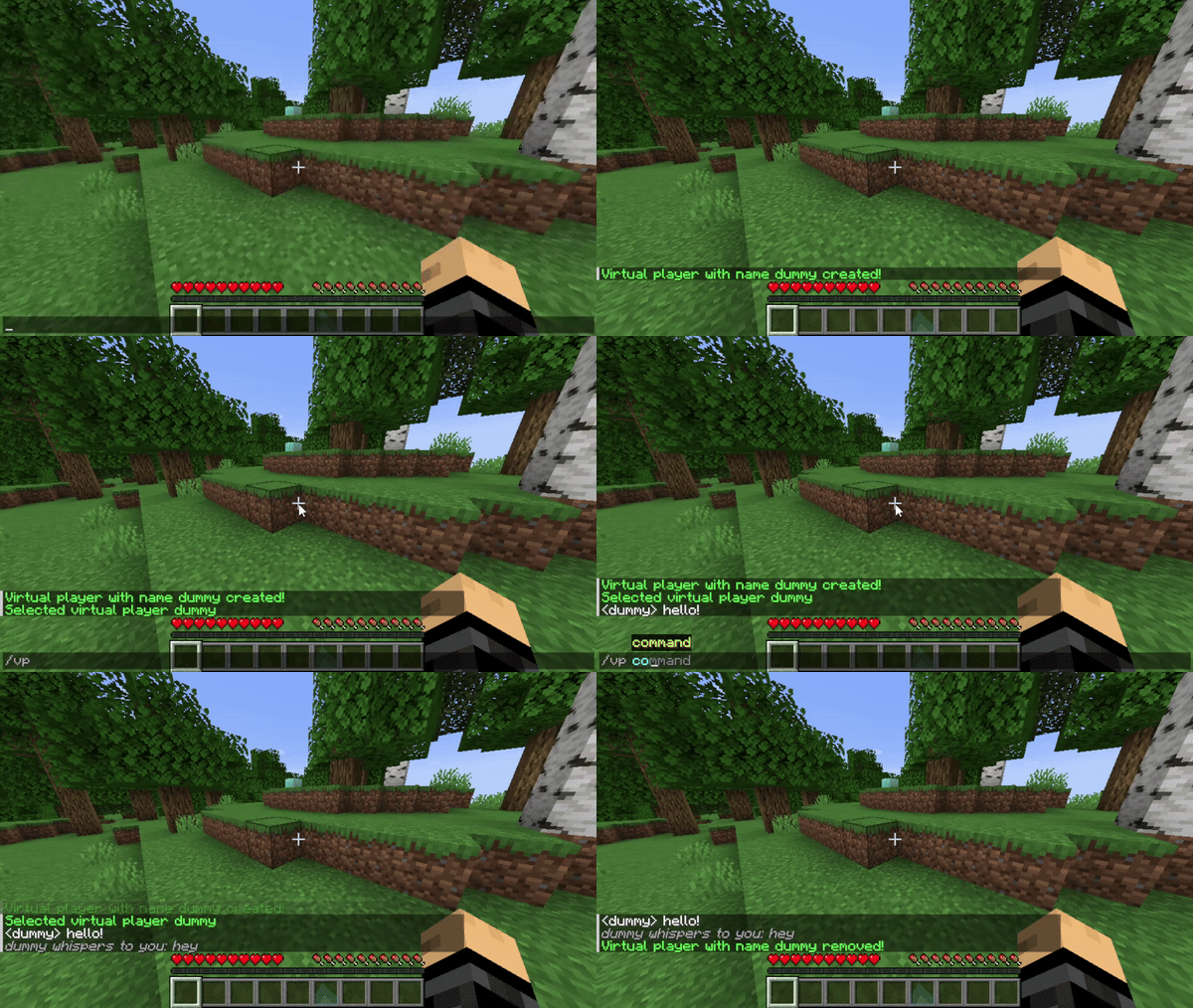

A plugin that allows you to create virtual players for easy debugging of plugins through console or in-game.
VirtualPlayers is a plugin designed for developers and server admins to easily test and debug plugins that require multiple players. Virtual players are non-existent in-game, and are only accessible through console or chat, meaning they will be invisible on the server list, player count and in-game.
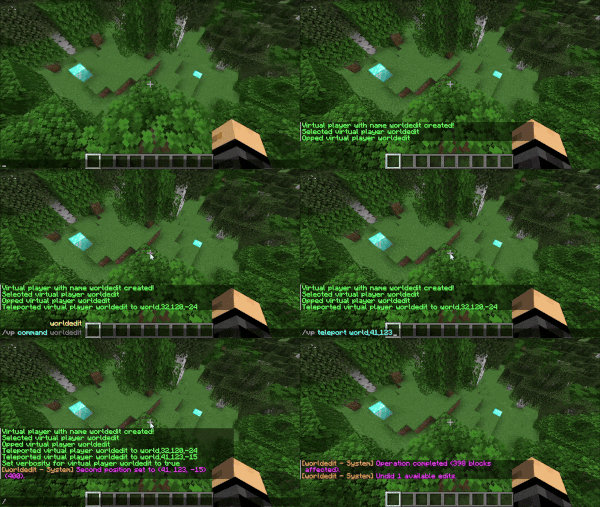
VirtualPlayers will also work with many large Minecraft plugins, such as WorldEdit, allowing you to perform actions that are typically reserved for online players, but through a console. Virtual players can also be managed in-game, or through other command senders, such as command blocks or signs.
Features
- Run commands as a virtual player through console or chat
- Send messages as a virtual player through console or chat
- Teleport a virtual player to a specific location
- Op/de-op a virtual player to test command execution
- Attack a real player as a virtual player to test combat mechanics
Commands
| Command | Description |
|---|---|
| /vp create | Creates a new virtual player. |
| /vp remove | Removes a virtual player. |
| /vp removeall | Removes all virtual players. |
| /vp select | Select a virtual player. |
| /vp observe | Observes a virtual player. |
| /vp unobserve | Unobserves a virtual player. |
| /vp list | Lists virtual players. |
| /vp verbose [player] [true|false] | Toggles verbosity for the virtual player. |
| /vp teleport [player] [location] | Teleports the virtual player to a location. |
| /vp command [player] <command...> | Runs a command as a virtual player. |
| /vp chat [player] <message...> | Sends a chat message as a virtual player. |
| /vp op [player] | Ops the virtual player. |
| /vp deop [player] | De-ops the virtual player. |
| /vp attack [player] [damage] | Attacks another player as this virtual player. |
Permissions
| Permission | Command |
|---|---|
| virtualplayers.command.help | /vp [help] |
| virtualplayers.command.create | /vp create |
| virtualplayers.command.remove | /vp remove |
| virtualplayers.command.removeall | /vp removeall |
| virtualplayers.command.select | /vp select |
| virtualplayers.command.observe | /vp observe |
| virtualplayers.command.unobserve | /vp unobserve |
| virtualplayers.command.list | /vp list |
| virtualplayers.command.verbose | /vp verbose |
| virtualplayers.command.teleport | /vp teleport |
| virtualplayers.command.command | /vp command |
| virtualplayers.command.chat | /vp chat |
| virtualplayers.command.op | /vp op |
| virtualplayers.command.deop | /vp deop |
| virtualplayers.command.attack | /vp attack |
Developer Guide
VirtualPlayers offers an API for developers to use. Please see the Developer Guide for instructions on using the API.
Links
- Website: https://www.battleplugins.org
- Discord: BattlePlugins Discord
- Donate: BattlePlugins Patreon
- Edition: Minecraft Java
- File type: .jar
- Minecraft versions listed: 1.20.6, 1.21, 1.21.1
- How to install: Install the matching mod loader (Forge, Fabric or NeoForge) for your Minecraft version. → Download the .jar. → Put it in the .minecraft/mods folder and launch that loader profile.
- Where to get it: Opens on Modrinth — not every file is mirrored on our own servers.
Install steps are the general flow for this file type — How to install Minecraft Java mods & modpacks walks through it step by step.
- Ships as VirtualPlayers.jar — drop this file into the mods folder
- Download size: 30 KB
- Download link checked 9 Oct 2026 — working
These come from our own check of the pack file, not from the source page.