
Yous's GPT GOD for Minecraft
Important
If you have a newer OpenAI API account expect to get rate limited when using 4o https://platform.openai.com/docs/guides/rate-limits/usage-tiers OpenAI has this annoying system where they limit how much newer accounts use their API so after spending about 5 dollars things should smooth out at Tier 1. you might have issues with speech to text still but version 0.0.2 onwards you can use 4o-mini and slow down the rate in the config file to hopefully work around this. In the video my account was Tier 2 so I didn't experience rate limits. Sorry if this ruins your experience, but it is out of my control.
Overview
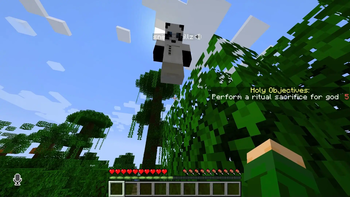
This Plugin Interfaces with OpenAI's GPT-4o and Whisper models to provide the experience of having an omniscient god watching the players as featured on the BigYous Youtube Channel.
God's Capabilities
- God can listen to player conversations!
- God has a randomized list of liked and disliked behaviors that it will reward and punish players to make them adhere to that list!
- Experience the weird approximation of morality exhibited by LLMs!!!
How To Install
- download the latest version of the plugin
- add plugin to plugins folder of your bukkit server
- I used paper mc server version 1.20.4 and Minecraft 1.20.4 in the video
- after adding the plugin run the server to generate the plugin folder and config file
- extract worlds.zip into
plugins/gptgodmc
- these are the reccommended maps, you can use your own if you would like
- open the config file
- if you want to play sandbox mode, set
startingWorldtoisland - if you want to play the Deathmatch mode set
gamemodetoDEATHMATCH - paste in your OpenAI API key (yes, you need to give them money)
- for voicechat to work, all players must install the voicechat mod locally
Added Commands
/nickname <nickname>: tells GPT what name other players call you, handy if people don't refer to you by your user name
- Edition: Minecraft Java
- File type: .jar
- Minecraft versions listed: 1.2.1, 1.2.2, 1.2.3
- How to install: Install the matching mod loader (Forge, Fabric or NeoForge) for your Minecraft version. → Download the .jar. → Put it in the .minecraft/mods folder and launch that loader profile.
- Where to get it: Opens on Modrinth — not every file is mirrored on our own servers.
Install steps are the general flow for this file type — How to install Minecraft Java mods & modpacks walks through it step by step.
- Ships as gptgodmc-0.1.7-all.jar — drop this file into the mods folder
- Download size: 4.4 MB
- Download link checked 29 Aug 2026 — working
These come from our own check of the pack file, not from the source page.