
DrMap
DrMap allows you to import images into empty maps.

Commands and Permissions
| Command | Description | Permission |
|---|---|---|
| /drmap create [params] ex. /drmap create https://i.imgur.com/URVT1ul.png height:2 width:3 |
Creates a new map from a url | drmap.command.create |
| /drmap info | Provides information about a DrMap | drmap.command.info |
| /drmap erase | Turns a DrMap back into an empty map | drmap.command.erase |
| /drmap reload | Reloads the plugin config | drmap.command.reload |
| Place DrMaps into item frames | drmap.place | |
| Enables you to quick-place all parts of a large image by just placing 1. This will respect GriefPrevention and Worldguard but may not respect other claiming plugins. | drmap.place.magic | |
| Rotate DrMaps in item frames | drmap.rotate | |
| Manipulate DrMaps in cartography tables | drmap.cartography |
What types of images work?
DrMap is meant to be used with pngs and jpegs. If an image isn't working for you, try uploading the image to Imgur. Then, right-click the image and select copy image address. This is the URL you want to use for your create command. I've also found that you can also send the image in a Discord channel, then click "open original" and use that URL.
FAQ
Does this work on the latest version?
Yes. It sometimes takes me some time before I update the Modrinth page to reflect that it works in the latest version, but it should still work.
Color codes don't work
Servers using a Bukkit instance without Adventure (i.e. Spigot servers, but not Paper servers) will fallback to using legacy color codes. However, as of v1.1.0, the lang file is generated assuming Minimessage availability. Affected server owners will need to update the lang file to get their colors to translate.
Usage Stats
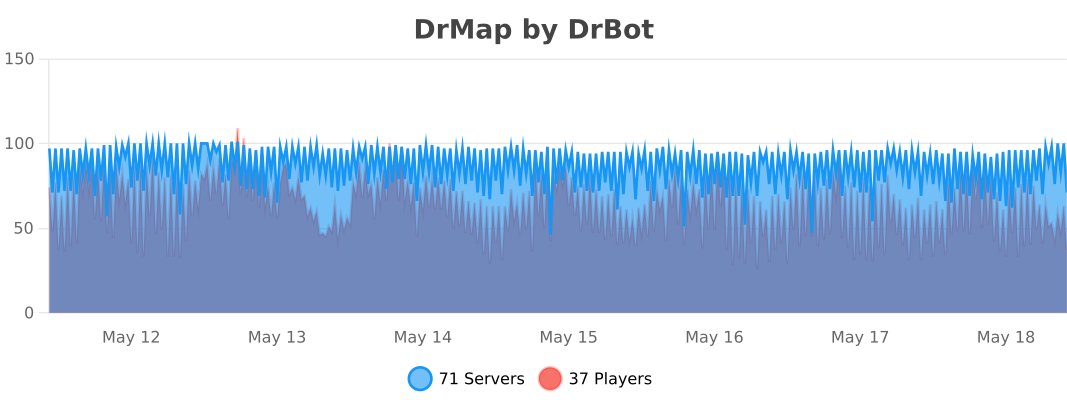 See more stats here.
- Edition: Minecraft Java
- File type: .jar
- Minecraft versions listed: 1.17, 1.17.1, 1.18
- How to install: Install the matching mod loader (Forge, Fabric or NeoForge) for your Minecraft version. → Download the .jar. → Put it in the .minecraft/mods folder and launch that loader profile.
- Where to get it: Opens on Modrinth — not every file is mirrored on our own servers.
Install steps are the general flow for this file type — How to install Minecraft Java mods & modpacks walks through it step by step.
- Ships as DrMap-1.1.0.jar — drop this file into the mods folder
- Download size: 396 KB
- Download link checked 29 Aug 2026 — working
These come from our own check of the pack file, not from the source page.