
SMLib
Java mod listed for Minecraft 1.8–26.x. Downloads from the MC Java Mods app on Android.
⬇ Download on Modrinth
This library is required for the functions of StreamingModule and must always be installed in the latest version if StreamingModule is used.
See StreamingModule: StreamingModule - Twitch Integration Plugin
Features of StreamingModule
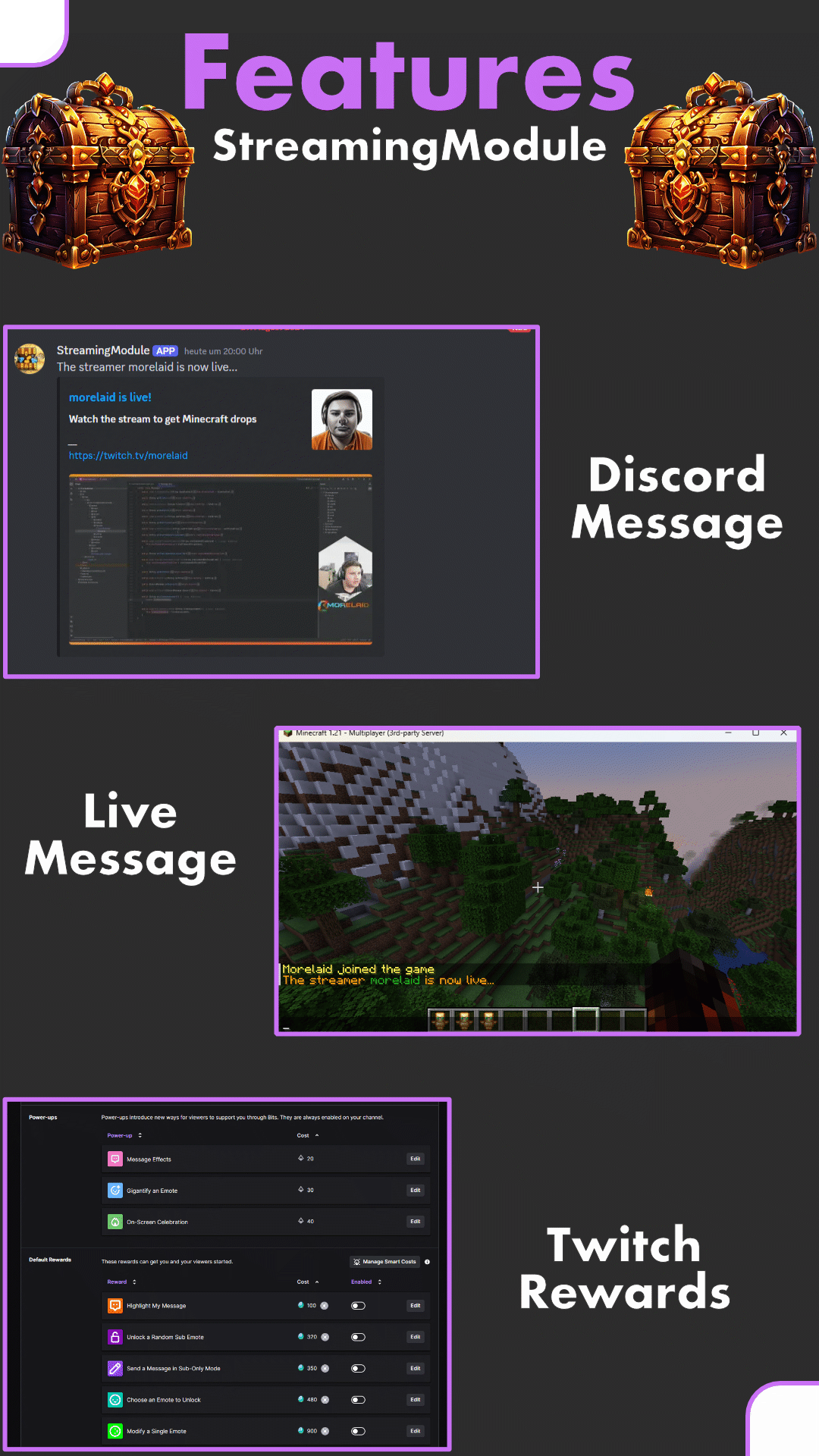
StreamingModule (formerly known as "StreamingDrops") is a Twitch integration for Minecraft with many different functions. Among other things, Twitch viewers can get Minecraft drops (similar to the Twitch (Gaming) Drops). In addition, streamers can be displayed as live on the server, the streamer can see his Twitch chat directly in Minecraft or chat commands in the Twitch chat with content from Minecraft are possible. The integration of Twitch Rewards (Channel Points) is also possible for positive or negative actions
Features
- Setup everything as twitch drop (items, money, crates, ranks & more)
- Add multiple streamers possible
- No streamkeys or oAuth-Keys necessery
- Change the drop chance
- Automated broadcast message and discord announcement, when a streamer goes live
- Livetag for streamers via PlaceholderAPI
- Offline drop support
Requirements
- SMLib
- Java 11+
- HTTPS Port open
- "StreamingModule" (the Twitch bot) must be a moderator of your twitch channel
On some servers outgoing messages / requests are blocked. This is expressed by an error message with the command "/online", with an HTTP(S) error code. Please check at this point whether the ports have been released accordingly.
Installation / Setup
Here is a short step by step list: Setup (wiki)
Known Incompatible Plugins
- Matrix Anti-Cheat
Support / Bugs / Suggestion
Discord: https://discord.gg/5zuC36R For requests, comments or emerging errors, I am happy to help. In order to be able to help quickly, I would be pleased if the following information is already filled in during the inquiry:
- Execute „/sm report“
- Join the discord server and give a short description of your problem
Requests can be made in German or English.
- Edition: Minecraft Java
- File type: .jar
- Minecraft versions listed: 1.8, 1.8.1, 1.8.2
- How to install: Install the matching mod loader (Forge, Fabric or NeoForge) for your Minecraft version. → Download the .jar. → Put it in the .minecraft/mods folder and launch that loader profile.
- Where to get it: Opens on Modrinth — not every file is mirrored on our own servers.
Install steps are the general flow for this file type — How to install Minecraft Java mods & modpacks walks through it step by step.
- Ships as SMlib-2.2.jar — drop this file into the mods folder
- Download size: 34.2 MB
- Download link checked 9 Oct 2026 — working
These come from our own check of the pack file, not from the source page.