
ModsJava
BannedWordsEffective
Java mod listed for Minecraft 1.17–1.21. Downloads from the MC Java Mods app on Android.
⬇ Download on Modrinth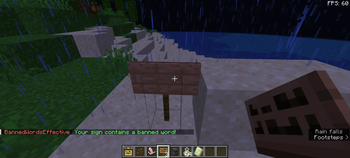
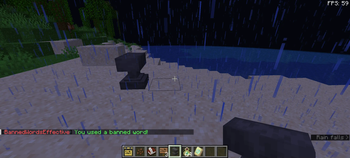
BannedWordsEffective
A powerful and flexible Minecraft plugin for server administrators to filter and act on inappropriate content across multiple communication channels.
Features
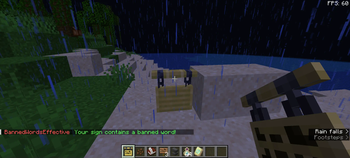
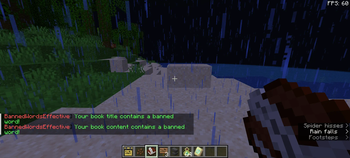
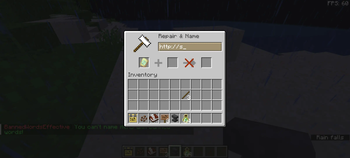
- Multi-Channel Protection: Filter banned words in chat, player names, books, anvil item naming, commands, and signs
- Flexible Actions: Customize actions for each violation type:
- Cancel event
- Run custom commands
- Kick player
- Ban player (IP or account)
- Censor content (replace with asterisks)
- Advanced Filtering: Supports both simple word blacklisting and complex regex patterns
- Category-Based Filter Lists: Configure separate word lists for different contexts (chat, signs, books, etc.)
- Discord Integration: Send violation alerts to Discord via webhook
- Fully Customizable Messages: Edit all notification messages
- Folia Support: Compatible with both standard Bukkit servers and Folia
Commands
/bwe reload- Reload configuration/bwe toggle- Enable/disable plugin/bwe add <category> <word>- Add a banned word to a category/bwe remove <category> <word>- Remove a banned word from a category/bwe message <key> <value>- Edit notification messages/bwe webhook <setting> <value>- Configure Discord webhook settings
Permission Nodes
bwe.use- Use the base commandbwe.reload- Reload configurationbwe.toggle- Toggle plugin on/offbwe.add- Add banned wordsbwe.remove- Remove banned wordsbwe.message- Edit messagesbwe.webhook- Configure webhook settingsbwe.update- Access to update notifications
Configuration
Extensive configuration options allow you to:
- Define banned words with regex support
- Customize actions per violation type
- Configure Discord webhook appearance
- Set custom notification messages
Need help? Join our Discord
Quick facts
- Edition: Minecraft Java
- File type: .jar
- Minecraft versions listed: 1.17, 1.17.1, 1.18
- How to install: Install the matching mod loader (Forge, Fabric or NeoForge) for your Minecraft version. → Download the .jar. → Put it in the .minecraft/mods folder and launch that loader profile.
- Where to get it: Opens on Modrinth — not every file is mirrored on our own servers.
Install steps are the general flow for this file type — How to install Minecraft Java mods & modpacks walks through it step by step.
File checked by MCModsHub
- Ships as BannedWordsEffective-Karma-7.jar — drop this file into the mods folder
- Download size: 170 KB
- Download link checked 30 Oct 2026 — working
These come from our own check of the pack file, not from the source page.