
ModsJava
uTimber
Java mod listed for Minecraft 1.16–1.21. Downloads from the MC Java Mods app on Android.
⬇ Download on Modrinth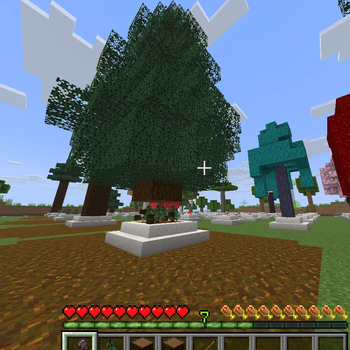
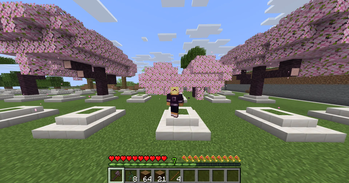
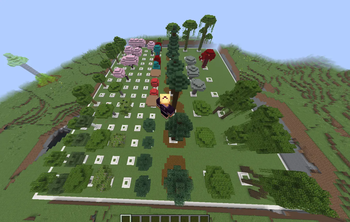
Simple timber / tree chopper plugin.
Break one log and whole tree comes down with a great animation.
Features
- Every tree is configurable.
- Crouch(shift) to disable.
- Required tools (any item, default: axes).
- Optimized tree detection NO LAG.
- Sapling replant.
Video
VERSION
This plugin should work from 1.16 to the latest version of minecraft.
Example config.yml
crouch_disable: true
tree_falling_damage: true
damage_tool_by_log_count: false
require_tool: true
tools:
  - WOODEN_AXE
  - STONE_AXE
  - COPPER_AXE
  - IRON_AXE
  - GOLDEN_AXE
  - DIAMOND_AXE
  - NETHERITE_AXE

replant_sapling: true
replantable_blocks:
  - dirt
  - grass_block

tree:
  oak:
    logs:
      - OAK_LOG
      - STRIPPED_OAK_LOG
    leaves:
      - OAK_LEAVES
    sapling: OAK_SAPLING
    log_distance_x: 0
    log_distance_y: 6
    large_log: false
    leaf_distance_x: 2
    leaf_distance_y: 4
    min_logs: 4
    min_leaves: 12
    separate_leaves: false
    diagonal_leaves: false
  #other trees...
NOTE
Heavily inspired from the plugin UltimateTimber by Songoda. I've made this plugin because theirs must be updated every version and they don't do it fast.
Join Our Discord
For support, updates, and community discussion, join our Discord:

Quick facts
- Edition: Minecraft Java
- File type: .jar
- Minecraft versions listed: 1.16, 1.16.1, 1.16.2
- How to install: Install the matching mod loader (Forge, Fabric or NeoForge) for your Minecraft version. → Download the .jar. → Put it in the .minecraft/mods folder and launch that loader profile.
- Where to get it: Opens on Modrinth — not every file is mirrored on our own servers.
Install steps are the general flow for this file type — How to install Minecraft Java mods & modpacks walks through it step by step.
File checked by MCModsHub
- Ships as UTimber-1.1.0.jar — drop this file into the mods folder
- Download size: 81 KB
- Download link checked 20 Nov 2026 — working
These come from our own check of the pack file, not from the source page.