
Messages On Head
I don't know my version or loader
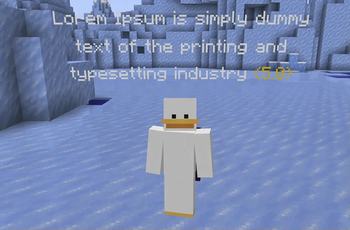
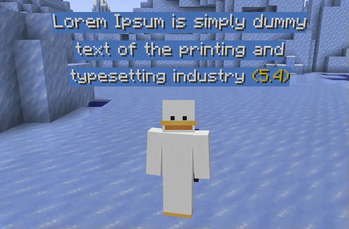
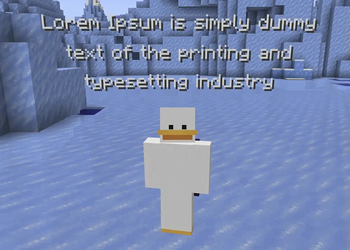
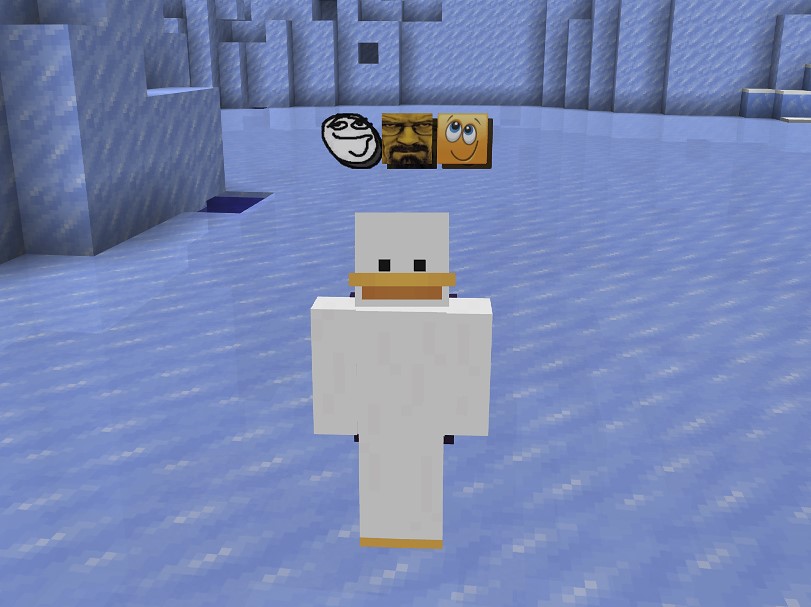
MessagesOnHead is a Paper (1.19.4+) plugin that shows messages above players' heads for a little time when they send messages to the chat.
The plugin's functionality is based on the Text Display entity.
[IMPORTANT] The plugin might not work correctly in Minecraft versions 1.20.2 to 1.21.5. You may notice unusually large gaps between messages. Unfortunately, this issue cannot be fixed because of version-specific changes in these Minecraft versions.
If you have any issues/bugs, you may leave them here.
👀 Preview
🌠 Key features
- Limit per line: you can configure the symbols limit for each line in the
symbolsPerLinefield. - Max symbols limit: you can configure the max amount of symbols per message in the
symbolsLimitfield ('...' will be appended if the limit is reached). - Timer: you can enable/disable the timer at the end of the message that shows how much time is left until the message is gone.
- Time scaling: you can make longer messages exist for more time.
- Colors and style: you can choose the color of the text, its background, whether the text is shadowed and the color for the timer.
- Rotation: you may configure how a text display will rotate in the
pivotAxisfield. - Visibility: you may hide messages from their sender via the
visibleToSenderfield as well as choose whose messages will be shown globally using themessagesonhead.showpermission. - Adjustable gaps: you may configure gaps between messages and above player's head in
gapBetweenMessagesandgapAboveHeadfields. - PlaceholderAPI support: you can configure a placeholder that will color your text displays.
🔞 Permissions
messagesonhead.show(true by default) — Whether messages will appear above player's head.messagesonhead.admin(for operators by default) — Allows to use the/mohcommand.
💻 Commands
/moh info— shows commands info./moh reload— reloads the config and makes a cleanup by removing all entities related to the plugin./moh say <player> <msg>— says a message on behalf of the player.
Aliases: /messagesonhead.
📄 Default config
symbolsPerLine: 30
# If the limit is reached, the three dots will be added at the end. -1 means there's no limit
symbolsLimit: -1
# Initial amount of seconds for the message to exist
timeToExist: 2
# Whether a message will be visible to its sender
visibleToSender: true
# Hide the message when the player is under an invisibility effect
hideWhenInvisible: true

# Whether a longer message will exist for more time
scalingEnabled: true
# Scaling coefficient per symbol in seconds. For example, a message with 50 symbols
# will exist for extra 5 seconds if the coefficient is set to 0.1 (because 0.1 * 50 = 5)
scalingCoefficient: 0.05

# Distances between messages / above player's head
gapBetweenMessages: 0.3
gapAboveHead: 0.4

textColor: "#FFFFFF"

timerEnabled: true
# Minimum message length threshold for the timer to be displayed
minSymbolsForTimer: 0
timerFormat: " (%.1f)"
timerColor: "#F4CA16"

backgroundEnabled: true
backgroundColor: "#000000"
# Range: [0, 100]
backgroundTransparencyPercentage: 100

# Whether a text will have a shadow
isShadowed: true

# How a text display can pivot:
# VERTICAL - Can pivot around vertical axis
# HORIZONTAL - Can pivot around horizontal axis
# CENTER - Can pivot around center point
# FIXED - No rotation
pivotAxis: "VERTICAL"

# You may enable this if you use a plugin for per-player chat color customization (e.g., EZColors, ChatColor etc.)
placeholderApiIntegration: false
# Name of a placeholder that will be put before each text line
colorPlaceholder: "%ezcolors_color%"
# Format for text lines if `placeholderApiIntegration` is true
lineFormat: "&[defaultColor]&[colorPlaceholder][message]"

messages:
  "prefix": "&#F4CA16[MessagesOnHead]"
  "info-title": "<prefix> &#D9E6EDCommands list:"
  "info-toggle-command-description": " &f/moh toggle - &#D9E6EDAllows you to toggle the visibility of messages on heads."
  "info-reload-command-description": " &f/moh reload - &#D9E6EDReloads the config and makes a cleanup by removing all entities related to the plugin."
  "info-say-command-description": " &f/moh say - &#D9E6EDSay a message on behalf of the player."
  "reloaded": "<prefix> &#D9E6EDReloaded!"
  "visibility-toggled-on": "<prefix> &#D9E6EDYou will &a&nnow see&#D9E6ED messages over other players' heads."
  "visibility-toggled-off": "<prefix> &#D9E6EDYou will &c&nno longer see&#D9E6ED messages over other players' heads."
  "only-players": "<prefix> &cOnly players can use this command!"
  "player-not-found": "<prefix> &cPlayer not found."
  "command-not-found": "<prefix> &cCommand not found."
  "error-during-reload": "<prefix> &cAn error occurred during reload! Check console for details."
🚀 Installation guide
[IMPORTANT] Before getting started, make sure that the plugin's version is compatible with your server version.
- Download the latest version of the plugin from the Releases tab.
- Put the downloaded
.jarinto the/pluginsfolder of your server. - Restart your server or enter the
/reloadcommand.
- Edition: Minecraft Java
- File type: .jar
- Minecraft versions listed: 1.21.6, 1.21.7, 1.21.8
- How to install: Install the matching mod loader (Forge, Fabric or NeoForge) for your Minecraft version. → Download the .jar. → Put it in the .minecraft/mods folder and launch that loader profile.
- Where to get it: Opens on Modrinth — not every file is mirrored on our own servers.
Install steps are the general flow for this file type — How to install Minecraft Java mods & modpacks walks through it step by step.
- Ships as MessagesOnHead-1.6.jar — drop this file into the mods folder
- Download size: 48 KB
- Download link checked 29 Aug 2026 — working
These come from our own check of the pack file, not from the source page.