
ChestLockLite
Java mod listed for Minecraft 26.x. Downloads from the MC Java Mods app on Android.
I don't know my version or loader

ChestLockLite
A simple, powerful container locking plugin for Spigot/Paper 1.21+ servers. Lock your chests, barrels, hoppers, and furnaces with owner protection, password protection, or trusted players system. No MySQL required - uses lightweight SQLite storage.
Lock a Container
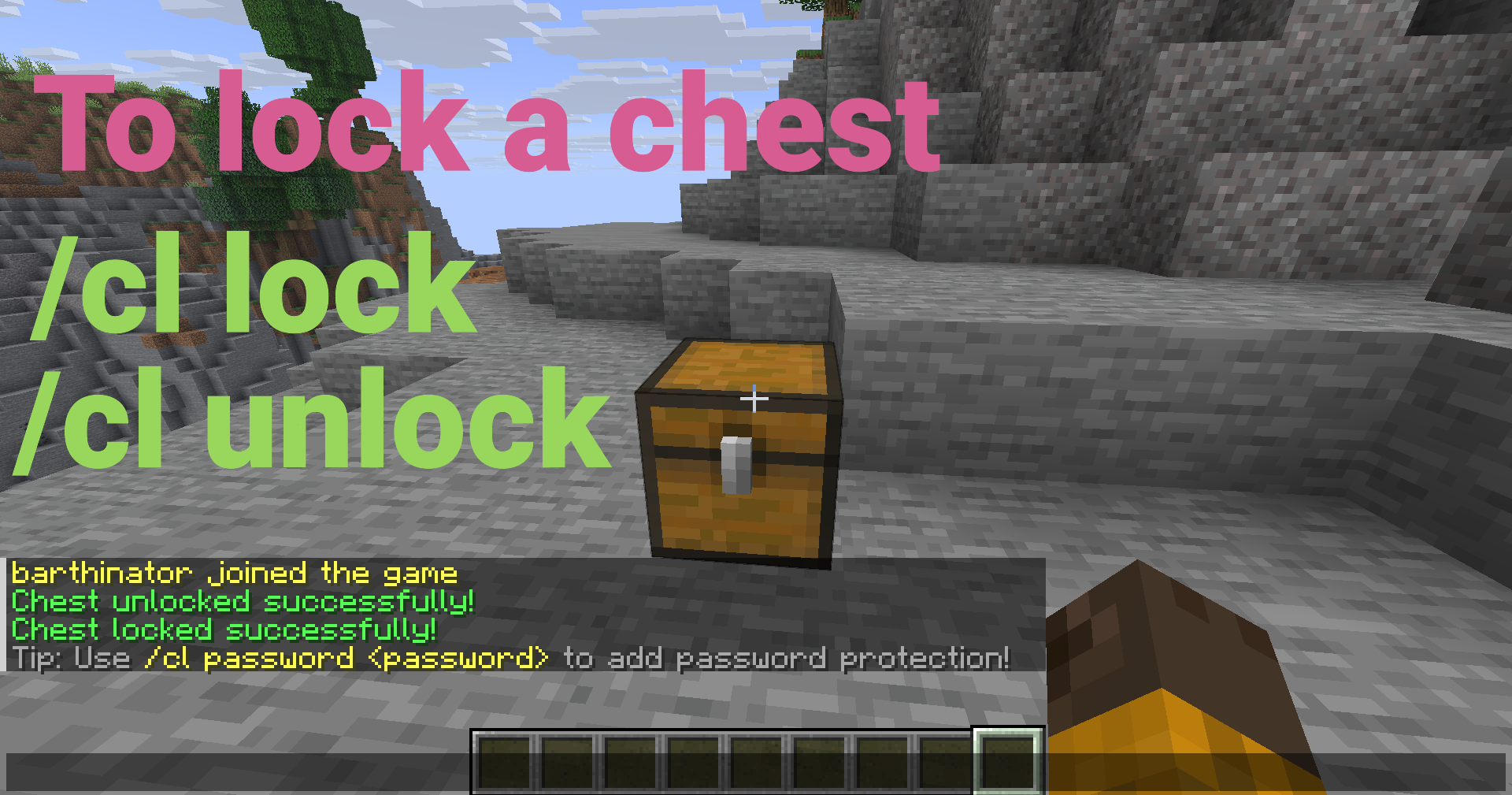
Look at a chest, barrel, hopper, or furnace and run:
/cl lock
Only you can open it now!
Key Features
Core Protection
- Owner Locks - Lock containers so only you can access them
- Password Protection - Share access with passwords (SHA-256 hashed)
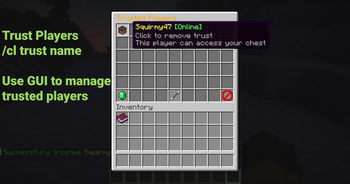
- Trusted Players - Grant access to specific players without passwords
- Container Protection - Prevents breaking, explosions, fire, and pistons
Container Support
- Chests - All chest types (regular, trapped, copper, etc.)
- Barrels - Full locking support for barrels
- Hoppers - Lock hoppers and control item extraction (configurable)
- Furnaces - Lock furnaces, blast furnaces, and smokers (configurable)
- Per-Container Hopper Control - Toggle hopper access per container via GUI
User Interface
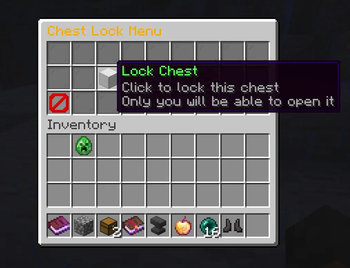
- GUI Menu - Easy-to-use visual interface (Shift + Right-click with empty hand)
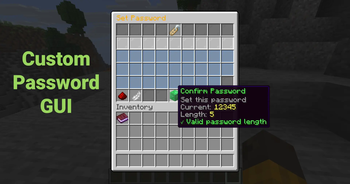
- Password Input GUI - Interactive character selection
- Tab Completion - Full autocomplete support for all commands
- Container-Specific Messages - Messages show the correct container type
Advanced Features
- Double Chest Support - Automatically handles single and double chests
- Auto-Lock on Place - Optional automatic locking when placing containers
- Password Cooldown - Prevents spam attempts (configurable)
- Admin Tools - Clear locks, reload config, bypass permissions
- Admin Notifications - Admins see notifications when opening locked containers
- SQLite Storage - Fast, lightweight, no external database needed
- Auto-Backup - Automatic database backups
- Automatic Migration - Seamless database upgrades
Quick Setup
- Download the
ChestLockLite.jarfile - Place it in your server's
pluginsfolder - Start your server
- Configure as needed in
plugins/ChestLockLite/config.yml(optional)
That's it! The plugin is ready to use.
Usage Examples
Password Protection
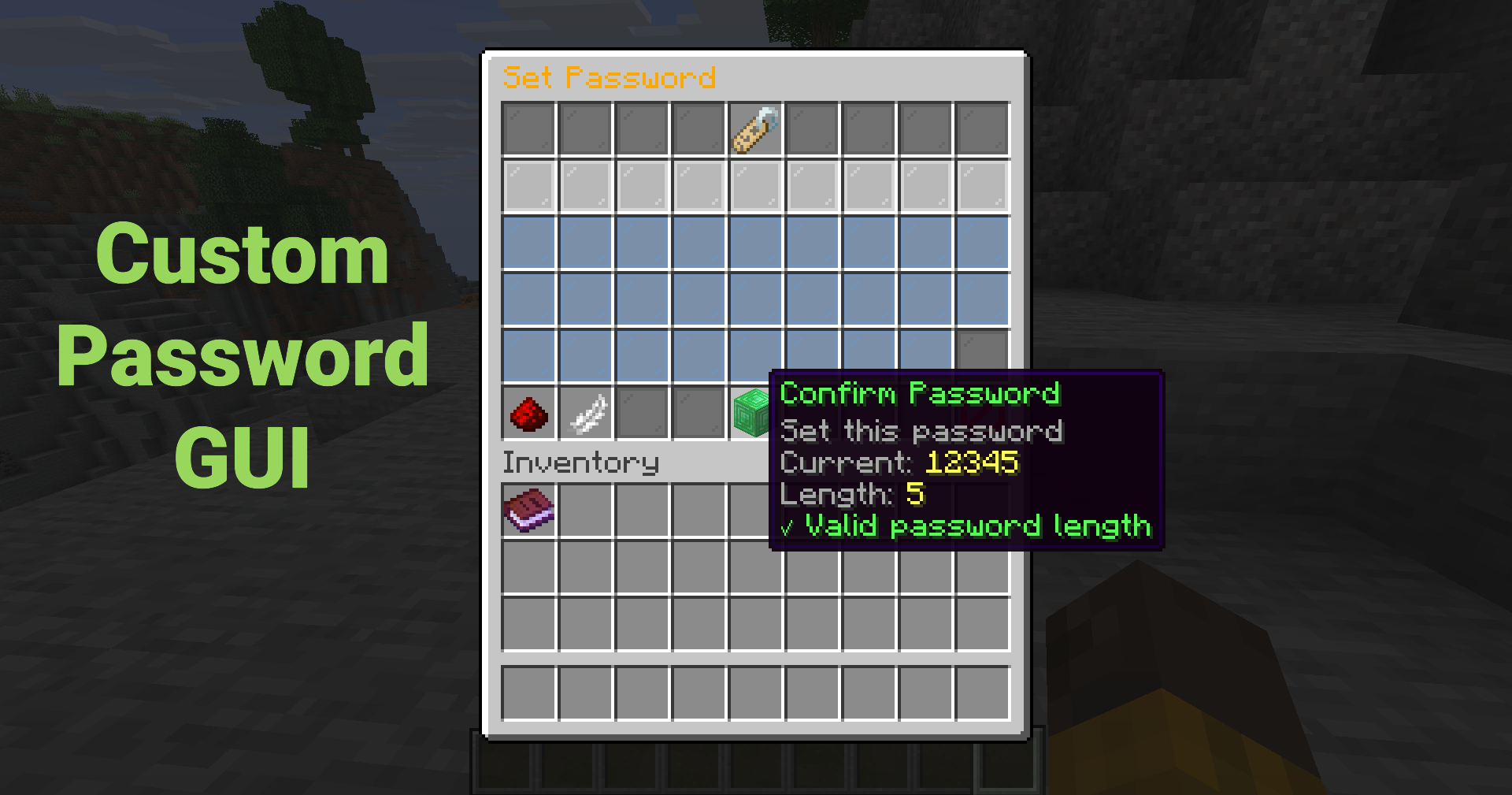
Set a password so anyone with the password can unlock the container:
/cl password mypassword123
Or use the GUI (Shift + Right-click → "Set Password") for an interactive password input!
Trust a Player
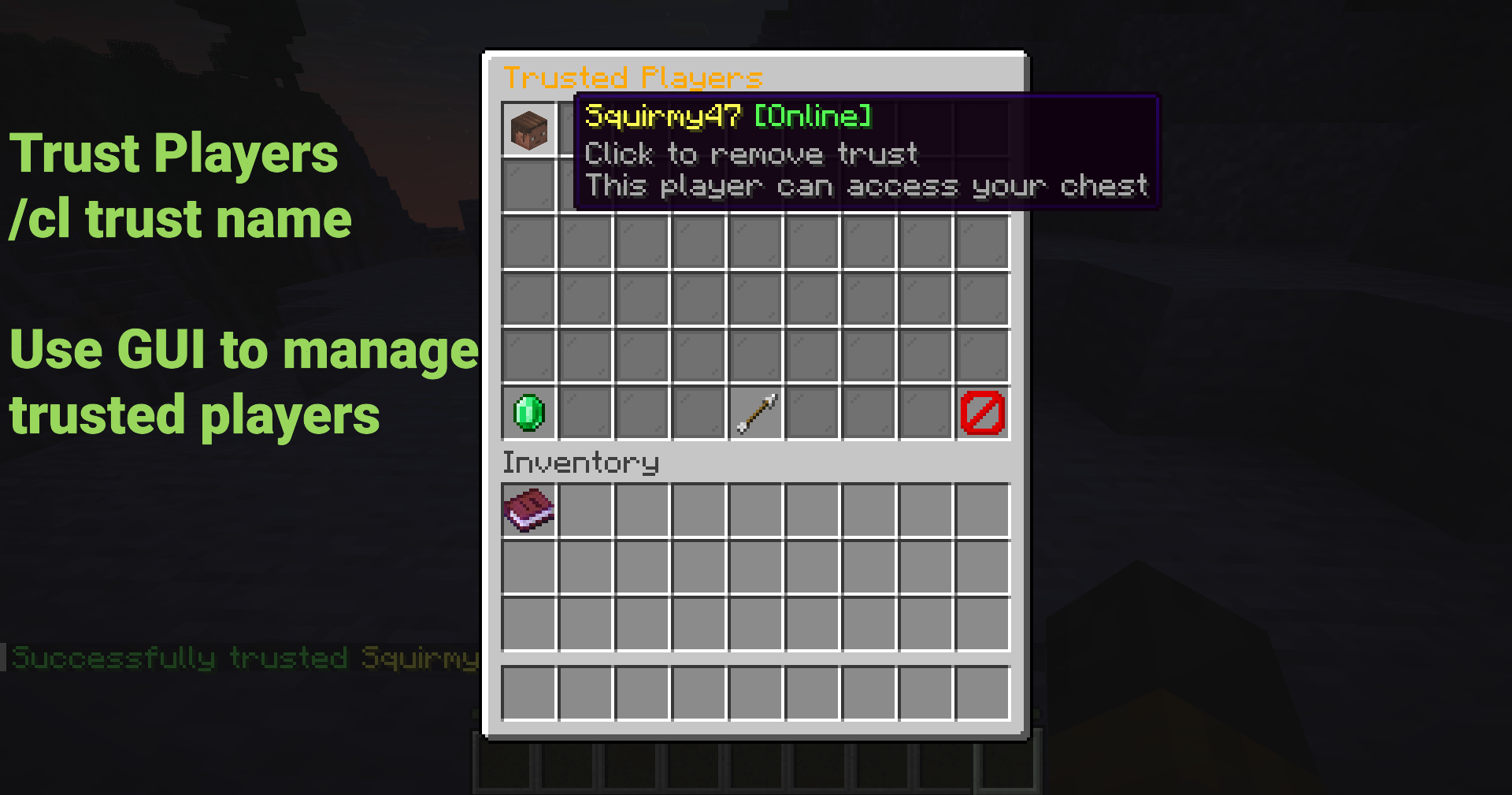
Grant a player access without sharing passwords:
/cl trust FriendName
The trusted player will receive a notification and can now access your container!
Using the GUI
Shift + Right-click any container to open the menu (Must have empty hand)
Click buttons to:
- Lock/unlock containers
- Set or remove passwords
- Manage trusted players
- Toggle hopper access (per container)
- View lock information
No commands to remember!
Common Commands
| Command | Description |
|---|---|
/cl lock |
Lock the container you're looking at |
/cl unlock |
Unlock your container |
/cl password <pass> |
Set or enter password |
/cl trust <player> |
Trust a player on your container |
/cl untrust <player> |
Remove trust from a player |
/cl trustedlist |
List trusted players |
/cl gui |
Open GUI menu |
/cl info |
View lock information |
Aliases: /chestlock, /lockchest
Security Features
- SHA-256 Password Hashing - Passwords are never stored in plain text
- Unique Salt Per Password - Prevents rainbow table attacks
- Container Break Protection - Prevents unauthorized breaking
- Explosion Protection - Protects from creepers, TNT, etc.
- Fire/Lava Protection - Protects from fire and lava damage
- Piston Protection - Prevents pistons from moving locked containers
- Hopper Control - Prevent hoppers from extracting items from locked containers
Configuration
New in v1.1.0:
locks:
  # Support for hoppers (allow locking hoppers)
  allow-hoppers: true

  # Support for furnaces (allow locking furnaces, blast furnaces, smokers)
  allow-furnaces: true

  # Show notification to admins when they open locked containers
  admin-notification: true
Perfect For
- Survival Servers - Protect player containers from griefing
- SMP Servers - Secure shared storage areas
- Economy Servers - Protect shop chests and storage
- Towny/Factions - Team-based container protection
- Any Server - Simple, lightweight container protection
Documentation
- Full Documentation: GitHub Wiki
- Quick Start Guide: Quick Start
- Configuration: Config Reference
- Permissions: Permissions Guide
Admin Commands
Admins have access to powerful management tools:
| Command | Description | Permission |
|---|---|---|
/cl clear |
Clear lock on targeted container | chestlocklite.admin.clear |
/cl clearall <player> |
Clear all locks by player | chestlocklite.admin.clearall |
/cl cleararea [radius] |
Clear locks in area | chestlocklite.admin.cleararea |
/cl reload |
Reload configuration | chestlocklite.admin.reload |
Performance
- Lightweight - Minimal server impact
- SQLite Storage - Fast, no external database needed
- Indexed Queries - O(log n) lookup time
- Tested - Handles 10,000+ locks without issues
- Comprehensive Testing - 39 unit tests ensure reliability
What's New in v1.1.0
- 🎉 Barrel, Hopper & Furnace Support - Lock all container types!
- 🎛️ Per-Container Hopper Control - Toggle hopper access via GUI
- 🔔 Admin Notifications - Admins see notifications when opening locked containers
- 💬 Container-Specific Messages - Messages show correct container type
- 🐛 Bug Fixes - Fixed password GUI bug and GUI access with items
- 🧪 Test Suite - Comprehensive testing infrastructure (39 tests)
License
This project is licensed under the MIT License.
Links
- Download: GitHub Releases
- Report Issues: GitHub Issues
- Wiki: Documentation Wiki
- Support: Check the Troubleshooting Guide
Made with ❤️ for the Minecraft community
Perfect for survival, SMP, and economy servers. Simple configuration, comprehensive permissions system, and full documentation included.
- Edition: Minecraft Java
- File type: .jar
- Minecraft versions listed: 26.1.2, 26.2
- How to install: Install the matching mod loader (Forge, Fabric or NeoForge) for your Minecraft version. → Download the .jar. → Put it in the .minecraft/mods folder and launch that loader profile.
- Where to get it: Opens on Modrinth — not every file is mirrored on our own servers.
Install steps are the general flow for this file type — How to install Minecraft Java mods & modpacks walks through it step by step.
- Ships as ChestLockLite-1.2.0.jar — drop this file into the mods folder
- Download size: 12.8 MB
- Download link checked 10 Oct 2026 — working
These come from our own check of the pack file, not from the source page.