
RMBNametags


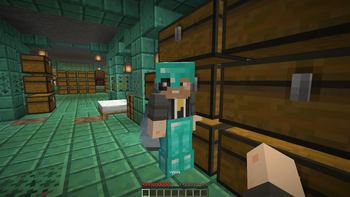
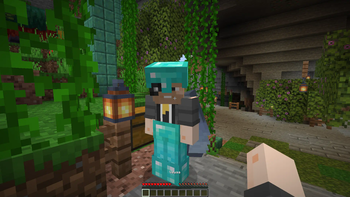
A simple Minecraft plugin to hide player names and show them on right-click in actionbar. PlaceholderAPI supported include Relational placeholders.
Features
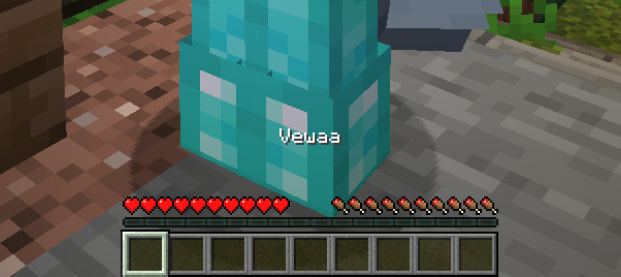
- Hide player name tags by default
- Show names on right-click (actionbar or subtitle)
- PlaceholderAPI support with relational placeholders
- Custom hide names with special format
- Hide/show commands with custom names
- Invisibility respect option
Commands
| Command | Description | Permission |
|---|---|---|
/rmbnametags reload |
Reload plugin configuration | rmbnametags.reload |
/rmbnametags hide |
Hide your own nickname | rmbnametags.hide-show |
/rmbnametags hide <player> |
Hide another player's nickname | rmbnametags.hide-show.other |
/rmbnametags hide <player> <custom name> |
Hide with custom display name | rmbnametags.hide-show.other + rmbnametags.hide.custom |
/rmbnametags show |
Show your own nickname | rmbnametags.hide-show |
/rmbnametags show <player> |
Show another player's nickname | rmbnametags.hide-show.other |
Permissions
| Permission | Description | Default |
|---|---|---|
rmbnametags.reload |
Reload plugin configuration | op |
rmbnametags.hide-show |
Hide or show own nametag | true |
rmbnametags.hide-show.other |
Hide or show other players nametags | op |
rmbnametags.hide.custom |
Set custom names when hiding | op |
Configuration
# display time in seconds (min 1s)
display-time: 3

# Change nickname format here
# Use & for colors or HEX (#RRGGBB) and {PLAYER_NAME} variable
name-format: "&a&l{PLAYER_NAME}"

# Format for hidden players (if empty, nothing will be shown)
hide-name-format: "&a&lUnknown"

# If true, plugin will NOT show nametag when the target player is invisible
respect-invisibility: false

# Where to display the nickname: "actionbar" (default) or "subtitle"
display-location: "actionbar"

# If true, hidden players will still show their custom name when clicked
show-hidden-players: true

# Messages (English by default)
Messages:
  Reload: "&a&lRMBNametags config reloaded!"
  Not-Reload: "&c&lAn error occurred during a config reload"
  No-Permission: "&cYou don't have permission to use this command!"
  Player-Not-Found: "&cPlayer not found or offline!"
  Console-Specify-Player: "&cConsole must specify a player!"
  Hide-Self: "&aYour nickname is now hidden"
  Hide-Other: "&aPlayer %player%'s nickname is now hidden"
  Show-Self: "&aYour nickname is now visible"
  Show-Other: "&aPlayer %player%'s nickname is now visible"
  Hide-Custom-Self: "&aYour nickname is now hidden with custom name: %custom_name%"
  Hide-Custom-Other: "&aPlayer %player%'s nickname is now hidden with custom name: %custom_name%"
  Already-hidden: "&cPlayer %player%'s nickname is already hidden"
  Already-Visible: "&cPlayer %player%'s nickname is already visible"
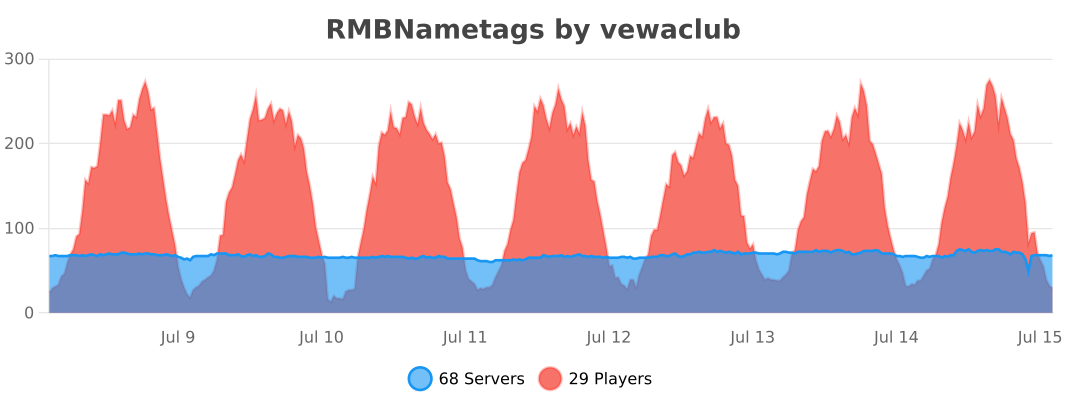
bStats
Quick facts
- Edition: Minecraft Java
- File type: .jar
- Minecraft versions listed: 1.21, 1.21.1, 1.21.2
- How to install: Install the matching mod loader (Forge, Fabric or NeoForge) for your Minecraft version. → Download the .jar. → Put it in the .minecraft/mods folder and launch that loader profile.
- Where to get it: Opens on Modrinth — not every file is mirrored on our own servers.
Install steps are the general flow for this file type — How to install Minecraft Java mods & modpacks walks through it step by step.
Verified by MCModsHub
- Ships as RMBNametags-1.2.4.jar — drop this file into the mods folder
- Download size: 45 KB
- Download link checked 29 Aug 2026 — working
These come from our own check of the pack file, not from the source page.