
Discord Webhook Wizard
I don't know my version or loader
dchook
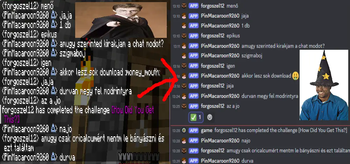
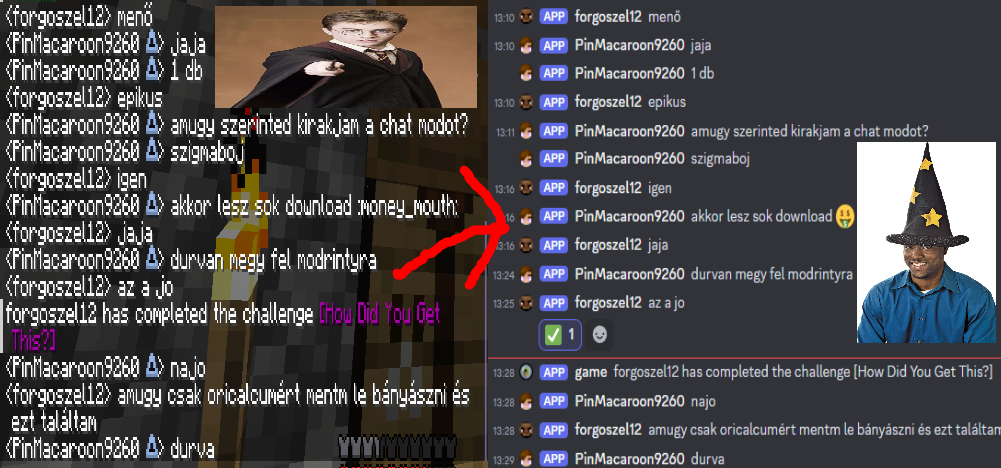
Send Minecraft chat messages to Discord server channels with ease! dchook is a lightweight and simple mod for the fabric mod loader, and newer Minecraft versions (more supported versions coming soon).
Features
This mod offers:
- One-way chat message proxying or two-way if desired;
- Simple configuration;
- Straightforward features;
- Server-side, Discord Bot-less architecture.
Configurable and toggleable messages
Toggle server status messages such as: server staring, server started, server stopping, server stopped.
Toggle whether users can make their messages unproxyable (ignored by the mod) by
applying two forward slashes (//) at the end of their chat messages.
Easy setup
Setting this mod up is just a matter of following the steps on the documentation page
"HELP, IT AINT WORKIN', WHAT AM I SUPPOSD' TO DO?"
Calm down, we'll go step by step.
Check the config file.
- Did I paste the URL to the right place?
- Is it the right URL?
- Did I delete an
=? - Did I put an extra space somewhere?
- Did I accidentally turn the mod off?
Check the console of the server.
- Did my server say something about the webhook not being a valid API endpoint?
- Did my server say something about the webhook not being found or not having connection to Discord?
Still doesn't work? Well, I (pin, the one who made this mod) am also a "human", so I make mistakes too. If you think I made one, report it to me! See the sidebar for links!
Credits
- This mod uses simple-config for configuration file management.
- This mod uses crafthead's API for player chat icons.
- Edition: Minecraft Java
- File type: .jar
- Minecraft versions listed: 1.12, 1.12.1, 1.12.2
- How to install: Install the matching mod loader (Forge, Fabric or NeoForge) for your Minecraft version. → Download the .jar. → Put it in the .minecraft/mods folder and launch that loader profile.
- Where to get it: Opens on Modrinth — not every file is mirrored on our own servers.
Install steps are the general flow for this file type — How to install Minecraft Java mods & modpacks walks through it step by step.
- Ships as dchookspigot-1.0.2+spigot.1.12.jar — drop this file into the mods folder
- Download size: 10.7 MB
- Download link checked 29 Aug 2026 — working
These come from our own check of the pack file, not from the source page.