




ChunkClaimPlugin - Land Protection for Spigot/Paper
Protect your land by claiming chunks with named claim groups, per-claim trust management, and granular control over mob griefing, explosions, and PvP.
Join discord for requesting more features and bug reports!
🚀 Features
- Named Claim Groups - Claim multiple chunks under one name and expand anytime
- Multi-Version Support - Single JAR works on Minecraft 1.19.x, 1.20.x, 1.21.x AND 26.x servers
- GUI-Based Management - No config file edits needed; use
/chunksettingsto manage everything - Per-Claim Trust System - Grant other players building access for specific claim groups
- Granular Protection Flags - Toggle mob griefing, spawning, explosions, PvP, and block interactions per claim
- Mob Protection - Protect passive mobs (cows, pigs, etc.) from being damaged; hostile mobs always killable
- Claim Teleportation - Use
/chunktp <name>to instantly teleport to your claims - Transfer Ownership - Hand off claims to other players with all settings preserved
- Message Customization - Admins can suppress specific chat messages without code changes
- Multi-Language Support - 7 languages: English, Spanish, French, Chinese, German, Portuguese, Russian
- WorldGuard Integration - Prevents claiming over WorldGuard regions
- Item-Based Claiming - Right-click with a configurable item (default: Wooden Shovel) to claim chunks
- Entry Titles - Players see welcome titles when entering claimed areas
- Developer Friendly - Developers are free to use the API to utilise more potential, also PlaceholderAPI supported
📋 Essential Commands
| Command | Alias | Purpose |
|---|---|---|
/claimchunk <name> |
/ccp claim <name> |
Claim the chunk you're standing in |
/chunkexpand <name> |
/ccp expand <name> |
Add current chunk to an existing claim |
/unclaimchunk [name] |
/ccp unclaim [name] |
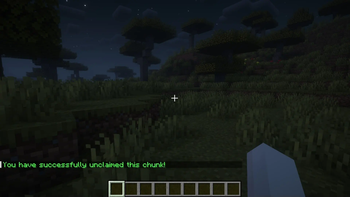
Unclaim a claim group |
/checkchunk |
/ccp check |
See who owns the current chunk |
/infochunk |
/ccp info |
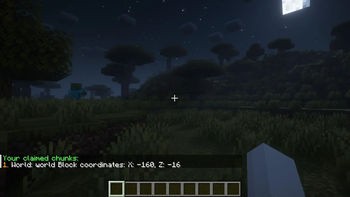
List all your claim groups |
/chunksettings |
/ccp settings |
Open player settings GUI |
/chunkadmin |
/ccp admin |
Open admin settings GUI (OP only) |
/chunktp <name> |
/ccp tp <name> |
Teleport to a claim (v0.6.0+) |
/visualizechunk [name] |
/ccp visualize [name] |
Visualize claim boundaries |
/chunklang |
/ccp lang |
Change your language (per-player) |
For complete admin documentation, see the Server Owner Wiki.
For developer documentation, see the Documentation Wiki
🛡️ Protection Flags
Each claim group has toggleable settings:
| Flag | Purpose | Default |
|---|---|---|
| Mob Griefing | Block creeper/enderman damage | ON |
| Mob Spawning | Prevent mob spawns | OFF |
| Mob Entry | Invisible wall keeps mobs out | OFF |
| Mob Protection | Protect passive mobs from players | ON |
| Explosions | Block TNT/Wither damage | ON |
| PvP | Prevent player combat | OFF |
| Fire Spread | Block fire burn and spread | ON |
| Block Interactions | Protect chests, furnaces, doors | ON |
🔑 Permissions
ccp.claim- Claim chunksccp.unclaim- Unclaim chunksccp.expand- Expand claimsccp.check- Check chunk ownershipccp.info- List own claimsccp.settings- Open player GUIccp.visualize- Visualize claimsccp.lang- Change personal languageccp.teleport- Teleport to claims (v0.6.0+)ccp.transfer- Transfer claim ownership (v0.6.0+)ccp.flag.*- Toggle claim flags in settings GUI (v0.7.0+)chunkclaim.admin- Admin GUI (OP only)chunkclaimprotection.bypass- Bypass all protection (OP only)
📚 Configuration
The config.yml file supports:
locale: "en_US"                    # Default server language
max-claims-per-player: 10          # Claims per player
claim-item: "WOODEN_SHOVEL"        # Item for right-click claiming
mob-protection: true               # Protect passive mobs by default
title-duration:                    # Title timing (fade-in, stay, fade-out)
  fade-in: 10
  stay: 70
  fade-out: 20
message-toggles:                   # Admin control over chat messages
  deny-break: true
  deny-place: true
  deny-pvp: true
  claim-success: true
  # ... and more
🌍 Localization
Full support for:
- English (en_US)
- Spanish (es_ES)
- French (fr_FR)
- Chinese (zh_CN)
- German (de_DE)
- Portuguese (pt_BR)
- Russian (ru_RU)
Players can change their language per-account with /ccp lang set <locale>.
🔄 Trust System
Grant other players building access to specific claims:
- Open
/ccp settings→ Claims → click a claim - Click "Trusted Players"
- Click player heads to toggle trust (green = trusted)
- Trust is claim-group specific
⚙️ Chunk Settings GUI (/chunksettings)
Everything you need to manage your claims in one place:
🏠 Home Screen
- View Your Claims - See all your claim groups and chunk counts
- Visualize Claims - View bounding boxes for your claims
- Delete Claims - Remove claim groups you no longer need
- Particle Selection - Choose your visualization particle (FLAME, REDSTONE, etc.)
- Change Language - Set your per-player language preference
📦 Claims Management
- Navigate to Claims from the home screen
- Select a claim group to see:
- Claim Details - View chunk count, owner, creation info
- Teleport (v0.6.0+) - Jump to the center of the claim
- Transfer Ownership (v0.6.0+) - Hand off to another player
- Trusted Players - Manage who can build here
- Claim Settings - Toggle protection flags
- Rename Claim - Change the claim group name via chat
🎯 Claim Settings (Per-Claim Flags)
Toggle protection for your specific claim:
- Mob Griefing - Block creeper/enderman damage
- Mob Spawning - Prevent natural mob spawns
- Mob Entry - Create invisible wall against mobs
- Mob Protection - Protect passive animals (cows, pigs)
- Explosions - Block TNT/Wither damage
- PvP - Allow/disable player combat
- Fire Spread - Block fire burn and spread
- Chest Interactions - Protect chests and containers
- Furnace Interactions - Protect furnaces
- Utility Interactions - Protect stonecutters and crafting blocks
- Door Interactions - Protect doors and trapdoors
- Redstone Interactions - Protect buttons and levers
(Green = Allowed, Red = Denied)
🎯 What's New in v0.7.0
- ✨ Developer API & Custom Events: Full API access via
ChunkClaimAPI(ChunkClaimPlugin2.getInstance().getChunkManager()) and cancellable Bukkit events (ChunkClaimEvent,ChunkUnclaimEvent,ChunkRenameEvent,ChunkTransferEvent). - ✨ PlaceholderAPI Integration: Parse PAPI placeholders in player messages + custom
%ccp_*%placeholders (%ccp_claimed_chunks%,%ccp_max_chunks%,%ccp_chunk_owner%,%ccp_claim_name%,%ccp_is_claimed%,%ccp_total_claims%). - ✨ Fire Spread Protection: New
fire-spreadflag prevents fire burning, ignite spreading, and block spread in claims. - ✨ Granular Flag Permissions: Permission nodes (
ccp.flag.*andccp.flag.<flagname>) to control flag toggles in GUI. - ✨ Configurable Title Duration: Control welcome banner timing (
fade-in,stay,fade-out) inconfig.yml. - ✨ Fixed Mob Protection Display Bug: Resolved missing translation string for passive mob protection in GUI.
- ✨ Multi-version support for Minecraft 1.19.x, 1.20.x, 1.21.x and 26.x
- ✨ Individual Chunk Limits configuration for admins
- ✨ External Command integration for Claim/Unclaim events
- ✨ Indefinite Chunk Visualization support
- ✨ Crop Trampling protection fix in claimed chunks
- ✨ Java 17+ / Java 21 support for server instances
🎯 What's New in v0.6.0+
- ✨ Single JAR compatibility with Minecraft 1.21.x and 26.1+
- ✨ Claim ownership transfer directly from GUI
- ✨
/chunktp <name>teleport command - ✨ Message customization system for admins
- ✨ Fixed player-to-player combat handling
- ✨ Mob protection toggle for passive mobs
- ✨ Enhanced GUI with Back buttons
- ✨ Full support for German, Portuguese, Russian
🐛 Bug Reports & Features
Found a bug or have a feature request?
- Discord: Join our community Discord
- Issues: Report on GitHub
📖 Advanced Setup
For detailed server configuration, claim management strategies, and admin tips, see the comprehensive Server Owner Wiki.
📜 License
See LICENSE file in repository.
Protect your land. Organize your world. Claim your chunks.
- Edition: Minecraft Java
- File type: .jar
- Minecraft versions listed: 1.19, 1.19.1, 1.19.2
- How to install: Install the matching mod loader (Forge, Fabric or NeoForge) for your Minecraft version. → Download the .jar. → Put it in the .minecraft/mods folder and launch that loader profile.
- Where to get it: Opens on Modrinth — not every file is mirrored on our own servers.
Install steps are the general flow for this file type — How to install Minecraft Java mods & modpacks walks through it step by step.
- Ships as ChunkClaimPlugin-0.7.0.jar — drop this file into the mods folder
- Download size: 122 KB
- Download link checked 29 Aug 2026 — working
These come from our own check of the pack file, not from the source page.