
ModsJava
Invisible Frame Plugin
This plugin will add a vanilla way to make your frame invisible! Данный плагин добавит ванильный способ сделать вашу рамку невидимой!
⬇ Download on Modrinth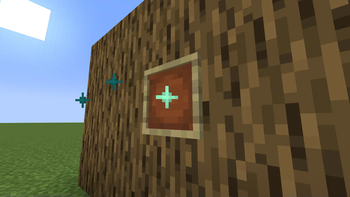
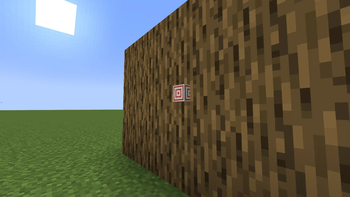
This plugin allows you to use the framework in a new way! in order to get an invisible frame, you need to put the frame in the right place, and click on it with scissors (holding the shift). after that, your frame will emit particles, and when you put any object in the frame, the frame will become invisible!
_ _ _ _ _ _ _ _ _ _ _ _ _ _ _ _ _ _ Данный плагин позволяет вам использовать рамки по новому! Для того чтобы получить невидимую рамку вам нужно поставить рамку в нужном месте, и кликнуть по ней ножницами (_удерживая шифт_). после этого ваша рамка станет излучать партиклы, а когда вы положите в рамку любой предмет, рамка станет невидимой!Quick facts
- Edition: Minecraft Java
- File type: .jar
- Minecraft versions listed: 1.20, 1.20.1, 1.20.2
- How to install: Install the matching mod loader (Forge, Fabric or NeoForge) for your Minecraft version. → Download the .jar. → Put it in the .minecraft/mods folder and launch that loader profile.
- Where to get it: Opens on Modrinth — not every file is mirrored on our own servers.
Install steps are the general flow for this file type — How to install Minecraft Java mods & modpacks walks through it step by step.
Verified by MCModsHub
- Ships as InvisibleFramePlugin.jar — drop this file into the mods folder
- Download size: 8 KB
- Download link checked 29 Aug 2026 — working
These come from our own check of the pack file, not from the source page.