ModsJava
PlayerQuests (Archived)
Java mod listed for Minecraft 1.21. Downloads from the MC Java Mods app on Android.
⬇ Download on Modrinth
PlayerQuests ☼
- Not being updated past 1.21.10
- Install Citizens2 to use entities as NPCs!
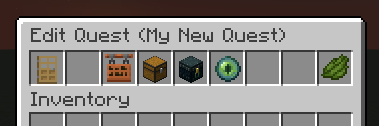
- Where survival players without cheats can create quests! (with inventories as adorable GUIs).
- This plugin is still being improved, see the plan!
- Help with the code here!
How to add |
How to configure |
About and community



View the tutorial! and ask in the discord to
View the tutorial! and ask in the discord to
try it in the available test server ^_^
To add to your server, follow these steps ✿
- Make sure you're on Java 21 at least.
- Download the latest .jar file.
- Drag and drop the .jar file into the server 'plugins' folder.
- Note: Create the plugins folder if it doesn't exist.
- (Optional) Do the same with the Citizens2 plugin to be able to use entities as NPCs!
No configuration options ✎
- Keeping it simple.
Disabling telemetry ⚛
- This plugin uses bStats to share how many servers are using the plugin.
- To disable bStats:
- Create a folder in plugins/ called
bStats(case sensitive) - In it create a file called config.yml
- Type in it
enabled: false
- Type in it
- Create a folder in plugins/ called
- To enable, delete the bStats folder and reload/restart, it'll default to
enabled: true.
It's perfect for ☆
- Cute small servers amongst friends
- Lore and world-building enthusiasts
- Any plugin-friendly survival servers
- Lovely community-driven RPG servers
Making things together ♡
- Just some community highlights! Favourite magical moments, creative quests, and feedback.
- None here yet! Join the discord!
Join the community ☾


Quick facts
- Edition: Minecraft Java
- File type: .jar
- Minecraft version listed: 1.21.10
- How to install: Install the matching mod loader (Forge, Fabric or NeoForge) for your Minecraft version. → Download the .jar. → Put it in the .minecraft/mods folder and launch that loader profile.
- Where to get it: Opens on Modrinth — not every file is mirrored on our own servers.
Install steps are the general flow for this file type — How to install Minecraft Java mods & modpacks walks through it step by step.
File checked by MCModsHub
- Ships as playerquests.jar — drop this file into the mods folder
- Download size: 4.6 MB
- Download link checked 10 Oct 2026 — working
These come from our own check of the pack file, not from the source page.