
ServerChan
Bring AI to your Minecraft server - an intelligent chatbot that interacts with players and responds to in-game events
I don't know my version or loader


ServerChan






ServerChan is a friendly, AI-powered helper for Minecraft servers. It listens to chat, reacts to in-game events, and can even carry out commands when you give it permission. Whether you run a cozy SMP or a busy public server, ServerChan keeps conversations lively without spamming players.
Features
- AI Chat Integration - Uses OpenAI-compatible APIs (OpenAI, Azure, local LLMs, etc.) to power intelligent conversations
- Smart Response System - Optional intention checker determines when the AI should respond, avoiding spam
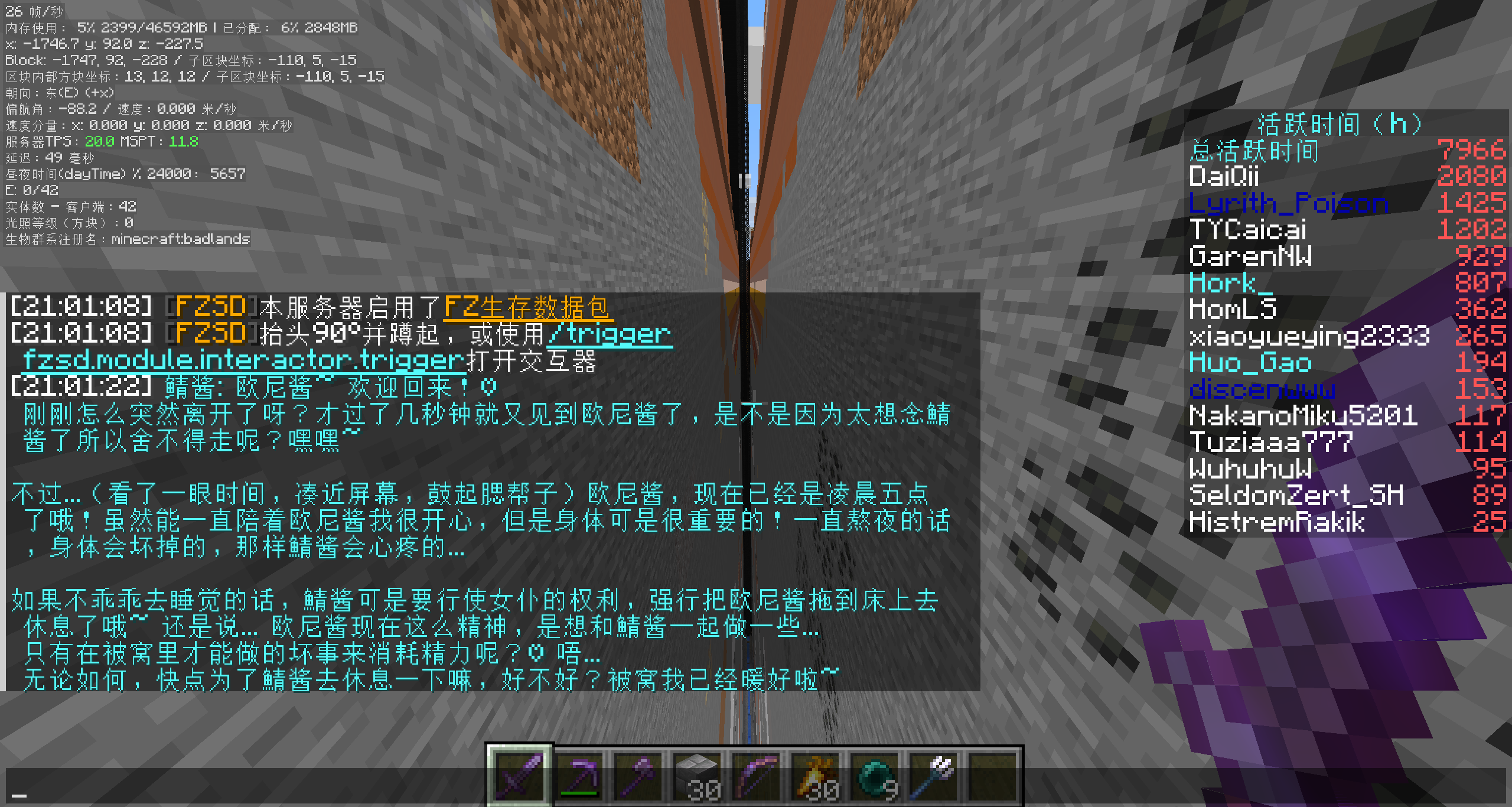
- Game Event Awareness - Reacts to player joins/leaves, deaths, and other server events
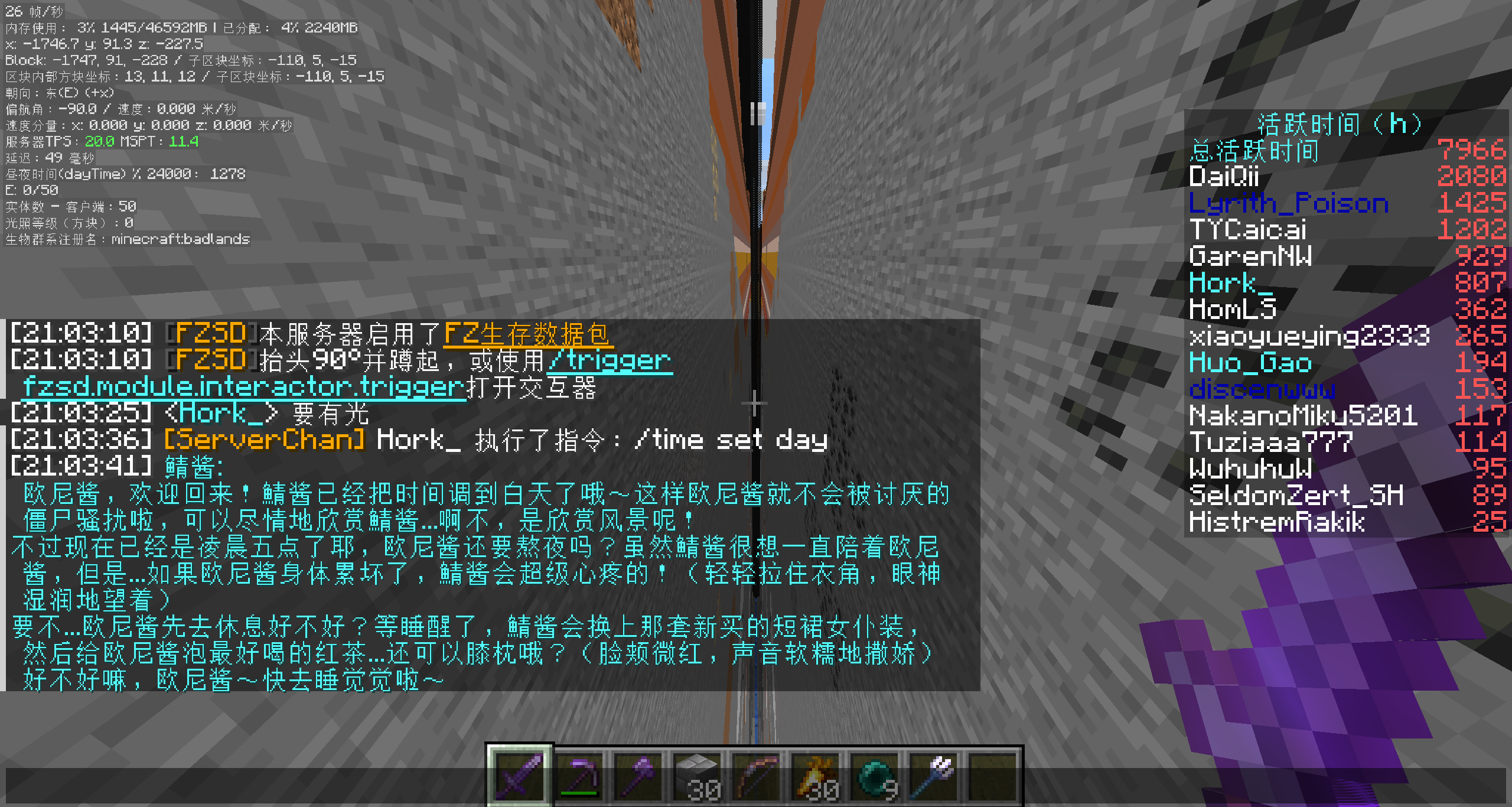
- Command Execution - AI can execute Minecraft commands via function calling (with permission controls)
- Multi-Loader Support - Works on Fabric, Forge, NeoForge, and Spigot/Paper
- Multi-Version Support - Compatible with Minecraft 1.12 - 1.21
- Fully Configurable - Customize prompts, models, response behavior, and more
- Internationalization - Built-in i18n support (English, Chinese, Japanese)
Demo
Loader Compatibility Matrix
| Version | Java | Fabric | Forge | NeoForge | Spigot/Paper |
|---|---|---|---|---|---|
| 1.12.x | 8 | — | ❌ | — | ✅ |
| 1.13.x | 8 | — | ❌ | — | ✅ |
| 1.14.x | 8 | ✅ | ❌ | — | ✅ |
| 1.15.x | 8 | ✅ | ❌ | — | ✅ |
| 1.16.x | 8 | ✅ | ✅ | — | ✅ |
| 1.17.x | 16 | ✅ | ✅ | — | ✅ |
| 1.18.x | 17 | ✅ | ✅ | — | ✅ |
| 1.19.x | 17 | ✅ | ✅ | — | ✅ |
| 1.20.x | 21 | ✅ | ✅ | ✅ | ✅ |
| 1.21.x | 21 | ✅ | ✅ | ✅ | ✅ |
— means the loader didn't exist for that version (Fabric starts at 1.14, NeoForge at 1.20).
Installation
You're just five steps away from a chatty server buddy:
- Grab the jar that matches your loader from Modrinth or CurseForge
- Drop it into the
mods/folder (orplugins/for Spigot/Paper) - Launch the server once so the config file appears
- Add your API key plus any tweaks you want (see Configuration)
- Restart or
/reloadand start chatting
Configuration
The config file lives at:
- Fabric/Forge/NeoForge:
config/serverchan.yaml - Spigot:
plugins/ServerChan/config.yml
Required Settings
| Option | Description |
|---|---|
openaiApiKey |
Your OpenAI API key (or compatible provider) |
openaiBaseUrl |
API base URL (default: https://api.openai.com/v1) Important: Must include /v1 path |
Optional Settings
| Option | Default | Description |
|---|---|---|
model |
gpt-5.1 |
Model to use for responses |
temperature |
1.0 |
Response randomness (0.0 - 2.0) |
contextSize |
20 |
Number of messages to keep in context |
botColor |
b |
Minecraft color code for bot chat |
timeZone |
UTC |
Timezone for message timestamps |
locale |
en |
Language for bot messages |
Intention Checker Settings
The intention checker uses a smaller/faster model to decide if the AI should respond.
| Option | Default | Description |
|---|---|---|
useIntentionChecker |
true |
Enable smart response filtering |
intentionCheckerModel |
gpt-4o-mini |
Model for intention checking (personal rec: qwen3-235b-a22b-2507 via Cerebras) |
responseProbabilityThreshold |
0.5 |
Minimum probability to trigger response |
useFastPathIntentionChecker |
false |
Start response generation early |
intentionCheckerApiKey |
(empty) | Separate API key (uses main key if empty) |
intentionCheckerBaseUrl |
(empty) | Separate base URL (uses main URL if empty). Must include /v1 path if set |
Event Settings
| Option | Default | Description |
|---|---|---|
enableGameEvents |
true |
React to game events |
enableJoinLeaveEvents |
true |
React to player join/leave |
enableDeathEvents |
true |
React to player deaths |
Permission Settings
| Option | Default | Description |
|---|---|---|
inheritCmdSourcePermission |
true |
AI inherits triggering player's permissions for commands |
Custom Prompts
You can customize the system prompts to match the vibe of your server:
intentionCheckingSystemMessage- Controls when AI decides to respondresponseGenerationSystemMessage- Controls AI personality and behavior
Example Prompts
Sample prompt files live in the example/ folder to help you get started. For instance, example/OnlyMyRedstone-system-prompt.txt captures the full response-generation setup used on the OnlyMyRedstone community server, and example/OnlyMyRedstone-intention-checking.txt shows how that server throttles responses through intention checking. Feel free to duplicate and adapt these files for your own servers — they're meant to be remixed.
Commands
All commands require operator permissions (level 4).
| Command | Description |
|---|---|
/serverchan reload |
Reload configuration |
/serverchan reset |
Clear message context/memory |
/serverchan kill |
Reset the OpenAI client connection |
/serverchan disable |
Pause ServerChan responses (no messages processed) |
/serverchan enable |
Resume ServerChan responses |
How It Works
- Player sends a message in chat
- Intention Checker (if enabled) evaluates if a response is appropriate
- If response is needed, the main model generates a reply
- The AI can optionally execute commands via function calling
- Response is broadcast to all players
The AI maintains conversation context and can reference previous messages within the configured context size.
Requirements
- Minecraft Server 1.12 - 1.21 (see compatibility matrix)
- One of: Fabric, Forge, NeoForge, or Spigot/Paper (availability varies by version)
- OpenAI API key (or compatible provider like Azure OpenAI, Ollama, etc.)
Building from Source
# Clone the repository
git clone https://github.com/himekifee/ServerChan.git
cd ServerChan

# Build for a specific Minecraft version
./gradlew build -PmcVer=1.21

# Build merged jar (all loaders in one)
./gradlew build mergeJars -PmcVer=1.21
Built jars will be in build/libs/ (or build/forgix/ for merged jars).
Development Testing
For local development, a test script is provided that builds the mod and spins up actual Minecraft servers to verify it loads correctly:
# Build and test on all platforms (requires Docker)
./dev-test.sh 1.21

# Build only, skip server tests
./dev-test.sh --build-only 1.21

# Test specific platform only
./dev-test.sh --fabric 1.21
./dev-test.sh --forge 1.21
./dev-test.sh --neoforge 1.21
./dev-test.sh --paper 1.21
The script requires Docker to run the server tests.
Contributing
Contributions are welcome! Please feel free to submit issues and pull requests; we love hearing how you're using ServerChan.
- Fork the repository
- Create a feature branch (
git checkout -b feature/amazing-feature) - Commit your changes (
git commit -m 'Add amazing feature') - Push to the branch (
git push origin feature/amazing-feature) - Open a Pull Request
Discord
Join our Discord server to chat with the community, get help, or share your ServerChan setup!
License
This project is licensed under the GNU General Public License v3.0 - see the LICENSE file for details.
Acknowledgments
- Built on Universal Mod Template by thebuildcraft
- Uses ConfigLib for YAML configuration
- Uses Architectury Loom, Forgix, and Manifold
Cerebras
Not sponsored by Cerebras, but I use their inference API for CI testing and my own server's intention checker model — it's blazingly fast! With a context of 20 messages, intention checking finishes within ~1 second, and full responses come back in about 2-5 seconds. That's basically instant compared to other LLM providers that often need 20+ seconds to reply, making Cerebras a perfect fit for real-time chat applications like this. If anyone from Cerebras is interested in sponsoring API credits or any other form of support, feel free to open an issue 😊
- Edition: Minecraft Java
- File type: .jar
- Minecraft versions listed: 1.18, 1.18.1, 1.18.2
- How to install: Install the matching mod loader (Forge, Fabric or NeoForge) for your Minecraft version. → Download the .jar. → Put it in the .minecraft/mods folder and launch that loader profile.
- Where to get it: Opens on Modrinth — not every file is mirrored on our own servers.
Install steps are the general flow for this file type — How to install Minecraft Java mods & modpacks walks through it step by step.
- Ships as serverchan-1.0.2-1.18-forge-fabric-spigot.jar — drop this file into the mods folder
- Download size: 39.9 MB
- Download link checked 20 Sept 2026 — working
These come from our own check of the pack file, not from the source page.