
RedoxKits
Java mod listed for Minecraft 1.19–26.x. Downloads from the MC Java Mods app on Android.
Redox Kits is the ultimate kits plugin for Practice servers. It's specially optimized and includes a wide range of customization options. This public…
⬇ Download on Modrinth
Redox Kits
The ultimate kits plugin for Practice servers
Redox Kits is a highly optimized and feature-rich kits plugin designed specifically for Minecraft practice servers. With extensive customization options and a built-in kit layout editor, it's everything you need to manage player kits efficiently.
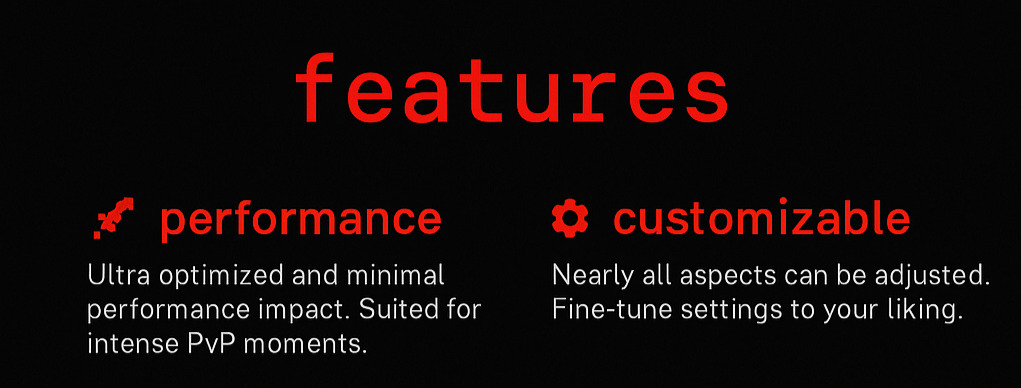
✨ Key Features
🚀 High Performance
- Optimized specifically for practice servers
- Minimal impact on server performance
- Smooth operation even with high player counts
- Efficient memory usage and processing
- Fastest and the Smoothest Kit Plugin you would ever see, and its FREE
⚔ Kit Settings
- Kit Block Placing Enable/Disable
- Kit Block Breaking Enable/Disable
- Natural Regen Enable/Disable
- ViewDeathInventory Enable/Disable
- 33% Damage Boost Enable/Disable
- Crafting Enable/Disable
- Heal on Kit Give Enable/Disable
- Disable Hunger Loss Enable/Disable
- Effects on Give
- Clear Effect on Give Enable/Disable
⚙️ Extensive Customization
- 95% of features are configurable
- Customize almost every aspect of the plugin
- Flexible configuration options
- Tailor the plugin to your specific server needs
✨ Modern Architecture
- Built with modern Paper and Bukkit APIs
- Uses MiniMessage format for enhanced formatting
- Clean, maintainable codebase
- Regular updates and improvements
📋 Kit Management
Three Types of Kit Editors
Redox Kits provides three comprehensive kit editing interfaces:
- Kit Inventory Editor - Manage items in kit inventories
- Armor Editor - Configure armor sets for each kit
- Ultimate Items Editor - Set special items and effects
Fully Configurable Menus
- Every menu item is completely editable
- Custom layouts and designs
- Optimized for the best performance
- Intuitive user interface
💬 Message System
All plugin messages are fully configurable:
prefix: "&c[RedoxKits] &r"
kit-received: "&aYou have received the %kit_name% kit!"
cooldown-active: "&cKit cooldown: %time_left%"
no-permission: "&cYou don't have permission to use this kit!"
kit-not-found: "&cKit '%kit_name%' not found!"
🛠️ Installation
- Download the latest version of Redox Kits
- Place the
.jarfile in your server'spluginsfolder - Restart your server
- Configure the plugin in
plugins/RedoxKits/config.yml - Set up your kits using the in-game editor or configuration files
⚡ Quick Start
Create your first kit:
/kit create <kitname>Edit kit contents:
/kit edit <kitname>Give a kit to a player:
/kit give <player> <kitname>Set kit permissions:
redoxkits.kit.<kitname>
🎯 Perfect for Practice Servers
Redox Kits is specifically designed for practice servers and includes features like:
- Fast kit switching
- Cooldown management
- Permission-based access
- PvP-optimized configurations
- Tournament and event support
- Per Kit settings matching the MCTiers.io & MCTiers.com Kits
🔧 Configuration
The plugin offers extensive configuration options:
- Kit cooldowns and permissions
- Custom messages and formatting
- Menu layouts and designs
- Integration settings
- Performance optimizations
🤝 Support & Community
Need Help?
- Discord: Here
- Issues: Report bugs on our discord
- Support: Seek assistance direct from developers at our discord
Contributing
We welcome contributions! Please read our contributing guidelines before submitting pull requests.
📝 License
This project is licensed under the MIT License - see the LICENSE file for details.
Why Choose Redox Kits?
- Optimized Performance - Built specifically for practice servers
- Maximum Customization - 95% of features are configurable
- Easy Integration - Works with popular plugins
- Modern Technology - Uses latest Minecraft APIs
- Active Support - Regular updates and community support
- User-Friendly - Intuitive interfaces and commands
Don't let your practice server suffer without proper kit management!
Made with ❤️ for the Minecraft community
- Originally made by paceie.
- Being mantained by Kyssta.
- Edition: Minecraft Java
- File type: .jar
- Minecraft versions listed: 1.19, 1.19.1, 1.19.2
- How to install: Install the matching mod loader (Forge, Fabric or NeoForge) for your Minecraft version. → Download the .jar. → Put it in the .minecraft/mods folder and launch that loader profile.
- Where to get it: Opens on Modrinth — not every file is mirrored on our own servers.
Install steps are the general flow for this file type — How to install Minecraft Java mods & modpacks walks through it step by step.
- Ships as RedoxKits-1.0.4-new.jar — drop this file into the mods folder
- Download size: 57 KB
- Download link checked 10 Oct 2026 — working
These come from our own check of the pack file, not from the source page.