
JWaypoints
Java mod listed for Minecraft 1.21–26.x. Downloads from the MC Java Mods app on Android.
📍 JWayPoints – Simple & Effective Waypoint Navigation! JWayPoints is a lightweight and easy-to-use Minecraft plugin that helps players navigate to…
⬇ Download on Modrinth📍 JWayPoints – Simple & Effective Waypoint Navigation!
JWayPoints is a lightweight and easy-to-use Minecraft plugin that helps players navigate to specific coordinates with ease! No more getting lost or constantly checking F3 – just set your waypoint and follow the guiding arrow!
Also, check out my other plugin(s):

🌟 Features:
Core Features
✅ Simple Commands - Use /waypoint set <x> <y> <z> or the shorter alias /wp set <x> <y> <z> to set your target destination.
🧭 Visual Navigation - A floating arrow will appear above your head, pointing you toward your waypoint.
🏞️ No More Guesswork - Perfect for exploring, locating builds, or meeting up with friends.
⚡ Lightweight & Efficient - Designed to have minimal impact on server performance.
📋 Commands:
Basic Commands
/waypoint set <name>- Save a waypoint at your current location/waypoint set <name> <x> <y> <z>- Save a waypoint at specific coordinates/waypoint list- View all your saved waypoints/waypoint activate <name>- Follow a saved waypoint/waypoint deactivate- Stop following your current waypoint/waypoint remove <name>- Delete a saved waypoint/waypoint gui- Open the waypoint management GUI
Customization Commands
/waypoint design <name>- Change your arrow design/waypoint designs- List all available arrow designs/waypoint sound <name>- Change your arrival sound/waypoint sounds- List all available arrival sounds
🎮 GUI System:
- Waypoint Manager - Easily view and manage all your waypoints
- Settings Menu - Customize your arrow and sound preferences
- Design Gallery - Preview and select from different arrow designs
- Sound Library - Test and choose your preferred arrival sound
🌍 Why JWayPoints?
Whether you're a survival adventurer or a server admin looking to enhance player navigation, JWayPoints is the perfect addition to your Minecraft world! Set your path, customize your experience, follow the arrow, and never get lost again!
📊 Statistics
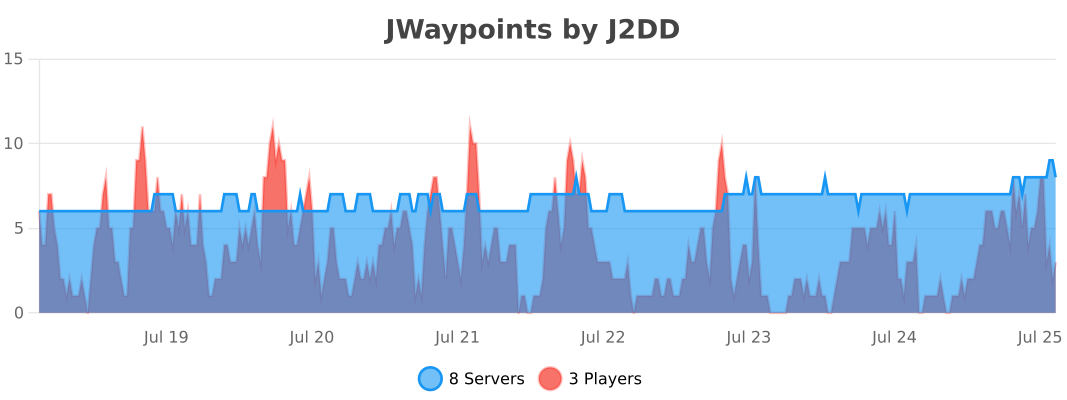
- Edition: Minecraft Java
- File type: .jar
- Minecraft versions listed: 1.21, 1.21.1, 1.21.2
- How to install: Install the matching mod loader (Forge, Fabric or NeoForge) for your Minecraft version. → Download the .jar. → Put it in the .minecraft/mods folder and launch that loader profile.
- Where to get it: Opens on Modrinth — not every file is mirrored on our own servers.
Install steps are the general flow for this file type — How to install Minecraft Java mods & modpacks walks through it step by step.
- Ships as JWaypoints.jar — drop this file into the mods folder
- Download size: 126 KB
- Download link checked 10 Oct 2026 — working
These come from our own check of the pack file, not from the source page.