
Hangar page
VelocityCoolList is a simple and easy-to-use plugin for Minecraft Velocity servers that allows you to create a whitelist based on nicknames.
Commands and permissions
The main command is /vclist, it shows you information about VelocityCoolList, below are its arguments:
| Argument | Description | Permission |
|---|---|---|
| enable | Enables whitelist. | vclist.admin |
| disable | Disables whitelist. | vclist.admin |
| add | Add player to the whitelist. | vclist.manage |
| remove | Remove player from the whitelist. | vclist.manage |
| list | Gives you a list of whitelisted players. | vclist.manage |
| reload | Reload plugin. | vclist.admin |
| clear | Clears the whitelist. | vclist.manage |
| status | Get the status of the plugin. | vclist.admin |
Aliases: /vcl, /velocitycoollist
Colors and formatting
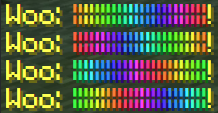
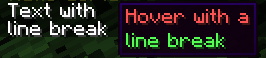
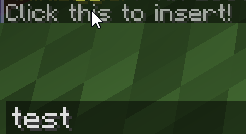
This plugin supports MiniMessage modern formatting, which allows you to make gradients and many other things. Here is what this formatting supports, its documentation is in config and here!
Quick facts
- Edition: Minecraft Java
- File type: .jar
- Minecraft versions listed: 1.8, 1.8.1, 1.8.2
- How to install: Install the matching mod loader (Forge, Fabric or NeoForge) for your Minecraft version. → Download the .jar. → Put it in the .minecraft/mods folder and launch that loader profile.
- Where to get it: Opens on Modrinth — not every file is mirrored on our own servers.
Install steps are the general flow for this file type — How to install Minecraft Java mods & modpacks walks through it step by step.
Verified by MCModsHub
- Ships as VelocityCoolList-2.1.0-SNAPSHOT.jar — drop this file into the mods folder
- Download size: 482 KB
- Download link checked 20 Sept 2026 — working
These come from our own check of the pack file, not from the source page.