MobHealthBars
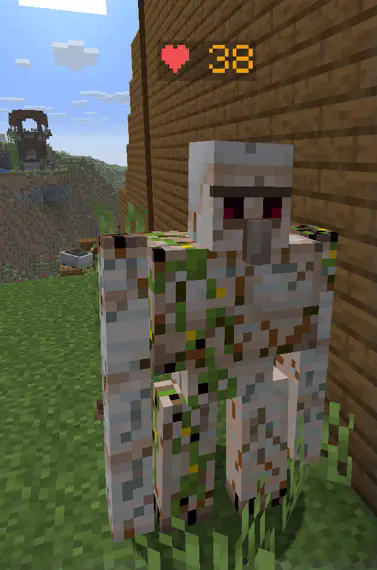
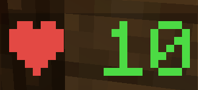
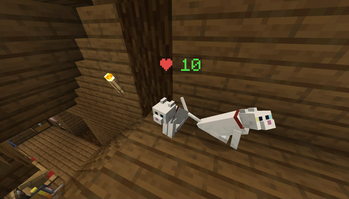
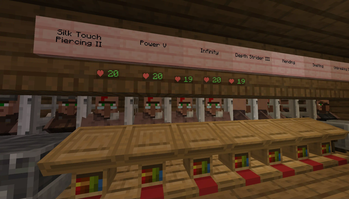
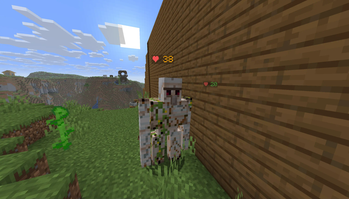
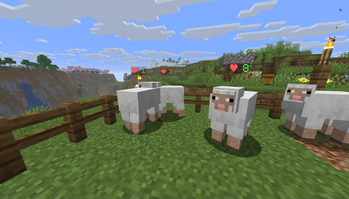
MobHealthBars is a plugin that adds healthbars to your server without interfering with the mob's name, and without revealing mobs that players can't otherwise see.
The healthbar is a separate entity that only appears when a player looks directly at a mob, and it disapears 5 seconds later (if a mob goes 5 seconds without being directly looked at by a player, the healthbar disapears).
The healthbar changes color based on the percentage of health that is remaining.
- Green: 90%-100% HP
- Yellow: 50%-90% HP
- Orange: 10%-50% HP
- Red: 0%-10% HP
The healthbar used to be a TextDisplay entity, but for some reason TextDisplays collide with projectiles, so healthbars were switched to being invisible armorstands (which don't collide with projectiles thanks to the marker tag).
- Edition: Minecraft Java
- File type: .jar
- Minecraft versions listed: 1.21, 1.21.1, 1.21.2
- How to install: Install the matching mod loader (Forge, Fabric or NeoForge) for your Minecraft version. → Download the .jar. → Put it in the .minecraft/mods folder and launch that loader profile.
- Where to get it: Opens on Modrinth — not every file is mirrored on our own servers.
Install steps are the general flow for this file type — How to install Minecraft Java mods & modpacks walks through it step by step.
- Ships as MobHealthBars_1_21_6.jar — drop this file into the mods folder
- Download size: 11 KB
- Download link checked 29 Aug 2026 — working
These come from our own check of the pack file, not from the source page.