
As Broadcast
Java mod listed for Minecraft 1.18–26.x. Downloads from the MC Java Mods app on Android.
AsBroadcast is a Minecraft plugin to broadcast messages in chat, title, subtitle, or action bar formats to players, with templates, colors, time control…
⬇ Download on Modrinth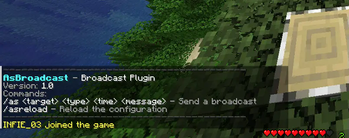

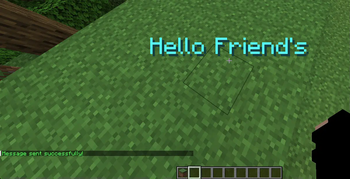
🌐 AsBroadcast – Advanced Server Broadcasting Plugin
AsBroadcast is a lightweight, modern Minecraft plugin built to improve server communication through flexible and customizable broadcast messages. It supports multiple display formats, precise timing control, Tab completion, permissions, and PlaceholderAPI integration for dynamic content.
✨ Features
- 📢 Send broadcasts as chat, title, subtitle, or actionbar
- 🧩 Send title and subtitle together using a single command
- ⌨️ Fully fixed tab completion for
/asand/asadmin - 🔌 PlaceholderAPI support (e.g.
%player_name%) - 🎨 Legacy color code (
&) support - 🔐 Permission-based command access
- ⚡ Lightweight, optimized, and stable
- 🧱 Compatible with Minecraft 1.18.x – 1.21.x
🧾 Commands
| Command | Description | Permission |
|---|---|---|
/as <type> <target> <time> <message> |
Send a broadcast message | asbroadcast.use |
/asadmin <time> <title> || <subtitle> |
Send title & subtitle together | asbroadcast.admin |
/asreload |
Reload plugin configuration | asbroadcast.reload |
📨 Message Types
- chat – Regular chat message
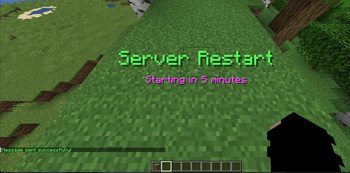
- title – Large centered text
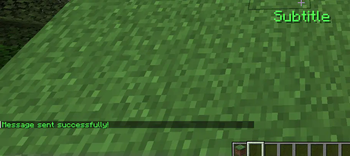
- subtitle – Text below title
- actionbar – Message above the hotbar
⏱ Time Format
10s→ 10 seconds1m→ 1 minute2h→ 2 hours
🔌 PlaceholderAPI Support
AsBroadcast integrates with PlaceholderAPI, allowing dynamic placeholders in all messages.
Examples:
%player_name%– Player username%server_online%– Online players count
PlaceholderAPI is optional but highly recommended.
⚙ Configuration
EXAMPLE:

debug: false

tab-completion: true

welcome-message:
  enabled: true
  messages:
    - "&aWelcome, &e%player_name%&a!"
    - "&7Use &e/as &7to broadcast messages"

durations:
  default: 5000
  fade-in: 500
  fade-out: 500

messages:
  errors:
    no-permission: "&cYou don't have permission."
    player-not-found: "&cPlayer not found: %player%"
    no-players: "&cNo players online."
    invalid-type: "&cInvalid message type: %type%"
  success:
    message-sent: "&aMessage sent successfully!"```
- Edition: Minecraft Java
- File type: .jar
- Minecraft versions listed: 1.18, 1.18.1, 1.18.2
- How to install: Install the matching mod loader (Forge, Fabric or NeoForge) for your Minecraft version. → Download the .jar. → Put it in the .minecraft/mods folder and launch that loader profile.
- Where to get it: Opens on Modrinth — not every file is mirrored on our own servers.
Install steps are the general flow for this file type — How to install Minecraft Java mods & modpacks walks through it step by step.
- Ships as AsBroadcast-3.0.jar — drop this file into the mods folder
- Download size: 53 KB
- Download link checked 20 Nov 2026 — working
These come from our own check of the pack file, not from the source page.