
YUpdateChecker
I don't know my version or loader

YUpdateChecker
Plugin and datapack update checker that works out of the box. No need to configure anything. Too good to be true? Well, yes. The catch is that it works only with projects downloaded from Modrinth, thanks to their awesome API.
How it works?
It's really simple. Plugin hashes a file (.jar or .zip), checks the hash using Modrinth API and logs the results. Yep, that's it. Modrinth is doing the heavy lifting by hashing every single file that is uploaded and then making it available via their API. Only caveat is - you can't change the contents of a downloaded jar or datapack. So no editing plugin.yml or MC functions. That's how hashing works, different file - different hash. I mean, you can change it of course, it just won't be picked by the plugin ¯\_(ツ)_/¯
Additional info
- Messages are fully customizable with a lang file, supporting PlaceholderAPI and MiniMessage
- Commands have tab completions
- Modrinth API is currently rate limited at 300 requests per minute per IP. Which means that an update check may take a little bit longer, if you have wayyy too many plugins/datapacks or if you spam the check command. (Plugin makes 1 request per every Modrinth project that you use)
Permissions
| Permission | Access to |
|---|---|
yupdatechecker.admin |
/yuc <reload | version> |
yupdatechecker.updates |
/updates |
yupdatechecker.updates.check |
/updates check |
yupdatechecker.updates.show |
/updates show [plugins | datapacks] |
Media
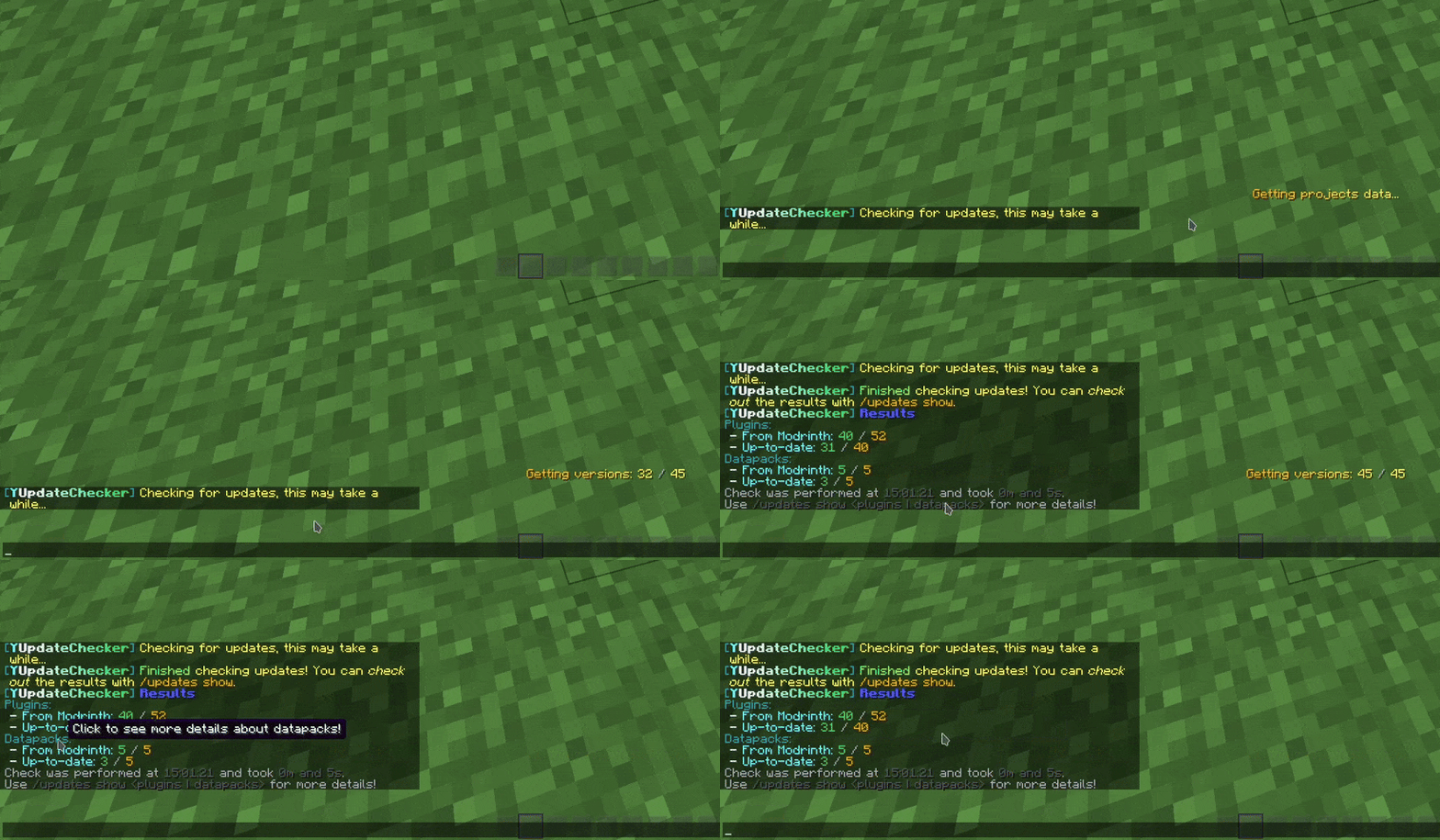
Checking updates

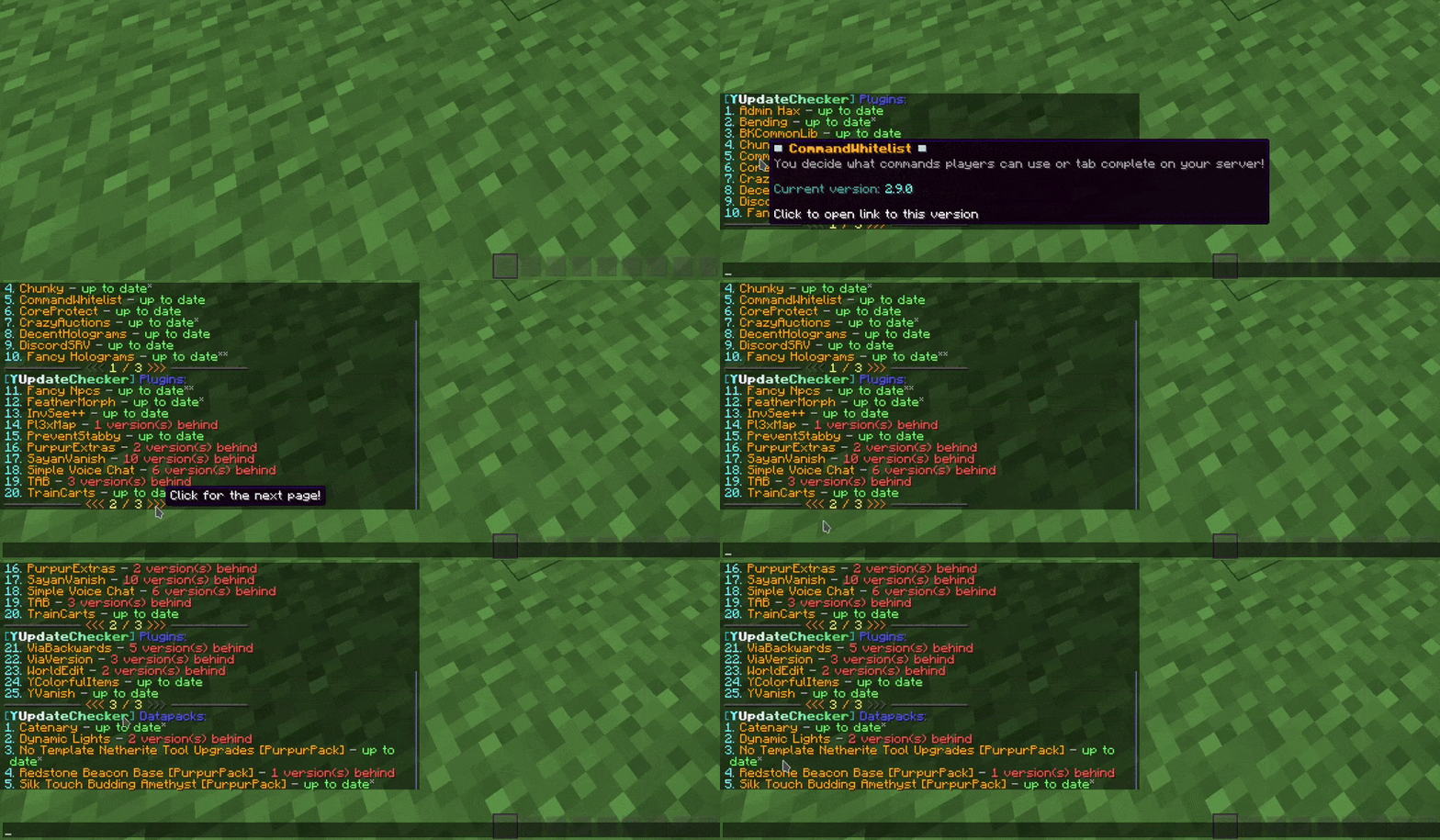
Looking through results

Integrity with other plugins
I make these plugins for me, according to my needs, meaning, I don't search for every possible plugin that I don't care about, that could be somehow better integrated with mine. But, if you care about better integration between this plugin and some other, then just let me know through Discord or GitHub and I will see what I can do.
Same goes for any features that you think may be missing. If something isn't outside the scope of the plugin, then I'll probably do it.
License
This project uses GNU GPLv3 license.
- Edition: Minecraft Java
- File type: .jar
- Minecraft versions listed: 1.21.9, 1.21.10, 1.21.11
- How to install: Install the matching mod loader (Forge, Fabric or NeoForge) for your Minecraft version. → Download the .jar. → Put it in the .minecraft/mods folder and launch that loader profile.
- Where to get it: Opens on Modrinth — not every file is mirrored on our own servers.
Install steps are the general flow for this file type — How to install Minecraft Java mods & modpacks walks through it step by step.
- Ships as YUpdateChecker-0.0.5.jar — drop this file into the mods folder
- Download size: 169 KB
- Download link checked 20 Sept 2026 — working
These come from our own check of the pack file, not from the source page.