UnVoidable
Prevents players from falling to void.
Available Commands
- /unvoidable reload: Allows for the quick reloading of the plugin's configuration without server restart.
- /unvoidable setspawn: This command sets the safe spawn coordinates and facing direction based on your current location.
- /unvoidable setvoidlevel : This command sets the Y-level where the void begins.
Permissions
unvoidable.admin: Grants the ability to execute admin commands of the plugin.
Support
For any queries or assistance with UnVoidable, please visit the GitHub repository.
Installation Steps
- Obtain the latest version of UnVoidable from the Modrinth Page.
- Place the downloaded
.jarfile into your server'spluginsdirectory. - Restart your server to activate the plugin.
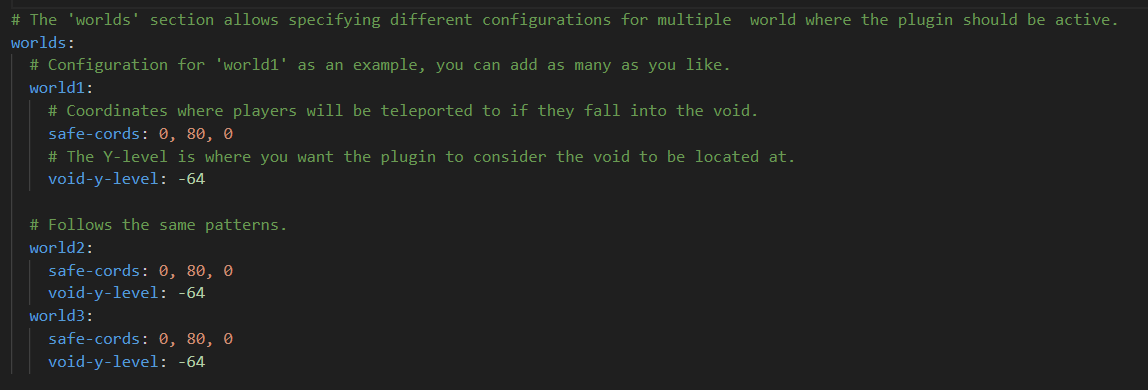
- Customize the
config.ymlfile located inplugins/UnVoidable/config.ymlto suit your needs.
License
UnVoidable is released under the Apache License 2.0.
Quick facts
- Edition: Minecraft Java
- File type: .jar
- Minecraft versions listed: 1.8.8, 1.8.9, 1.9
- How to install: Install the matching mod loader (Forge, Fabric or NeoForge) for your Minecraft version. → Download the .jar. → Put it in the .minecraft/mods folder and launch that loader profile.
- Where to get it: Opens on Modrinth — not every file is mirrored on our own servers.
Install steps are the general flow for this file type — How to install Minecraft Java mods & modpacks walks through it step by step.
Verified by MCModsHub
- Ships as UnVoidable-1.0.0.jar — drop this file into the mods folder
- Download size: 1.7 MB
- Download link checked 20 Sept 2026 — working
These come from our own check of the pack file, not from the source page.