
Friend-GPT
Discover a new gaming experience in Minecraft with AI. A unique NPC will accompany you everywhere you go in this vast and infinite world. You will be able…
⬇ Download on Modrinth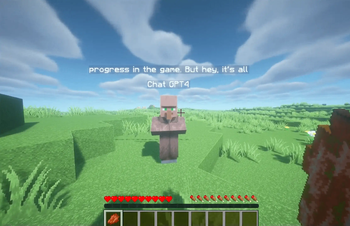
Discord : https://discord.gg/EcnuNfgg9U
Friend-GPT 💎
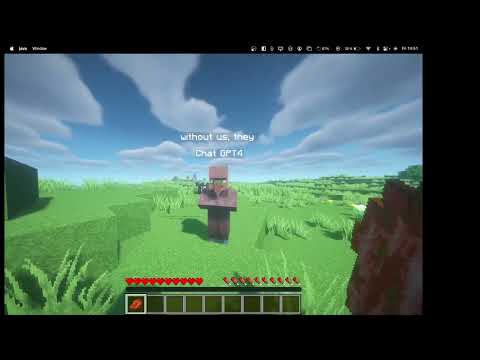
This Minecraft plugin adds a unique friend villager who interacts with players using the GPT-4 AI. The villager is designed to be a conversation companion for players, providing a more immersive and engaging gaming experience.
Configuration
After installing the plugin on your server, the administrator must set their OpenAI API key using the setAPIKEY command followed by the API key. For example:
/setAPIKEY sk-xxxxxxxxxxxx
This will allow the plugin to use the GPT-4 AI to generate responses for the villager.
Features 🥰
- To chat with the villager, you must look at him for him to respond.
- The villager does not die and follows you everywhere on the server.
- He answers all your questions and engages in discussions on any topic.
- The villager is designed to be your friend in the game, providing a more personal and engaging gaming experience.
- Future features will include the ability for the villager to perform actions based on what players tell him.
Usage 🎉
Once the plugin is installed and the API key configured, the friend villager will appear when players join the server. Players can interact with the villager by asking questions or engaging in conversations on any topic. The villager will respond using the GPT-4 AI to provide a realistic and engaging conversation experience.
Future updates to the plugin will include additional features, such as the ability for the villager to perform actions based on player instructions.
Support 📎
If you encounter any issues with this plugin or have suggestions for future improvements, please feel free to contact in community Discord. We are happy to help and improve this plugin to provide the best possible experience for Minecraft players.
Discord : https://discord.gg/EcnuNfgg9U
- Edition: Minecraft Java
- File type: .jar
- Minecraft versions listed: 1.19, 1.19.1, 1.19.2
- How to install: Install the matching mod loader (Forge, Fabric or NeoForge) for your Minecraft version. → Download the .jar. → Put it in the .minecraft/mods folder and launch that loader profile.
- Where to get it: Opens on Modrinth — not every file is mirrored on our own servers.
Install steps are the general flow for this file type — How to install Minecraft Java mods & modpacks walks through it step by step.
- Ships as VIGPT-1.0.jar — drop this file into the mods folder
- Download size: 22 KB
- Download link checked 31 Aug 2026 — working
These come from our own check of the pack file, not from the source page.