
Enhanced Rails
Enhanced Rails supercharges Minecraft rail systems with lightning-fast speeds, automated minecart loading/unloading, and a no-redstone pushback mechanism.
⬇ Download on ModrinthEnhanced Rails
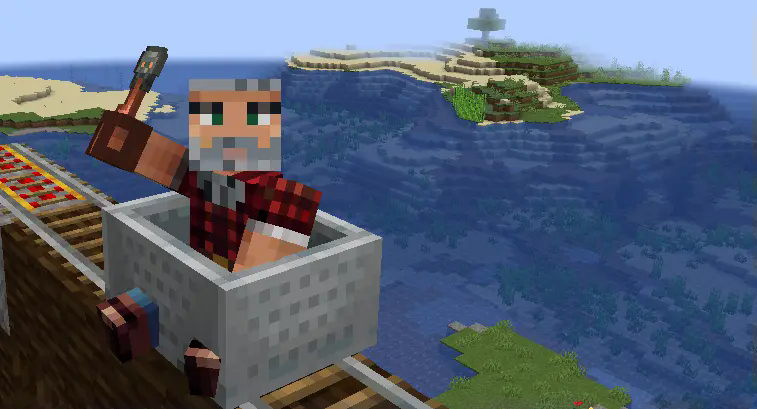
⚡ Overview
Welcome to Enhanced Rails v1.1, a plugin that transforms your Minecraft rail systems with exciting features, from blazing-fast speeds to smart automation. Whether you're building complex transportation networks or simple automated item delivery systems, this plugin brings a new level of functionality to minecart travel.
Enhanced Rails modifies powered rail behavior under specific conditions, significantly increasing minecart speed for players and enabling automated minecart loading/unloading systems.
✨ Features
- Super-Speed Travel: Dramatically increase minecart speeds for players up to 10x faster than vanilla Minecraft
- Automated Loading/Unloading ✨ NEW IN V1.1! ✨: Create automated item transportation systems without complex redstone! Minecarts are dispatched automatically when full or empty
- Special Item Activation: Configure rare items that players must hold to activate super-speed, creating perfect quest rewards or VIP perks
- Block-Based Activation: Alternatively, enable special features when rails are placed on specific blocks, providing visible infrastructure upgrades
- Smart Slowdown System: Configure special blocks that automatically reduce speed for curves and slopes, preventing derailments
- Customizable Settings: Fine-tune all parameters to match your server's needs through a comprehensive configuration system
This plugin is perfect for creating quest rewards, enhancing transportation networks, building exciting rail systems, and automating item transport across your Minecraft world.
📋 Requirements
- Minecraft 1.21.4+
- Paper server (functionality on pure Spigot servers is not guaranteed due to Paper's recent hard-fork)
- Java 17 or higher
Note: As of version 1.21.4, Paper has created a hard-fork and no longer follows Spigot as a base API. This plugin is built using the latest Paper API and may not function correctly on pure Spigot servers.
🔧 Installation
Download the Plugin
- Get the latest EnhancedRails.jar from elfahja.com
Install on Your Server
- Stop your server (to avoid config conflicts)
- Place EnhancedRails.jar into your server's
plugins/folder - Restart the server—EnhancedRails will generate a default
config.ymlinplugins/EnhancedRails/
Verify Installation
- Check the server console for: "EnhancedRails is now enabled! Config loaded from [path]"
- You're ready to roll!
⚙️ Configuration Guide
The config.yml file in plugins/EnhancedRails/ controls all plugin features. Below is the default configuration with explanations:
Super Speed Configuration
super-speed:
  enabled: true
Special Item Configuration
When enabled, provides super-speed only when players hold the specified item in their main hand.
special-item:
  enabled: true
  material: "TRIAL_KEY"  # Recommended: use a rare item
  custom-name: "Super Speed Key"  # Optional custom name requirement
Special Block Configuration
If you prefer not using the special item approach, you can enable super-speed based on the block beneath powered rails. Note: This section is ignored if special-item is enabled.
special-block:
  enabled: true
  material: "SMOOTH_STONE"
Speed Parameters
Fine-tune speed settings for different track conditions. Exceed recommended limits at your own risk!
super-speed-parameters:
  flat-speed-multiplier: 2.0  # Max recommended: 2.0
  flat-max-speed: 4.0  # Max recommended: 4.0
  slope-speed-multiplier: 1.1  # Must be greater than 1.0, max recommended: 1.1
  slope-max-speed: 1.0  # Max recommended: 1.0
  max-uphill-velocity: 2.0  # Max recommended: 2.0
  max-downhill-velocity: 2.0  # Max recommended: 2.0
Slowdown Blocks
Configure special blocks that reduce minecart speed automatically.
slow-down-parameters:
  enabled: true
  block1-material: "GRAVEL"
  block1-max-speed: 0.4  # 0.4 is a relatively slow speed
  block2-material: "SAND"
  block2-max-speed: 0.1  # 0.1 for extreme slowdown
Minecart Loader/Unloader Configuration
Configure the new automatic minecart loading/unloading system (new in v1.1).
minecart-loader:
  enabled: true
  # How strong the push should be (default Minecraft minecart speed is around 0.4)
  push-strength: 1.0
  # Enable debug logging
  debug: false
  # Special block settings
  special-block:
    enabled: true
    material: "SMOOTH_STONE"
Note: Always back up your configuration before making changes, and avoid exceeding the recommended speed values to prevent unexpected behavior.
🎮 In-Game Commands
Need to update settings without restarting? Use the reload command:
- Command:
/enhancedrails reload - Permission:
enhancedrails.use(default: ops only) - Usage:
- Edit
config.ymlinplugins/EnhancedRails/ - Run
/enhancedrails reloadin-game or console - A "EnhancedRails config reloaded!" message confirms the changes
- Edit
🔄 Minecart Loader/Unloader System
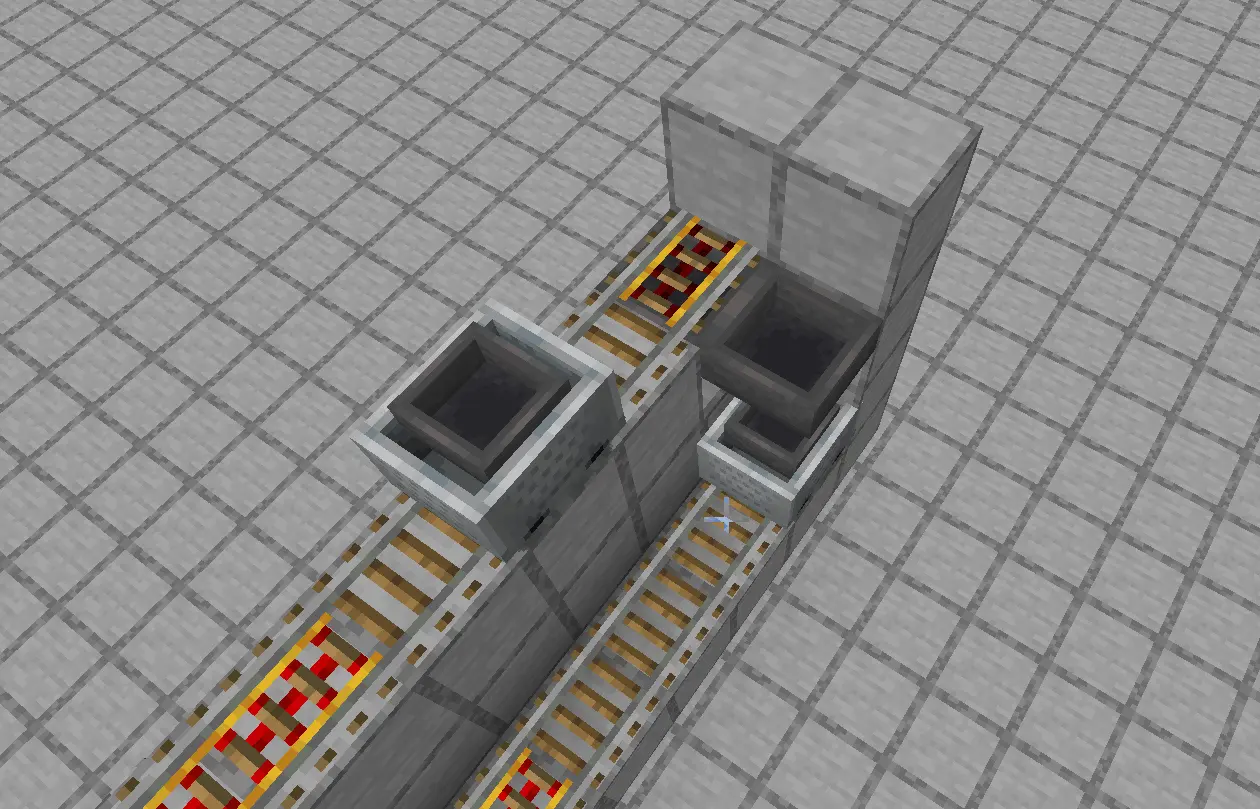 The new Minecart Loader/Unloader feature (v1.1) simplifies automated item transportation without complex redstone circuits, making it easier than ever to build efficient transportation networks.
Minecart Loader Setup
The loader system automatically dispatches hopper minecarts when they're full or when the supply container is empty but the minecart contains items.
Setup Requirements:
- Place a powered rail on any block (not a hopper)
- Position a hopper or chest directly above where the hopper minecart will sit
- Place a hopper minecart on the powered rail
- If you have special block feature enabled, place the configured block at the end of the rail
How It Works:
- When the hopper minecart becomes completely full (all slots at maximum stack size), it will automatically be pushed along the rail
- When the container above becomes empty but the minecart has some items, it will also be pushed
- If both the container and minecart are empty, the minecart remains stationary, waiting for new items
Minecart Unloader Setup
The unloader system automatically dispatches empty hopper minecarts after they've transferred all their contents.
Setup Requirements:
- Place a powered rail above a hopper
- Make sure there is no hopper or chest above where the minecart will sit
- Place a hopper minecart on the powered rail
- If you have special block feature enabled, place the configured block at the end of the rail
How It Works:
- The hopper minecart will empty its contents into the hopper below
- Once completely empty, the minecart will automatically be pushed along the rail
🛤️ Track Design Guide
Super-Speed is thrilling but requires careful track planning to prevent derailments. Here are essential design tips:
Important: All slowdown blocks mentioned below must be placed directly underneath the powered rails. The plugin detects the block type beneath the powered rail to determine speed behavior.
1. Handling Curves
- Problem: At 4.0 meters/tick, tight 90-degree turns will derail carts
- Solution: Place two powered rails with gravel blocks underneath them before curves to slow carts to 0.4 meters/tick
- Tip: Add powered rails on normal blocks after the curve to re-accelerate to Super-Speed
2. Managing Uphill Slopes
- Problem: Approaching slopes at full speed can cause bounce-back or derailment
- Solution: Place two powered rails with gravel blocks underneath them before ascending rails to reduce speed to 0.4 meters/tick
- Tip: Chain multiple powered rails uphill for a consistent climb that reaches 2.0 meters/tick
3. Controlling Downhill Slopes
- Problem: High speeds can launch carts off descending rails
- Solution: Use two powered rails with gravel blocks underneath them before descent for safety, allowing controlled 2.0 meters/tick downhill travel
- Tip: Avoid sudden transitions from flat to downhill
4. Designing Loading/Unloading Stations
- Station Approach: Use powered rails with sand blocks (0.1 meters/tick) before stations for extreme braking
- Station Layout: For loader stations, place a hopper/chest above the powered rail; for unloader stations, place a hopper below
- Exit Rails: Ensure there's a clear exit path with powered rails after the loading/unloading point
- Special Blocks: If using special blocks for the minecart loader, place them at the end of the station rails
Pro Tip: Create a test track with all the common scenarios (curves, uphills, downhills, loading/unloading stations) to perfect your design before building in your main world.
❓ Troubleshooting
| Problem | Solution |
|---|---|
| Carts Derailing | Add more slowdown blocks before curves or slopes |
| Super-Speed Not Working | Check that players are holding the correct special item or that rails are placed on the correct special blocks |
| Minecart Loader Not Activating | Verify your setup matches the requirements (hopper/chest above or below, special block at rail end if enabled) |
| Minecart Not Pushing With Full Inventory | Check that all slots are at maximum stack size (not just filled) |
| Config Not Applying | Verify you've used the reload command correctly and check console for errors |
| Plugin Not Working | Confirm you're using a Paper server (not Spigot) running Minecraft 1.21.4+ |
📞 Support
For further assistance, bug reports, or feature requests:
- Visit our website: elfahja.com
- Contact us via email: support@elfahja.com
Enhanced Rails v1.1 — Making Minecraft transportation better, faster, and more exciting!
© 2025 ElFahja. All rights reserved.
- Edition: Minecraft Java
- File type: .jar
- Minecraft versions listed: 1.21.4, 1.21.5
- How to install: Install the matching mod loader (Forge, Fabric or NeoForge) for your Minecraft version. → Download the .jar. → Put it in the .minecraft/mods folder and launch that loader profile.
- Where to get it: Opens on Modrinth — not every file is mirrored on our own servers.
Install steps are the general flow for this file type — How to install Minecraft Java mods & modpacks walks through it step by step.
- Ships as EnhancedRails-1.1.jar — drop this file into the mods folder
- Download size: 15 KB
- Download link checked 31 Aug 2026 — working
These come from our own check of the pack file, not from the source page.