
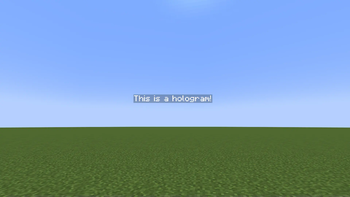
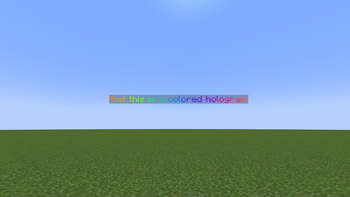
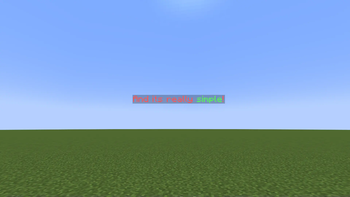
This project was inspired by the Holographic Displays plugin for spigot, but I needed one that was more lightweight, so this plugin was born! If you'd like more features, I'd definately reccomend checking out Holographic Displays, it's an amazing plugin!
Please download the latest version!! Older versions may be unstable or insecure!
How to use:
To begin, simple drag the .jar file from the latest release into your PaperMC Minecraft server, then restart it!
The command list is this:
/holo <operation>
There are five operations, create, edittext, movehere, delete, addline, and list.
After you enter the operation, there are a few more steps depending on the operation you selected.
For create, all you need to do is type the text in the hologram. Normally, this must be done in MiniMessage format, but you can use --nominimessage at the end to use legacy codes (&c, &7, etc)
For edittext, you must first enter the id of the hologram. You can find this by running the list operation. After the id, you put the text you want to replace it with, following the same format as create.
For movehere, you only need to enter the id of the hologram you wish to move, which can be found with the list operation.
addLine just adds a new line to the selected hologram. For simplicity's sake, all this does is create a new hologram underneath the existing one with the given text. One quirk with this is that when the server is restarted, you have to add lines to the bottom line in the chain, the top one will overlap. To delete a line, just delete the hologram. It will show up in the holo list operation.
Finally, delete, you also only need to enter the id of the hologram, which, once again, can be found with list.
Now you're a pro at LightweightHolograms! Have fun!
(More features may be added in the future)
- Edition: Minecraft Java
- File type: .jar
- Minecraft versions listed: 1.16, 1.16.1, 1.16.2
- How to install: Install the matching mod loader (Forge, Fabric or NeoForge) for your Minecraft version. → Download the .jar. → Put it in the .minecraft/mods folder and launch that loader profile.
- Where to get it: Opens on Modrinth — not every file is mirrored on our own servers.
Install steps are the general flow for this file type — How to install Minecraft Java mods & modpacks walks through it step by step.
- Ships as LightweightHolograms-1.3.0.jar — drop this file into the mods folder
- Download size: 40 KB
- Download link checked 1 Sept 2026 — working
These come from our own check of the pack file, not from the source page.