
ModsJava
HomeKeeper
I don't know my version or loader
Open the Minecraft launcher and look at the profile you play on — it names both, like fabric-loader-1.21.4. The version also shows in the bottom-right corner of the game's main menu.
No loader in the profile name? Then it's plain Minecraft, and these mods won't run — you need Fabric or NeoForge installed first.
HomeKeeper v26.1
What does this plugin do?
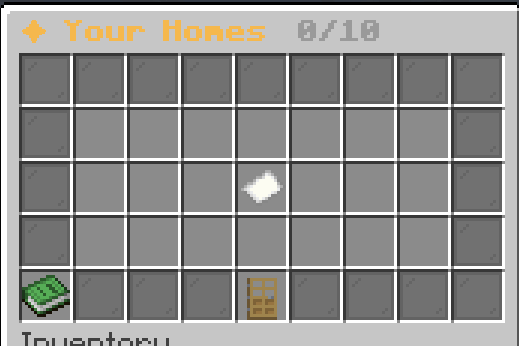
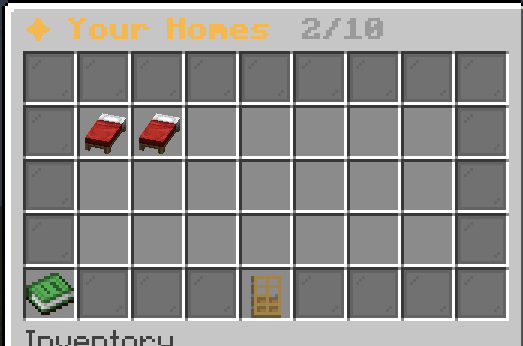
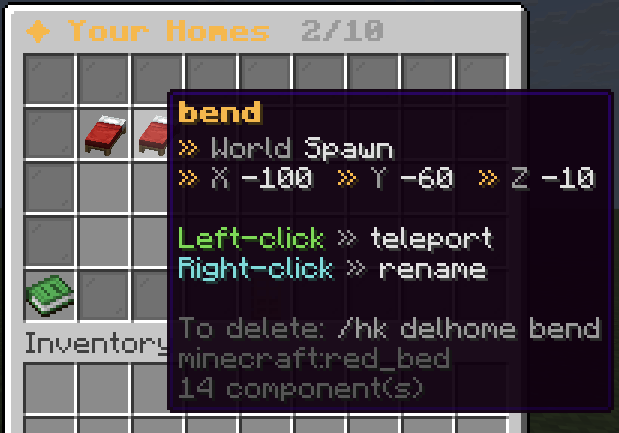
HomeKeeper lets you save favorite spots and teleport back to them fast, all through a clean GUI.
- Set a home with a name you choose, then jump back to it anytime.
- Manage everything from a paginated menu with a bed per home.
- Rename homes by clicking, then typing the new name in chat.
- Delete homes safely with a chat confirmation prompt (no accidents).
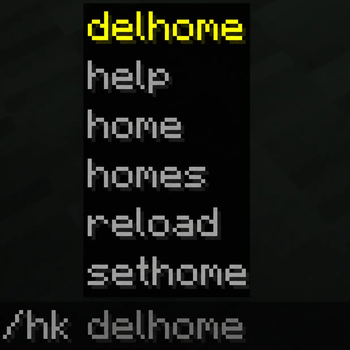
- Tab-completion suggests your own home names while typing.
- Admins can safely reload the plugin without restarting the server.
Player commands
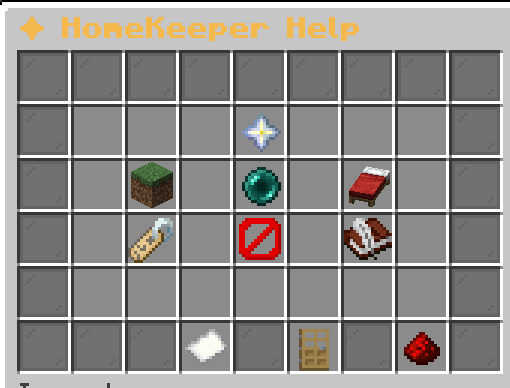
/hk homes— Open your homes menu./hk sethome <name>— Save your current location as a home./hk home <name>— Teleport to a saved home./hk delhome <name>— Delete a home. Sends a chat confirmation with clickable [Confirm] and [Cancel]./hk help— Open the help menu with tips and a clickable Discord link.
Homes menu
- Left-click a bed to teleport.
- Right-click a bed to rename it in chat. Type
cancelor click rename again to abort. - Automatic pagination for many homes (21 per page).
Admin overview
Plugin data folder: plugins/HomeKeeper/
players/- One folder per player who has joined the server. Each folder contains a
homes.ymlwith that player's homes.
- One folder per player who has joined the server. Each folder contains a
config.yml- General settings (e.g.
max-homes, default 10). Change to suit your server.
- General settings (e.g.
rank.yml- Admin list. Add player names here to grant admin permissions (used for
/hk reload).
- Admin list. Add player names here to grant admin permissions (used for
Notes
- Players are tracked by UUID, so their data stays intact even if they change their username.
- You can't save two homes on the exact same block.
- Home names are case-insensitive and limited to letters, numbers,
-and_(max 32 chars).
Community
Join our Discord: https://discord.com/invite/U5Qb7QGDTU
Quick facts
- Edition: Minecraft Java
- File type: .jar
- Minecraft versions listed: 1.17, 1.18, 1.19
- How to install: Install the matching mod loader (Forge, Fabric or NeoForge) for your Minecraft version. → Download the .jar. → Put it in the .minecraft/mods folder and launch that loader profile.
- Where to get it: Opens on Modrinth — not every file is mirrored on our own servers.
Install steps are the general flow for this file type — How to install Minecraft Java mods & modpacks walks through it step by step.
Verified by MCModsHub
- Ships as Homekeeper 26.1.jar — drop this file into the mods folder
- Download size: 39 KB
- Download link checked 1 Sept 2026 — working
These come from our own check of the pack file, not from the source page.