
NeoBB - BlockBattles
A better version of Block Battles, where multiple players compete in a turn-based game, similar to chess or card games.
⬇ Download on Modrinth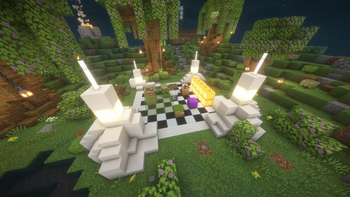
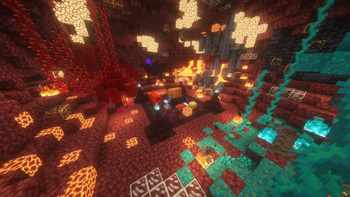
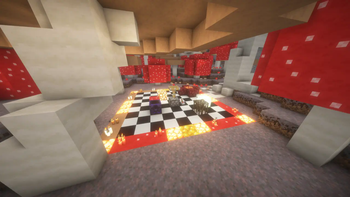
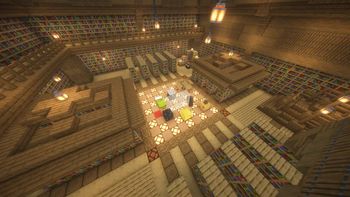
NeoBB
A custom version of the popular BlockBattles (or Block Battle) game, where originally two, but with this plugin as many as you want, players compete in a turn-based match. Each block does something, like attacking your opponent, damaging him, or whatever else the game mode you're running has to offer.
This custom version aims to provide all your nostalgic servers as game modes.
If you want the full feature set or simply don't want to host it yourself, please consider joining the Hectus Discord server for all the latest news and updates. Read more at the bottom!
Game Modes
This is a list of all currently existing game modes:
- Default: The default NeoBB rule-set, as used by Hectus 2.0.
- Card Game: The rule-set of an abandoned server. It plays more like a card game, where each turn just deals damage without any complicated mechanics.
- Person: The rule-set of another abandoned server. It feels really unbalanced and is very complicated.
- More Soon: There are many other game modes planned, including the original, which will come soon. They may not release in the public version, but will 100% be on the Hectus Minecraft server.
Usage
To use the plugin, just create a PaperMC or PurPur server and add the plugin to your plugins/ folder.
Custom World
I highly recommend also downloading the custom world, which can be downloaded here and is also attached to every plugin version (click the version, then scroll down to see attached files).
Start/Manage Game
Managing games and starting them is also quite simple. There is the /games command, which does all you need.
Start
For starting a game, just do /games start <mode> <difficulty> <players>. If you want to exclude players, you can also do @a[name=!PlayerName] in the parameter.
Stop
Stopping is even simpler, everything you need to do is type /games stop <id>, where the ID will be auto-completed. Each game gets assigned a random ID for internal usage. If you don't know a game's ID, refer to the command below.
List Games
To get info about all currently running games, you can use /games list. This will provide you with each game's ID and info like the amount of players, time left, etc. This can also be used to find out a game's ID in case you need to stop it.
Support & Updates
This plugin will keep being updated with new features and game modes. However, the plugin will be split into an open-source version, which is available here, and a closed-source version with more features available on the Hectus Minecraft server.
Once the Hectus server completely releases, this plugin will probably not be updated as much, to limit the possibility of other servers stealing our content.
- Edition: Minecraft Java
- File type: .jar
- Minecraft versions listed: 1.21, 1.21.1, 1.21.2
- How to install: Install the matching mod loader (Forge, Fabric or NeoForge) for your Minecraft version. → Download the .jar. → Put it in the .minecraft/mods folder and launch that loader profile.
- Where to get it: Opens on Modrinth — not every file is mirrored on our own servers.
Install steps are the general flow for this file type — How to install Minecraft Java mods & modpacks walks through it step by step.
- Ships as NeoBB-0.2.0.jar — drop this file into the mods folder
- Download size: 6.1 MB
- Download link checked 1 Sept 2026 — working
These come from our own check of the pack file, not from the source page.