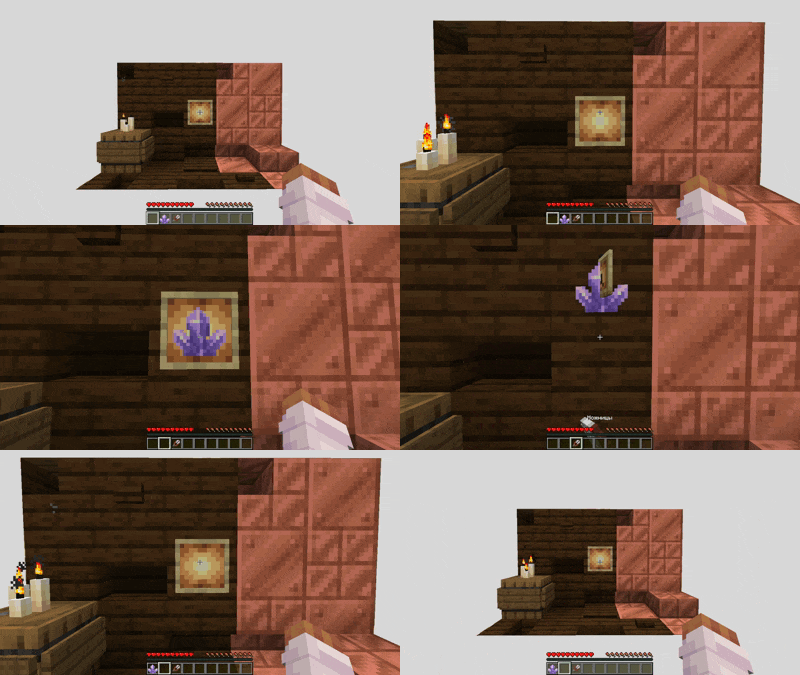
Create invisible item frames in the simplest way by clicking with shears. Just press SHIFT and right-click on the item frame with shears. Everything is ready!
The plugin is perfect for vanilla servers!
Configuration:
# Will the durability of the scissors be wasted when creating an invisible item frame
# Default: true
damagingShears: true

# Is it possible to leave an empty invisible item frame
# Default: false
allowEmptyItemFrame: false
Commands:
・/wheremyframe reload - plugin reload.
・/wheremyframe info - plugin information.
❤️ Icon by cheharka
Quick facts
- Edition: Minecraft Java
- File type: .jar
- Minecraft versions listed: 1.17, 1.17.1, 1.18
- How to install: Install the matching mod loader (Forge, Fabric or NeoForge) for your Minecraft version. → Download the .jar. → Put it in the .minecraft/mods folder and launch that loader profile.
- Where to get it: Opens on Modrinth — not every file is mirrored on our own servers.
Install steps are the general flow for this file type — How to install Minecraft Java mods & modpacks walks through it step by step.
Verified by MCModsHub
- Ships as WhereMyFrame-1.0.jar — drop this file into the mods folder
- Download size: 1.7 MB
- Download link checked 1 Sept 2026 — working
These come from our own check of the pack file, not from the source page.