
ModsJava
FancySetSpawn
FancySetSpawn is a simple plugin for managing spawn points, with customizable messages and sound effects for teleportation and player joining. /setspawn…
⬇ Download on Modrinth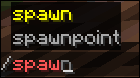

This plugin allows players to set a spawn point and teleport to it.
Features
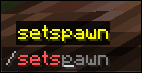
- Set spawn: Players can set the spawn to their current position using the
/setspawncommand. - Teleport to spawn: Players can teleport to the spawn using the
/spawncommand. - Sound effects: The plugin plays sound effects during teleportation and spawn setting.
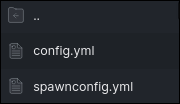
- Configuration management: The plugin uses configuration files to manage messages and sounds.
Installation
- Download the plugin from GitHub.
- Place the plugin files into the
pluginsfolder of your Minecraft server. - Restart the server.
Usage
- Set spawn: Use the
/setspawncommand. - Teleport to spawn: Use the
/spawncommand.
Configuration
The plugin configuration can be found in the config.yml file. Here you can modify messages and sound effects.
Configuration Examples
messages:
  messageLocation: actionbar # Possible values: chat or actionbar
  spawnSet: "&aSpawn has been set to your current location!"
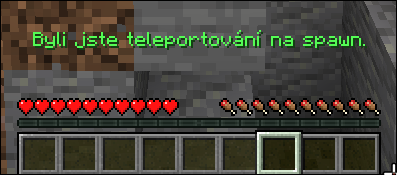
  teleportToSpawn: "&aYou have been teleported to spawn!"
  spawnNotSet: "&cSpawn position is not set."
  commandOnlyPlayer: "&cThis command can only be used by a player."
sounds:
  teleport: "minecraft:entity.experience_orb.pickup"
  setSpawn: "minecraft:entity.experience_orb.pickup"
  playerJoin: "minecraft:entity.player.levelup"  # Sound when a player joins
soundSettings:
  volume: 1.0
  pitch: 1.0
API Usage (Requires version 1.2 or higher)
The plugin provides a simple API for other plugins:
// Example usage of the API in another plugin
public void teleportToSpawn(Player player) {
    // Get the instance of the FancySpawn plugin
    SetSpawn plugin = (SetSpawn) getServer().getPluginManager().getPlugin("FancySetSpawn");

    if (plugin != null && plugin.isEnabled()) {
        // Get the API
        FancySpawnAPI api = plugin.getAPI();

        // Teleport the player to the spawn location
        api.teleportPlayerToSpawn(player);
    }
}
Available API Methods
- getSpawnLocation() – Returns the spawn location
- teleportPlayerToSpawn(Player) – Teleports the player to the spawn location
- isSpawnSet() – Checks whether the spawn location is set
🌐 Official Website | 💻 GitHub Profile
Built with ❤️ by patek_cz
Quick facts
- Edition: Minecraft Java
- File type: .jar
- Minecraft versions listed: 1.21, 1.21.1, 1.21.2
- How to install: Install the matching mod loader (Forge, Fabric or NeoForge) for your Minecraft version. → Download the .jar. → Put it in the .minecraft/mods folder and launch that loader profile.
- Where to get it: Opens on Modrinth — not every file is mirrored on our own servers.
Install steps are the general flow for this file type — How to install Minecraft Java mods & modpacks walks through it step by step.
Verified by MCModsHub
- Ships as FancySpawn-1.2.jar — drop this file into the mods folder
- Download size: 10 KB
- Download link checked 1 Sept 2026 — working
These come from our own check of the pack file, not from the source page.