
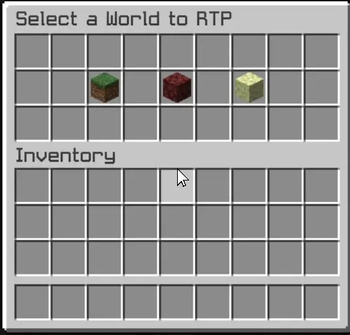
The Xrtp plugin enhances Minecraft gameplay by providing a robust random teleportation (RTP) feature. Players can teleport to safe locations in the Overworld, Nether, and The End, ensuring a seamless adventure experience.
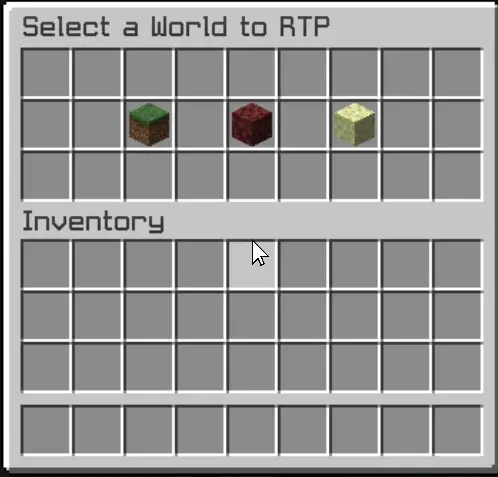
The plugin includes a user-friendly graphical interface (GUI) that allows players to initiate teleportation effortlessly. A countdown timer adds an exciting element of anticipation, while the teleportation process cancels if the player moves, preventing unintended outcomes. This combination of safety and convenience makes Xrtp an essential tool for players seeking exploration without the risk of falling into danger.
Additionally, the config.yml file offers extensive customization options for server administrators. This configuration file allows for the adjustment of teleportation settings, including cooldown periods, maximum teleportation distances, and specific world restrictions. Administrators can fine-tune these parameters to align with their server's gameplay style, ensuring that the RTP feature enhances rather than disrupts the overall experience.
The GUI is designed to be intuitive, providing clear options and feedback, ensuring that players can navigate the teleportation process with ease.
- Edition: Minecraft Java
- File type: .jar
- Minecraft version listed: 1.21.1
- How to install: Install the matching mod loader (Forge, Fabric or NeoForge) for your Minecraft version. → Download the .jar. → Put it in the .minecraft/mods folder and launch that loader profile.
- Where to get it: Opens on Modrinth — not every file is mirrored on our own servers.
Install steps are the general flow for this file type — How to install Minecraft Java mods & modpacks walks through it step by step.
- Ships as Xrtp-1.0-SNAPSHOT.jar — drop this file into the mods folder
- Download size: 10 KB
- Download link checked 1 Sept 2026 — working
These come from our own check of the pack file, not from the source page.