
Fill Hole
I don't know my version or loader
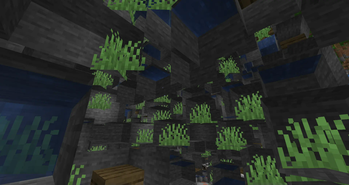
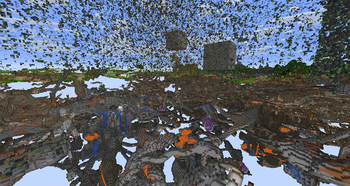
Fill Hole Plugin
Fill Hole is a Minecraft plugin designed to efficiently fill holes in a selected region.
It integrates with WorldEdit and leverages the FAWE API for optimal performance.
Main Command
/fillhole <pattern>
This command detects and fills holes in the selected region with the specified pattern.
- Usage: Select a region using WorldEdit, then execute the command with a pattern (e.g.,
stone,dirt, or combinations likestone,dirt). - Undoable: Changes made by the command can be reverted using WorldEdit's undo command.
- Task-Based Execution: Uses Bukkit tasks to handle large regions without crashing.
- Progress Bar: Displays completion status while filling holes.
You can also use the alias /fh.
Extend Cuboid Selection
You can extend a WorldEdit selection when you hold the WorldEdit wand, it works like the Axiom's selection.
/extendsel <enable | disable>
The command allow to enable/disable the extending selection features
New Masks
#translucent
Filters out translucent blocks when selecting terrain.
#full_cube
Filters blocks to include only full cubes, useful for terrain cleanup.
These masks are useful when starting Terraforming or fixing broken terrain.
Configuration
max_selection_size (default: 10,000,000)
Defines the maximum allowed selection size.
reload_delay (default: 5 minutes)
Controls how often the configuration auto-reloads.
Task Control Settings
These options optimize performance by controlling processing cycles:
fill_hole_processed_cyclefill_hole_tick_cycletask_bar_delay
tag.disable_extend_selection (default: fillhole_disable_extend_sel)
You can modify the tag that disable the extending selection features option with this option
Installation
Requirements
- Minecraft Paper Server: Version 1.20.6 or later.
- FAWE (Fast Async WorldEdit): Ensure FAWE is installed.
Steps
- Download the
.jarfile from the releases page. - Place the file in your server’s
pluginsfolder. - Restart your server.
Permissions
fillhole.use: Required to execute the/fillholecommand.
Players without this permission will receive an error message.
Useful Links
- Issue Tracker: Report a bug or suggest a feature.
- Source Code: View the GitHub repository.
- Releases: Download the plugin.
Author
Developed by Nacharon.
For questions or support, please use the issue tracker.
- Edition: Minecraft Java
- File type: .jar
- Minecraft versions listed: 1.21.5, 1.21.6, 1.21.7
- How to install: Install the matching mod loader (Forge, Fabric or NeoForge) for your Minecraft version. → Download the .jar. → Put it in the .minecraft/mods folder and launch that loader profile.
- Where to get it: Opens on Modrinth — not every file is mirrored on our own servers.
Install steps are the general flow for this file type — How to install Minecraft Java mods & modpacks walks through it step by step.
- Ships as FillHole-1.4.0.jar — drop this file into the mods folder
- Download size: 30 KB
- Download link checked 1 Sept 2026 — working
These come from our own check of the pack file, not from the source page.