
ModsJava
DiscordVerify
Java mod listed for Minecraft 1.21. Downloads from the MC Java Mods app on Android.
The best Discord Verify plugin that keeps your ranks syncon with the Discord Bot. Verify generator, special featrues and more
⬇ Download on Modrinth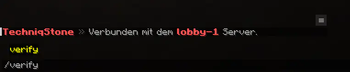



What is the DiscordVerify plugin?
The DiscordVerify plugin from TechniqStone is a next-level verification plugin for Discord. We can say that because we really have developed a plugin that can do it all - for your perfect, modern server.
/verify in Minecraft ➝ Code via Discord Bot DM ➝ Finish, you get your ranks on Discord!
✨ 10. Features
- MySQL/SQLite support
- Uses a Discord Bot Token
- Map Minecraft ranks ➝ Discord role IDs
- Nickname synchronization between Minecraft and Discord
- Custom actions after successful verification or unverification
- Option to keep roles after unverifying
- Configurable verification code length (1–16 characters)
- Set code expiration time in seconds
- Define how often live sync runs
- Customizable messages for Minecraft and Discord
Commands & Permission
/verify- verify.command/unverify- unverify.command
Dependency
Config
# Discord server where the bot assigns roles
guild_id: '12345678910121314'

discord_token: 'DISCORD_BOT_TOKEN'

database_type: 'sqlite' # Supported values: 'mysql', 'sqlite'
mysql:
  host: 'localhost'
  port: 3306
  database: 'discordverify'
  username: 'discordverify_user'
  password: 'password'

# Role given after successful verification
default_rank: Spieler

# Discord role ID given to all verified players (optional)
# This role is assigned to every player that successfully verifies
# and automatically removed when the player uses /unverify
verified_role_id: ''

# Mapping: Minecraft rank -> Discord role ID
discord:
  Admin:
    - '12345678910121314'
    - '23456789012345678'
  Supporter:
    - '34567890123456789'
    - '23456789012345678'
  Spieler:
    - '56789012345678901'

nicknameSync:
  minecraftToDiscord: false
  ignoreGroups: []

# Executes custom actions after successful verification.
# Each entry must start with either 'console:' or 'player:'.
# Available placeholders: {player}, {uuid}
successVerifyActions:
  #- 'console: lp user {player} meta addsuffix 100 "&e✔"'

successUnverifyActions:
  #- 'console: lp user {player} meta removesuffix 100'

# Discord roles to keep after unverification
keep_roles_on_unverify:
  - '12345678910121314'

# Length of the verification code (1–16)
numbers: 4

# Code expiration time in seconds
expiration_time: 60

# How often live sync runs (in seconds)
sync_interval: 3

# Minecraft
onlyPlayer: '&c&lTechniqStone &8» &cOnly players can verify.'
noPermission: '&c&lTechniqStone &8» &cYou don’t have permission.'
verifyDisabled: '&c&lTechniqStone &8» &cThe verification system is disabled.'
verifySuccessMc: '&c&lTechniqStone &8» &7Verification &bsuccessful! &7Your Discord roles have been synced.'
alreadyVerifiedMc: '&c&lTechniqStone &8» &7Did you mean &b/unverify&7? You’re already verified.'
codeMessage: '&c&lTechniqStone &8» &7Your verification code is &b{code}&7. Send it within &b{time} &7seconds via DM to the Discord bot &b#Verify&7.'
errorCodeMessage: '&c&lTechniqStone &8» &cError saving the verification code. Please contact ticket support immediately!'
notVerified: '&c&lTechniqStone &8» &cYou are not verified.'
unverifyMessage: '&c&lTechniqStone &8» &7Unlink successful.'
databaseErrorMc: '&c&lTechniqStone &8» &cDatabase error. Please contact ticket support immediately!'

# Discord
errorDefaultRank: 'Internal error: default_rank not set. **Please contact ticket support immediately!**'
errorRoleNotFound: 'Internal error: role not found. **Please contact ticket support immediately!**'
databaseErrorDc: 'Database error. **Please contact ticket support immediately!**'
alreadyVerified: 'You are already verified.'
invalidCode: '❌ Invalid or expired code.'
verifyWorks: '✅ **Verification code valid!** You have been successfully verified and your roles on the TechniqStone Discord server have been assigned.'
unverifyDc: 'You have successfully unlinked your Minecraft account. You can verify again at any time.'
Quick facts
- Edition: Minecraft Java
- File type: .jar
- Minecraft versions listed: 1.21, 1.21.1, 1.21.2
- How to install: Install the matching mod loader (Forge, Fabric or NeoForge) for your Minecraft version. → Download the .jar. → Put it in the .minecraft/mods folder and launch that loader profile.
- Where to get it: Opens on Modrinth — not every file is mirrored on our own servers.
Install steps are the general flow for this file type — How to install Minecraft Java mods & modpacks walks through it step by step.
File checked by MCModsHub
- Ships as DiscordVerify-1.2.8.jar — drop this file into the mods folder
- Download size: 10.8 MB
- Download link checked 2 Nov 2026 — working
These come from our own check of the pack file, not from the source page.