
Point capture plugin
I don't know my version or loader
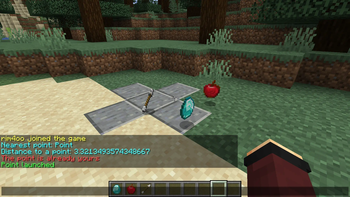
HOW TO START
After installing the plugin, you need to create a team (basic Minecraft function) /team add "team name" and join this team /team join "team name"
HOW TO ADD A POINT
just write in chat /point add x y z "Point name" resource1 resource2 resource3...
HOW TO CAPTURE/LAUNCH A POINT
/point or /point capture
HOW TO DELETE A POINT
/point clear "point name or all"
HOW TO GET A LIST OF ALL POINTS
/point list or look at the Points.yml file in plugins\rim4oosCapturePointsPlugin
LIST OF PERMISSIONS
rcpp.addPoint rcpp.clearPoint rcpp.reload
CONFIG
Language - plugin language (Russian and English are currently supported). Available values: en and ru.
MinOnline - The minimum number of online players is required for the point to start.
MinimalOnlineInOpposingTeams - The minimum number of players in opposing teams (all except yours) in order to capture a point.
DelayBetweenResourceSpawns - Delay between resource spawns at a point (in ticks)
Distance2MaintainPointWork - The distance to the point at which the player must be for the point to continue working.
Distance2StartPointWork - The distance to the point at which the player must be in order to capture or launch the point.
- Edition: Minecraft Java
- File type: .jar
- Minecraft versions listed: 1.20, 1.20.1, 1.20.2
- How to install: Install the matching mod loader (Forge, Fabric or NeoForge) for your Minecraft version. → Download the .jar. → Put it in the .minecraft/mods folder and launch that loader profile.
- Where to get it: Opens on Modrinth — not every file is mirrored on our own servers.
Install steps are the general flow for this file type — How to install Minecraft Java mods & modpacks walks through it step by step.
- Ships as rcpp-1.0-1.20.jar — drop this file into the mods folder
- Download size: 17 KB
- Download link checked 3 Sept 2026 — working
These come from our own check of the pack file, not from the source page.