
Cconomy-database
Java mod listed for Minecraft 1.20. Downloads from the MC Java Mods app on Android.
Effortlessly manage in-game currency on your Minecraft server with Cconomy-database. Administer player finances, check balances, and more. Download now!
⬇ Download on Modrinth


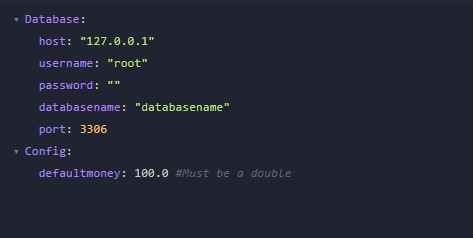

Cconomy-database Bukkit/Spigot Plugin
Manage in-game currency effortlessly with Cconomy-database, a powerful Bukkit/Spigot plugin designed for Minecraft servers. Whether you're an administrator overseeing a bustling community or a player looking to check your virtual wallet, Cconomy-database provides a suite of intuitive commands and features.
Key Features:
🌐 Database Integration:
- Seamlessly connects to databases for secure and efficient storage of player financial data.
💼 Player Finances Administration:
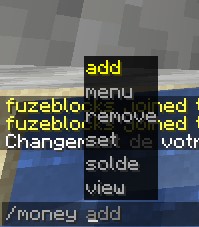
- Administer player finances with commands like add, set, and remove, granting you control over in-game currency.
💰 Check Balances:
- Empower players to monitor their own balances or view the wealth of others with a straightforward command.
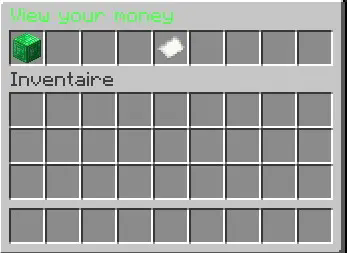
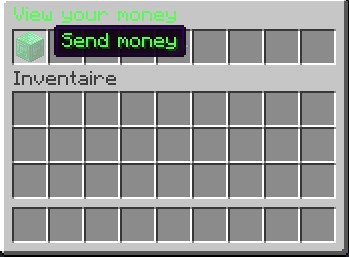
📊 Graphical User Interface:
- Access a user-friendly menu for streamlined money management, enhancing the player experience.
🛡️ Permission-Based Security:
- Ensure secure usage by implementing permission-based access to critical commands.
🚀 Exception Handling:
- Built-in exception handling guarantees stability, even in the face of potential database errors.
🔧 Customizable Commands:
- Tailor the plugin to suit your server's needs with a range of customizable commands and permissions.
How to Use:
- Check your balance:
/money solde - Administer player finances:
/money add/set/remove <player> <amount> - Open the management menu:
/money menu - View another player's balance:
/money view <player>
Elevate your server management experience with Cconomy-database. Download now and take control of your virtual economy!
- Edition: Minecraft Java
- File type: .jar
- Minecraft versions listed: 1.20, 1.20.1, 1.20.2
- How to install: Install the matching mod loader (Forge, Fabric or NeoForge) for your Minecraft version. → Download the .jar. → Put it in the .minecraft/mods folder and launch that loader profile.
- Where to get it: Opens on Modrinth — not every file is mirrored on our own servers.
Install steps are the general flow for this file type — How to install Minecraft Java mods & modpacks walks through it step by step.
- Ships as Cconomy_Database-0.3.jar — drop this file into the mods folder
- Download size: 67 KB
- Download link checked 14 Oct 2026 — working
These come from our own check of the pack file, not from the source page.