
MegaVerse
An easy-to-use, lightweight and feature-rich World Management plugin, create and delete worlds entirely in seconds!
⬇ Download on Modrinth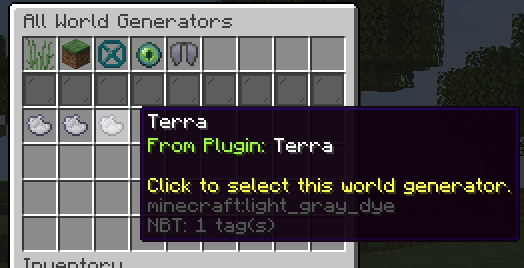

MegaVerse
MegaVerse is the ultimate Minecraft server World Manager, focused to be user-friendly, lightweight and fancy.




Plugin Features
Built-in generators
MegaVerse alone adds 5 new more free custom world generators, such as a Void Generator, Aether-style world, and more!
Familiar Interface
Familiar by design, but smarter, faster, and easier than ever - with clean, modern menus that make world management a seamless experience.
World Flags
MegaVerse has a unique system of World Flags! They are used to block, allow, or customize certain features of a world, such as displaying a message on entry, disabling portals, disabling PvP, and more similar functionalities.
Tasks
Create, delete, regenerate, manage worlds and more entirely by using automatic tasks! Highly configurable, supports custom commands and more!

User-friendly
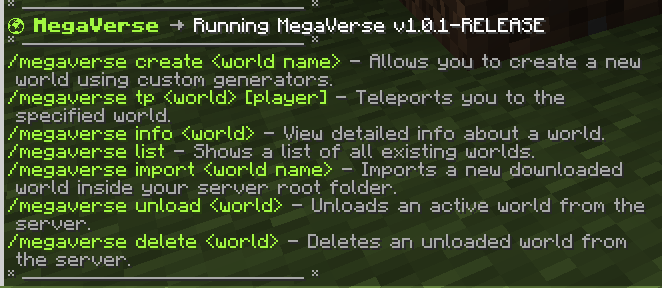
MegaVerse is designed from it's ground to be user-friendly and simple to use. Need to create a world? Have everything you need inside a small and simple menu with just one command!
... and more
MegaVerse is constantly evolving with updates that bring new features, essential patches, and significant improvements. Helping server owners from the entire world.
Support my work
This plugin is and will be completely free. If you want to support me, you can through the links below!


Version compatibility
MegaVerse is compatible with Spigot, Paper (and any other forks) servers running versions from 1.17 to 1.22.
Documentation
You can check the full plugin documentation here


- Edition: Minecraft Java
- File type: .jar
- Minecraft versions listed: 1.17, 1.17.1, 1.18
- How to install: Install the matching mod loader (Forge, Fabric or NeoForge) for your Minecraft version. → Download the .jar. → Put it in the .minecraft/mods folder and launch that loader profile.
- Where to get it: Opens on Modrinth — not every file is mirrored on our own servers.
Install steps are the general flow for this file type — How to install Minecraft Java mods & modpacks walks through it step by step.
- Ships as MegaVerse-1.2.0-RELEASE.jar — drop this file into the mods folder
- Download size: 208 KB
- Download link checked 5 Sept 2026 — working
These come from our own check of the pack file, not from the source page.