
Easy Camera
Fabric mod and Spigot plugin that allows you to view other players' webcams. Free Minecraft Java mod for 1.21.1, 1.21.2, 1.21.3.
I don't know my version or loader
Easy Camera
See your friends' real faces in Minecraft!
Ever wanted to add a new layer of interaction to your Minecraft server? Easy Camera Mod allows you to see a real-time video stream from your friends' webcams right inside the game! A small, customizable circle appears above each player's head, showing their live reaction and making your adventures even more fun and personal.
This is the perfect mod for streamers, friends playing together, or any server that wants to foster a closer community.
This project was heavily inspired by the unique webcam feature seen on the FreakLand server. Our goal was to recreate and improve upon that amazing idea, making it available for everyone to enjoy on their own Fabric and Spigot servers.
Features
- Real-Time Webcam Streaming: See your friends' faces live in the game. The mod is optimized for low latency and minimal performance impact.
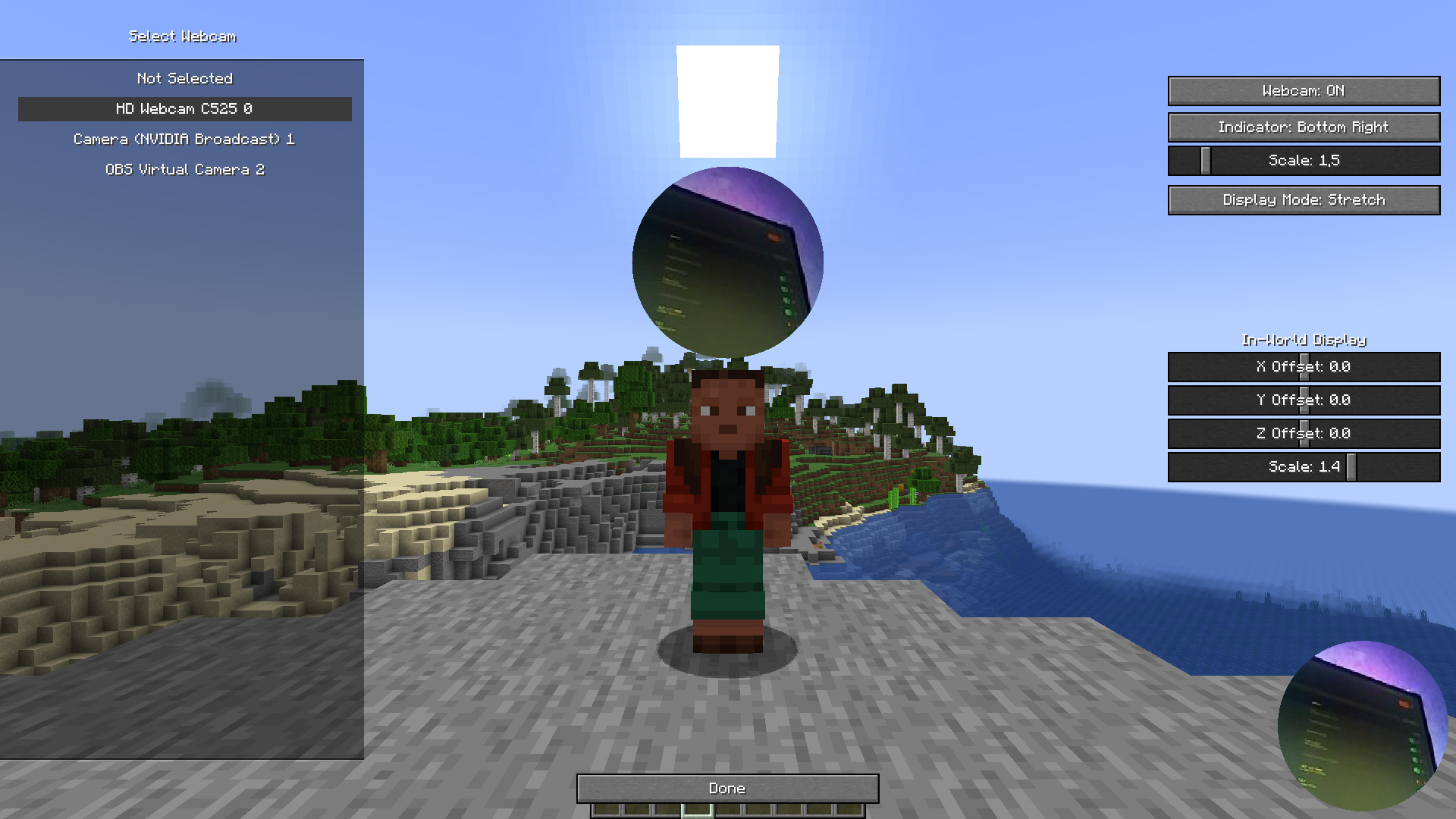
- In-World & HUD Indicators: The webcam view appears as a circle above the player's head in the world and as a small indicator on your HUD.
- Fully Customizable:
- Position & Scale: Adjust the size and position of the webcam circle above the player's head to your liking.
- Display Mode: Choose between
Stretch/Fillto fit the whole video in the circle orCropto zoom in on a specific area. - HUD Indicator: Enable or disable the on-screen indicator and adjust its position (top-left, top-right, bottom-right) and scale.
- Horizontal Flip: Flip your own camera view if you need to.
- Mute System: Don't want to see someone's camera? You can easily mute any player from a simple in-game menu. Their camera view will be hidden from you.
- Server-Side Control (Spigot/Paper Plugin): The companion Spigot plugin ensures smooth and fair network usage. It prevents players from sending too much data, ensuring server stability.
- Performance Optimized: The mod is designed to be lightweight. It uses efficient compression and throttling to minimize network and client-side lag.
Keybinds
By default, you can access the mod's menus with these keys (they can be changed in Minecraft's keybind settings):
- '. PERIOD': Opens the main settings screen.
- ', COMMA': Opens the player mute screen.
How to Use
For Players (Client-Side - Fabric)
- Install Fabric: Make sure you have the Fabric Loader installed.
- Install Fabric API: Download the Fabric API and place it in your
modsfolder. - Download Easy Camera Mod: Download the latest version of Easy Camera Mod and place the
.jarfile in your.minecraft/modsfolder. - Configure: Launch the game. In the main menu or pause menu, you will find a settings screen for Easy Camera Mod. Here you can select your webcam, enable it, and customize all visual settings.
For Server Admins (Server-Side - Spigot/Paper)
- Download the Plugin: Download the latest version of Easy Camera Plugin.
- Install: Place the
.jarfile into thepluginsfolder of your Spigot, Paper, or Purpur server. - Restart: Restart your server. The plugin will work out of the box. No configuration is needed.
The plugin is crucial for multiplayer. It relays webcam data between players and protects the server from being overloaded.
Why use this mod?
- Enhanced Social Interaction: See live reactions, making every moment more memorable. Perfect for cooperative builds, intense PvP battles, or just hanging out.
- Great for Content Creators: Easily show your face to your audience without complex OBS setups. Your viewers will see what you see.
- Easy to Set Up: With a user-friendly in-game menu, getting started is a breeze.

Technical Note: The client mod is for Fabric, and the server plugin is for Spigot-based servers (Spigot, Paper, Purpur, etc.). Both are required for the mod to work in multiplayer.
- Ships as EasyCameraPlugin-1.0.jar — drop this file into the mods folder
- Download size: 17 KB
- Download link checked 5 Sept 2026 — working
These come from our own check of the pack file, not from the source page.