


Discord | Hangar | Modrinth | Spigot | GitHub
PotionEffectsRemover
Minecraft plugin to disable some potion effects.
Support Paper forks including Folia for version 1.20 to the last one. (See version compatibility in releases) Older version than 1.20 won't be supported.
Install
Download last version.
Place it in plugins/ in your server files.
After 1st launch you can edit config in plugins/PotionEffectsRemover/config.yml
Test
To test plugin you need Java 21+ to compile & package: ./gradlew assemble. Plugin file will be in build/libs/.
Then you need an 1.20 Minecraft server with PaperMc or a fork to run it.
Configurations
Edit plugins/PotionEffectsRemover/config.yml.
The only needed setting is disabledPotionEffects that determine witch potion effects will be disabled.
You can optionaly define some bypass, so player will ba able to have disabled potion effects. Bypass can be a gamemode, for example all player in creative can have disabled potion effects. Bypass can be a cause, for example if the potion is set by a command, then it's not disabled.
affectOnlyPlayers allow you to disable potion effects for player only or for all entities.
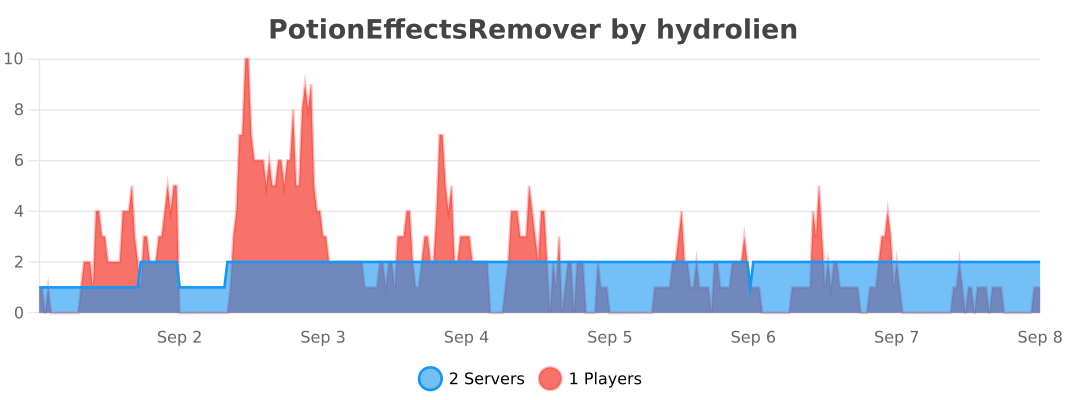
Statistics
- Edition: Minecraft Java
- File type: .jar
- Minecraft versions listed: 1.20, 1.20.1, 1.20.2
- How to install: Install the matching mod loader (Forge, Fabric or NeoForge) for your Minecraft version. → Download the .jar. → Put it in the .minecraft/mods folder and launch that loader profile.
- Where to get it: Opens on Modrinth — not every file is mirrored on our own servers.
Install steps are the general flow for this file type — How to install Minecraft Java mods & modpacks walks through it step by step.
- Ships as PotionEffectsRemover-1.0.11.jar — drop this file into the mods folder
- Download size: 393 KB
- Download link checked 5 Sept 2026 — working
These come from our own check of the pack file, not from the source page.