
PterodactylPowerAction
Velocity plugin to automatically start and stop Minecraft servers based on player activity using the Pterodactyl API, redirecting players to a waiting…
I don't know my version or loader
PterodactylPowerAction
A resource-saving Velocity plugin that automatically manages your Minecraft servers by starting them on demand and shutting them down when idle, using either the Pterodactyl API or shell commands.
⚠️ Important:
Support for this project is limited as I don't use it in production anymore.
Community & Support
If you have any questions or suggestions, join the Discord server!
✨ Key Features
🔌 Energy & Resource Saving - Automatically shuts down empty servers after a configurable idle period (default: 1 hour)
🚀 On-Demand Server Startup - Starts servers only when players need them, optimizing resource usage
🔄 Seamless Player Experience:
- Redirects players to a lightweight waiting server during startup
- Automatically transfers players when their destination server is ready
- Keeps players informed with status messages throughout the process
🛡️ Kick Protection - Optionally redirects kicked players to your waiting server instead of disconnecting them
🧰 Flexible Implementation:
- Works with Pterodactyl Panel API for managed hosting
- Supports direct shell commands for self-hosted environments
⚙️ Highly Configurable:
- Customizable shutdown delay
- Multiple server status checking methods
- Configurable shutdown behavior on proxy restart
🌐 Multilingual Support - Automatically translates messages based on the client's language (English, German, French)
🔍 Diagnostic Tools - Built-in doctor command to validate your configuration and troubleshoot issues
How it Works
When a player tries to connect to a stopped server, they're temporarily sent to your waiting server while PterodactylPowerAction starts their requested destination. Once the server is ready, they're automatically transferred. The plugin monitors player activity and intelligently shuts down empty servers to save resources.
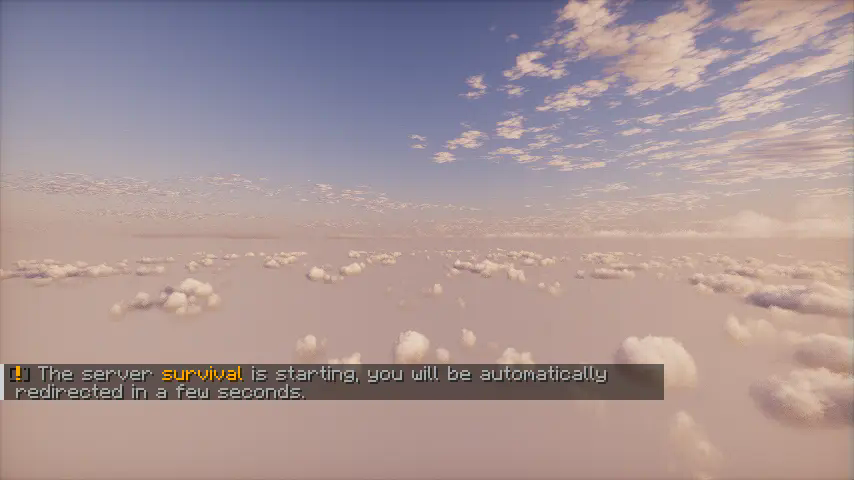 Shader is Photon.
Documentation
The documentation is available on the wiki of this GitHub repository.
- Edition: Minecraft Java
- File type: .jar
- Minecraft versions listed: 1.17, 1.17.1, 1.18
- How to install: Install the matching mod loader (Forge, Fabric or NeoForge) for your Minecraft version. → Download the .jar. → Put it in the .minecraft/mods folder and launch that loader profile.
- Where to get it: Opens on Modrinth — not every file is mirrored on our own servers.
Install steps are the general flow for this file type — How to install Minecraft Java mods & modpacks walks through it step by step.
- Ships as PterodactylPowerAction-1.8.0-SNAPSHOT.jar — drop this file into the mods folder
- Download size: 997 KB
- Download link checked 5 Sept 2026 — working
These come from our own check of the pack file, not from the source page.