
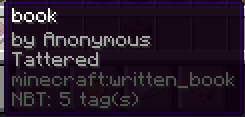
By using this plugin you can allow players on your server to use colors and styles when writing books without the need for commands.
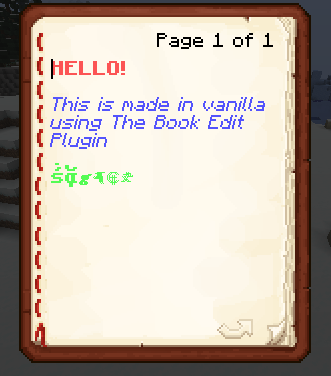
Players will also be able to make they're book anonymous and/or tattered in vanilla without commands.
Usage:
To add colors or styles to a part of text add the "tag" matching the effect you want(you can see them by using the command /book help)
EXAMPLE: Text
After you press "done" and re-open the book the color or style will be applied.
If you want to stop the color of style from effecting more words then you need, use the tag :
To make the book tattered use the command: /book tattered To make the author of the book anonymous use: /book anonymous
- Edition: Minecraft Java
- File type: .jar
- Minecraft versions listed: 1.20, 1.20.1, 1.20.2
- How to install: Install the matching mod loader (Forge, Fabric or NeoForge) for your Minecraft version. → Download the .jar. → Put it in the .minecraft/mods folder and launch that loader profile.
- Where to get it: Opens on Modrinth — not every file is mirrored on our own servers.
Install steps are the general flow for this file type — How to install Minecraft Java mods & modpacks walks through it step by step.
- Ships as BookEdit-1.1.jar — drop this file into the mods folder
- Download size: 7 KB
- Download link checked 5 Sept 2026 — working
These come from our own check of the pack file, not from the source page.